
As an Amazon Associate, I earn from qualifying purchases. En calidad de Afiliado de Amazon, obtengo ingresos por las compras adscritas que cumplen los requisitos aplicables. If you buy through these links, the price is the same for you and Amazon pays me a small commission that helps keep Tecnoyfoto running.

Updated on January 20, 2026
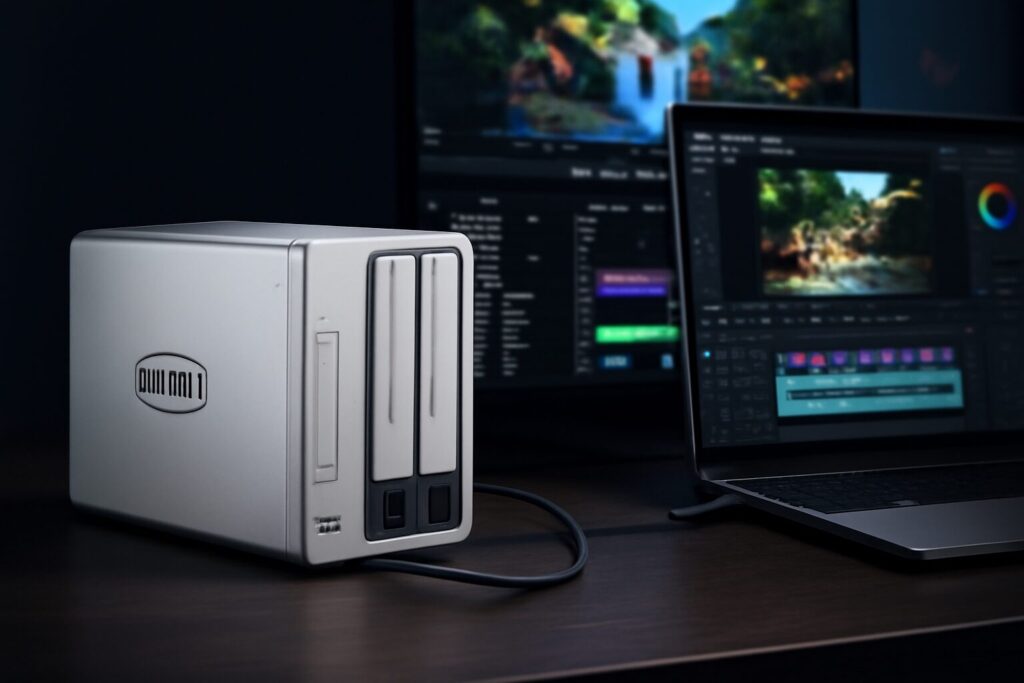
The TerraMaster D2-320Affiliate link isn’t new to the scene, but in 2026, it has cemented its place as a go-to Direct Attached Storage (DAS) solution, hitting the sweet spot between simplicity, speed, and price. If you need to expand your computer’s storage with an external drive that’s genuinely fast and reliable, this TerraMaster D2-320Affiliate link review will show you why it remains a top-tier choice for anyone working with massive files, like video editors, photographers, and music producers.
Unlike a NAS (Network Attached Storage), which connects to your local network, a DAS like the D2-320 plugs directly into your PC or Mac via a USB cable. This direct connection allows it to deliver data transfer speeds that blow conventional external hard drives out of the water, making it a powerful work tool, not just a storage box.
What is the TerraMaster D2-320 and Who Is It For?
The TerraMaster D2-320Affiliate link is a 2-bay USB-C external storage enclosure. Inside, you can install up to two 3.5″ hard drives (HDDs) or 2.5″ solid-state drives (SSDs). Its key selling point is its 10Gbps USB 3.2 Gen 2 interface, which boasts theoretical speeds of up to 1250 MB/s. In practice, as we’ll see, the real-world performance is limited by the drives you install, but this high-speed port ensures the connection itself will never be the bottleneck.
This device is an ideal solution for a few key user profiles:
- Content Creators: This is the primary audience. Video editors, photographers, designers, and musicians who handle large files and need instant, lag-free access. It’s the perfect external storage for video editing.
- Professionals and SMBs: For performing massive and rapid backups of workstations, databases, or servers. Its speed dramatically shrinks backup windows.
- Power Users: Anyone looking to centralize a media library (4K movies, high-res audio, photos) and access it at maximum speed without the complexity of a network setup.
- NAS Owners: It’s a cost-effective and efficient way to expand the capacity of a NAS server like the TerraMaster F2-212. Simply connect it to a free USB port on the NAS to add more storage.
Key Technical Specifications
| Feature | Specification |
| Bays | 2 |
| Compatible Drive Types | 3.5″ and 2.5″ SATA HDD / SSD |
| Max Capacity | Up to 48 TB (2 x 24 TB) |
| Connection Interface | USB-C (USB 3.2 Gen 2) |
| Max Theoretical Speed | 10 Gbps (1250 MB/s) |
| Supported Modes | Single Disk, JBOD, RAID 0, RAID 1 |
| OS Compatibility | Windows, macOS, Linux |
| Cooling | 80mm smart fan with speed control |
| Build Material | Aluminum alloy chassis, plastic front panel |
| Installation | Tool-less for 3.5″ drives |
Design and User Experience
Beyond the specs, the day-to-day experience with a device is what really counts. The D2-320 excels in its simplicity.
- Tool-less Installation: Getting your drives mounted is a matter of seconds. The removable trays have a plastic locking mechanism for 3.5″ drives that doesn’t require a single screw. For 2.5″ SSDs, you’ll need to use the included screws to secure them to the tray, but the process is still straightforward.
- Build Quality: The main chassis is an aluminum alloy, which gives it a sturdy feel and, more importantly, helps dissipate heat from the drives. The front panel is plastic, a detail that slightly detracts from its “premium” vibe but is functional and helps keep costs down.
- Cooling and Noise Levels: The 80mm fan is “smart,” meaning it adjusts its speed based on the temperature of the drives. In my testing, under light workloads or at idle, it’s virtually inaudible. When transferring hundreds of gigabytes with two 7200 rpm HDDs, the fan spins up, generating a soft, steady hum that’s completely tolerable in an office or studio environment. With SSDs, which generate far less heat, the fan barely ever kicks into high gear.
Real-World Performance: 2026 Benchmarks
Theoretical numbers are one thing, but the TerraMaster D2-320’s real-world speed is what truly matters. For this review, I ran tests using a Mac Studio (equipped with Thunderbolt 4 / USB4 ports) and two representative drive configurations.
Test Setup:
- HDDs: 2 x WD Red Pro 6 TB (7200 rpm)
- SSDs: 2 x Crucial MX500 2TB SATA III
Here are the results from Blackmagic Disk Speed Test:
| Drive Configuration | RAID Mode | Read Speed (Approx.) | Write Speed (Approx.) |
|---|---|---|---|
| 2 x HDD | RAID 0 (Performance) | 485 MB/s | 460 MB/s |
| 2 x HDD | RAID 1 (Redundancy) | 240 MB/s | 235 MB/s |
| 2 x SSD | RAID 0 (Performance) | 1010 MB/s | 980 MB/s |
| 2 x SSD | RAID 1 (Redundancy) | 550 MB/s | 510 MB/s |
Breaking Down the Results:
- With HDDs in RAID 0: We get excellent speed for quick backups or working with RAW photography and 4K video with lightweight codecs. It’s nearly twice as fast as a single drive.
- With SSDs in RAID 0: This is where the 10Gbps DAS truly shines. Speeds exceed 1000 MB/s, allowing for direct editing of 4K ProRes 422 footage from the drive without proxies or lag. This is workflow-transforming performance.
- In RAID 1: Speeds are what you’d expect from a single drive, which is normal behavior. The priority here isn’t peak performance but data redundancy and safety.
RAID 0 vs. RAID 1: Speed vs. Safety—Which Should You Choose?
One of the D2-320’s biggest advantages is its RAID capability, but it’s crucial to understand the difference between RAID 0 vs. RAID 1 to make the right choice for your data. In addition to these, it also supports “Single” mode (each disk appears as a separate drive) and “JBOD” (both disks are combined into one large volume, with no speed or safety benefits).
When to Choose RAID 0 (Striping)?
- It combines the capacity and speed of both drives. If you install two 10 TB drives, you get a single 20 TB volume that’s nearly twice as fast.
- Best for: Temporary data, scratch disks for video or audio editing, game libraries, or any scenario where speed is the top priority and the data is either non-critical or already backed up elsewhere.
- The Huge Risk: If one of the two drives fails, you lose ALL data from BOTH drives, permanently.
When to Choose RAID 1 (Mirroring)?
- It creates an exact, real-time copy (a mirror) of one drive onto the other. If you install two 10 TB drives, you only have 10 TB of usable space.
- Best for: Storing critical data, your master photo archive, important documents, or mission-critical backups. This is the setup I recommend for peace of mind.
- The Key Benefit: If one drive fails, your data is completely safe on the other. You simply replace the faulty drive, and the system automatically rebuilds the mirror.
TerraMaster D2-320: Pros & Cons in 2026
| 👍 Pros | 👎 Cons |
|---|---|
| Excellent performance thanks to 10Gbps USB-C, especially with SSDs. | Plastic front panel feels less premium than the metal chassis. |
| Very simple tool-less installation for 3.5″ drives. | RAID is software-managed (via the OS), not via a dedicated hardware chip, which can be less intuitive for beginners. |
| Whisper-quiet operation at idle and under light loads. | Fan can become audible under sustained, heavy load with HDDs. |
| Great compatibility with USB 3.0/3.1/3.2, USB4, and Thunderbolt 3/4 ports. | Not a NAS, so it lacks any standalone network features. |
| Highly competitive performance-to-price ratio in the 2026 market. |
TerraMaster D2-320 Alternatives in 2026
While the D2-320 is a fantastic option, it’s important to look at the alternatives to the TerraMaster D2-320 to be sure it’s the best fit for you. Here’s how it stacks up against two popular competitors:
| Feature | TerraMaster D2-320 | QNAP TR-002 | OWC Mercury Elite Pro Dual |
|---|---|---|---|
| Interface | USB-C 3.2 Gen 2 (10Gbps) | USB-C 3.2 Gen 1 (5Gbps) | Thunderbolt 4 / USB4 (40Gbps) |
| Max Speed (with SSDs) | ~1010 MB/s | ~450 MB/s | ~1015 MB/s (SATA limited) |
| RAID Control | Software (via OS) | Hardware (switches) | Hardware (switches) |
| Estimated Price (Diskless) | $160 – $180 | $140 – $170 | $320 – $380 |
| Best For… | Users seeking the best USB-C performance for their money. | Beginners who prioritize easy hardware RAID setup over max speed. | Thunderbolt ecosystem pros who need maximum reliability and compatibility. |
Price Analysis and Value in 2026
With a price that typically hovers around the $160 to $180 mark (diskless), the TerraMaster D2-320 offers an exceptional price-to-performance ratio. If your goal is to hit speeds approaching 1 GB/s, it’s one of the most affordable ways to get there. Competitors with a Thunderbolt interface, like the OWC model, offer more versatile connectivity (allowing you to daisy-chain other devices), but at a cost that nearly doubles the TerraMaster’s without providing a real-world speed boost when using SATA drives. Meanwhile, cheaper alternatives like the QNAP TR-002 sacrifice half the performance for minimal savings. This places the D2-320 in a perfect sweet spot for most demanding users.
Frequently Asked Questions (FAQ)
What hard drives are compatible?
It’s compatible with virtually any 3.5″ SATA hard drive or 2.5″ SATA solid-state drive (SSD). While TerraMaster publishes an official compatibility list, in my experience, it works flawlessly with all major brands like Western Digital, Seagate, Crucial, and Samsung. For 2.5″ drives, no adapter is needed, but you do have to secure them to the drive tray with the included screws.
Do I need to install any drivers?
Nope, it’s 100% plug-and-play. Windows, macOS, and most popular Linux distributions recognize it natively without any additional software. The RAID configuration is handled using your operating system’s built-in tools (Disk Utility on macOS, Disk Management on Windows).
Does it work with Thunderbolt 3/4 and USB4 ports?
Yes, it is fully compatible. When you connect it to a Thunderbolt or USB4 port, the system will negotiate the connection using the USB 3.2 Gen 2 protocol. This means the maximum speed will be limited to the 10 Gbps offered by the D2-320, which is more than enough to saturate the speed of the internal SATA drives.
My computer isn’t detecting the TerraMaster D2-320, what do I do?
This usually isn’t an issue with the device itself, but rather because new drives are not initialized. When you install brand-new drives, you must use your OS’s disk utility to format them and create a volume. If you still have trouble, the general steps are: open your disk management tool, find the new unallocated drives, create a new simple volume (or RAID array), and assign it a drive letter.
Final Verdict: Is It Worth It in 2026?
In 2026, the TerraMaster D2-320 stands firm as an outstanding direct-attached storage solution. It’s a solid, reliable, and—most importantly—very fast device. Its 10Gbps connection makes it the perfect tool for creative professionals and power users seeking performance that eclipses traditional external drives, without the complexity and cost of a full-blown NAS system.
If speed is your top priority for editing video or moving gigantic files, the combination of the D2-320 with two SSDs in RAID 0 is unbeatable in its price range. If, on the other hand, you’re looking for fail-proof security for your backups, its RAID 1 mode will give you the peace of mind you need. For its excellent balance and aggressive pricing, it remains one of the clearest recommendations in the 2-bay 10Gbps DAS market.
Buy the TerraMaster D2-320
You can check its current price and availability at the links below:
- Check Price on Amazon.com (USA)Affiliate link
- Check Price on Amazon UKAffiliate link
- Check Price on Amazon SpainAffiliate link
Continue reading

Next related guide · 6 min read
Lost Your Fire Stick Remote? The 2026 Fire TV App Is Your Ultimate Fix
Updated on May 10, 2026 Lost your Fire TV remote *again*? Did the batteries die right before the season finale? Or are you just…
Continue with this article