

Updated January 26, 2026
YAML is the data serialization language that forms the backbone of countless DevOps and IoT projects, from configuring Home Assistant to defining workflows in GitHub Actions. Its popularity comes from a clean, human-readable syntax. However, one of the most common questions I hear is how to handle YAML variables to avoid repeating code.
Let’s get one thing straight right from the start: YAML, in its core spec, doesn’t have “variables” like you’d find in a programming language like Python or JavaScript. You can’t declare a variable and then modify it later. Instead, YAML offers a much more powerful mechanism that fits its declarative nature for reusing YAML values: Anchors and Aliases.
In this definitive 2026 guide, we’re going to bust the myth of variables in YAML. I’ll show you the standard, correct method for reusing data, and we’ll also explore platform-specific techniques that often get confused with native variables.
The Right Way: Mastering YAML Anchors & Aliases
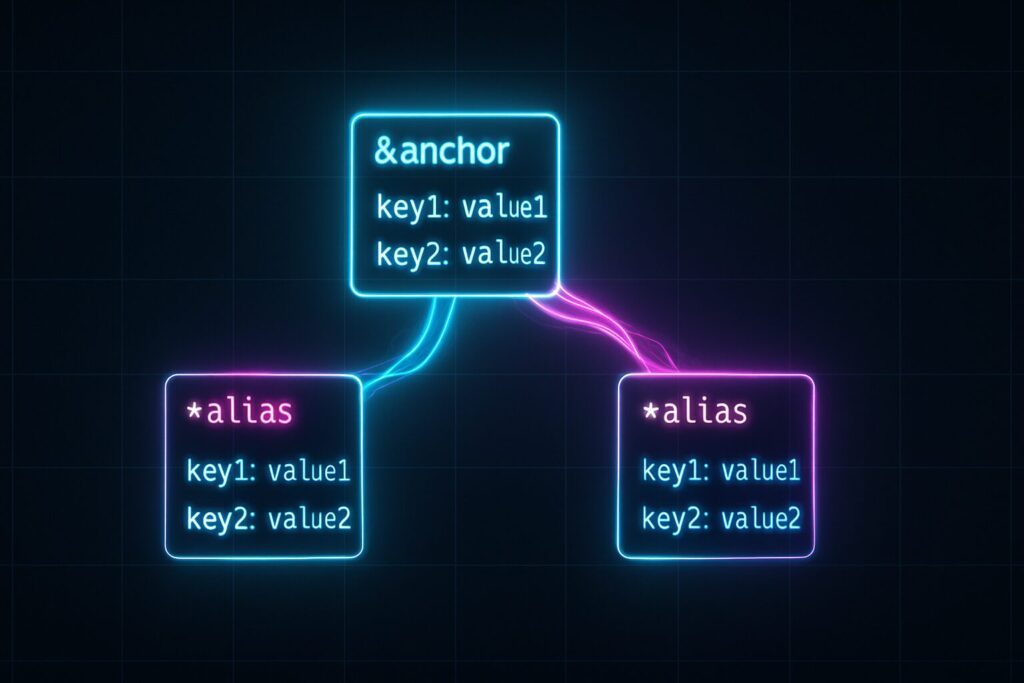
YAML’s native solution to the DRY (Don’t Repeat Yourself) principle is built on two components: anchors and aliases. This is the technique you should always prioritize, as it’s part of the YAML standard and will work with any compliant parser.
- Anchor: Used to mark a value with a name. The syntax is
&anchor_name. - Alias: Used to reference (and thus, reuse) a value previously marked with an anchor. The syntax is
*anchor_name.
Think of it like putting a label on a piece of data so you can “paste” that same data anywhere else in your document. Let’s look at a practical example to really nail it down.
Real-World Example: DRYing Up a Docker Compose File
Imagine you’re setting up multiple services in a docker-compose.yml file, and they all need the same environment variables to connect to a database. Instead of repeating them, we use anchors.
# Define a block of environment variables and mark it with the &db_env anchor
x-environment: &db_env
  DB_HOST: postgres_db
  DB_USER: admin
  DB_PASS: supersecret_password_123

services:
  backend_app:
    image: my-app:latest
    environment:
      # Use the *db_env alias to insert the entire block
      <<: *db_env
      PORT: 8000

  worker:
    image: my-worker:latest
    environment:
      # Reuse the same block here
      <<: *db_env
      QUEUE_NAME: "high_priority"
In this example, we define the &db_env anchor just once. Then, using the *db_env alias, we inject that data block into two different services. If the database password changes, you only have to update it in one place. This is a cornerstone of clean, maintainable YAML.
Going Modular: Splitting Configs with !include
When your configuration files get massive, even anchors aren't enough to keep things tidy. This is where application-specific directives like !include come in, which is extremely popular in the Home Assistant ecosystem.
Heads Up: !include is not part of the YAML standard, but it's such a common extension that you need to know about it. It allows you to load the content of another YAML file into your current one.
Example of !include in Home Assistant
Let's say your main configuration.yaml file is becoming unmanageable. You can split your automations, sensors, and scripts into separate files.
Contents of configuration.yaml:
# configuration.yaml
automation: !include automations.yaml
sensor: !include sensors.yaml
script: !include scripts.yaml

# Other configurations...
Contents of sensors.yaml (a separate file):
# sensors.yaml
- platform: yr
  name: "Weather Forecast"

- platform: systemmonitor
  resources:
    - type: disk_use_percent
      arg: /
    - type: memory_free
This approach makes managing complex setups, like those for advanced smart home dashboards, much simpler and more scalable.
Beyond the Standard: Templating Engines & Custom Tags
This is where the original confusion about YAML variables usually comes from. Many tools use YAML as a base but add their own templating engine to process the file *before* interpreting it as pure YAML. This allows for more complex logic but is specific to each platform.
Case Study 1: Home Assistant's !var Tag
It's crucial to understand that this powerful feature only works inside Home Assistant's automations and scripts, not in any arbitrary YAML file.
Let's look at the example, corrected and contextualized for 2026:
# This would go in the 'variables:' block of a script or automation
variables:
  temperature_threshold: 25
  notification_light: light.hallway_light

automation:
  - alias: "Turn fan on when temperature exceeds threshold"
    trigger:
      - platform: numeric_state
        entity_id: sensor.living_room_temperature
        above: !var temperature_threshold
    action:
      - service: light.turn_on
        target:
          entity_id: !var notification_light

  - alias: "Turn fan off when temperature is below threshold"
    trigger:
      - platform: numeric_state
        entity_id: sensor.living_room_temperature
        below: !var temperature_threshold
    action:
      - service: light.turn_off
        target:
          entity_id: !var notification_light
As you can see, !var is Home Assistant's way of referencing a locally defined variable within that specific automation or script.
Case Study 2: Ansible (Jinja2) & GitHub Actions
To broaden our perspective, let's see how other popular tools handle value reuse:
- Ansible: Uses the Jinja2 templating engine. Variables are defined in various places (inventory, playbooks, vars files) and are referenced with double curly braces:
{{ my_variable }}. - GitHub Actions: Has its own expression context to access variables, secrets, and workflow data. The syntax is
${{ secrets.MY_SECRET }}or${{ inputs.parameter_name }}.
In all these cases, the file is first processed by a higher-level engine that substitutes these "variables" before the YAML parser ever sees it.
YAML Variables: Which Method Should You Use?
To wrap it all up, I've created this table to clarify when to use each method.
| Method | Syntax | Primary Use Case | Compatibility |
|---|---|---|---|
| Anchors (&) & Aliases (*) | &anchor / *anchor | Reusing any value or block (scalars, lists, maps) within the same YAML file. | YAML Standard. Works in any compliant parser (Kubernetes, Docker, etc.). |
| !include Directive | !include filename.yaml | Splitting a large configuration into multiple smaller, manageable files. | Non-standard. Application-dependent (very common in Home Assistant). |
| Platform-Specific Templating | !var, {{ variable }}, ${{ context }} | Accessing dynamic variables, secrets, or performing complex substitutions before YAML parsing. | Non-standard. Specific to each tool (Home Assistant, Ansible, GitHub Actions). |
The Payoff: Why Reusing YAML Values is a Game-Changer
Regardless of the method you choose (though I strongly recommend starting with Anchors and Aliases), the benefits are clear and universal:
- Code Reusability: The most obvious win. You avoid copy-pasting, which dramatically reduces the chance of typos and errors.
- Simplified Maintenance: When a shared value needs to change (like an IP address, token, or threshold), you only update it in one place. This is a lifesaver in large projects.
- Improved Readability: By defining common configuration blocks with a descriptive name (using an anchor, for example), the code's intent becomes clearer and self-documenting.
Mastering these techniques will not only make you more efficient but will also elevate the quality and robustness of your configurations, turning them into projects that are maintainable for the long haul. The next time you're facing a messy YAML file, remember you have powerful tools to keep it clean and organized.