

Updated January 23, 2026
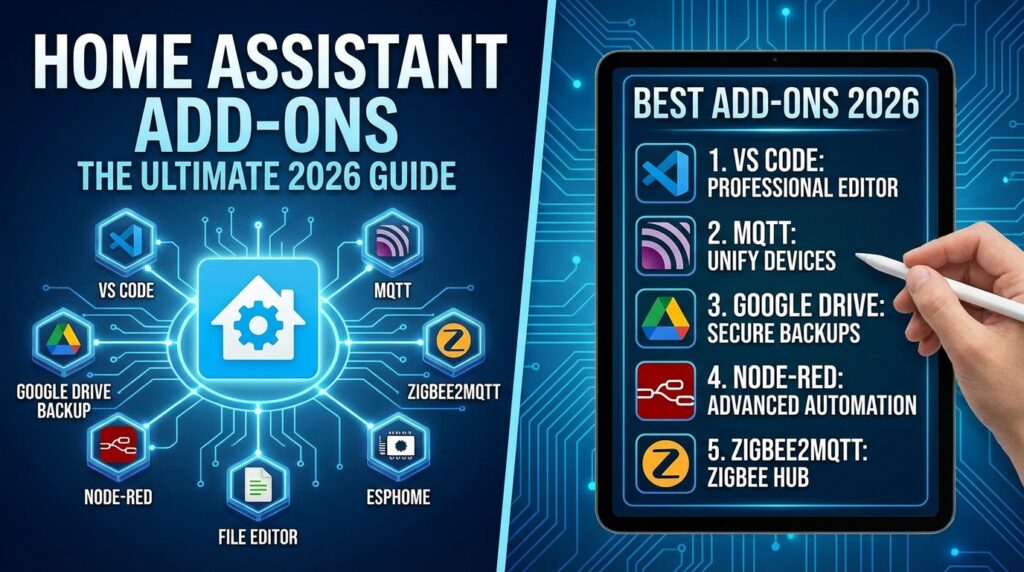
In the Home Assistant ecosystem, add-ons are the secret sauce that transforms a basic installation into a supercharged, tailor-made smart home command center. These software packages, running in containers alongside Home Assistant, let you easily expand functionality—from adding a professional code editor to managing protocols like MQTT or creating cloud backups. This guide is your definitive 2026 reference for understanding and selecting the best home assistant add-ons available today.
Before we dive into the list, it’s crucial to understand that add-ons are only available if you’re running Home Assistant OS or a Supervised installation (Home Assistant Supervised). If you installed Home Assistant Core in a Docker container or a Python venv, you won’t have the Add-on Store and will need to install these applications manually.
Two Worlds of Add-ons: The Official Store vs. HACS
To install add-ons in Home Assistant, you have two main paths. The first is the Official Add-on Store, which you’ll find under Settings > Add-ons. This is home to add-ons that are verified and maintained by the Home Assistant team and trusted developers.
The second path, and the one that opens up a universe of possibilities, is the Home Assistant Community Store (HACS). While HACS is better known for custom integrations and Lovelace cards, it’s also the repository where you can add community-driven add-on ‘stores,’ massively expanding the available catalog.
System Management & Development: The Foundation of Your Setup
These add-ons are the bedrock for any advanced Home Assistant configuration. They make editing files, accessing your setup, and maintaining your system a breeze.
Visual Studio Code vs. File Editor
Editing YAML files is a daily reality in Home Assistant. A good editor isn’t a luxury; it’s a necessity. Two main contenders are vying for your attention:
- Visual Studio Code (Add-on: Studio Code Server): This is the full-fat VS Code experience, running directly in your browser. It offers auto-completion for Home Assistant entities, real-time YAML validation, MDI icons, and an integrated terminal. It’s the gold standard for power users.
- File editor: A simple, lightweight text editor. It gets the job done for quick changes and consumes virtually no resources. It’s perfect for systems with limited hardware or for users who don’t need the advanced features of VS Code.
Comparison Chart: VS Code vs. File Editor in 2026
| Feature | Visual Studio Code | File Editor |
|---|---|---|
| Ideal Use Case | Development and advanced management of complex configurations. | Quick and simple edits, low-resource systems. |
| Resource Usage | Medium-High | Very Low |
| Key Features | Autocomplete, integrated terminal, Git integration, advanced validation. | Text editing, find and replace, file browser. |
| Learning Curve | Moderate | None |
My Take: Install both. Use Visual Studio Code for the heavy lifting and File Editor for those tiny tweaks you need to make on the fly.
Samba Share
This add-on is a non-negotiable must-have. It creates a network share (like a Windows or macOS folder) that points directly to your Home Assistant configuration directory. This allows you to edit your configuration.yaml and other files from your desktop with your favorite editor, drag and drop files, and manage your setup far more comfortably.
workgroup: WORKGROUP
username: your_username
password: your_password
allow_hosts:
  - 192.168.1.0/24
veto_files:
  - ._*
  - .DS_Store
  - Thumbs.db
  - icon?
  - .Trashes
compatibility_mode: false
Check Home Assistant configuration
Before you hit the update button on a new Home Assistant release, this add-on is your new best friend. It validates your current configuration against the requirements of the next version, warning you about potential “breaking changes” or deprecated entities. Using it will save you a world of headaches and ensure a smooth transition.
Integrations & Protocols: The Brains of Communication
These add-ons provide support for essential communication protocols in the IoT world and boost your database performance.
Mosquitto broker
If you have Zigbee devices, custom ESPHome sensors, or any gadget that speaks MQTT, this add-on is an absolute must-have. Mosquitto is the gold-standard MQTT broker: it’s lightweight, stable, and powerful. It acts as the central messaging hub for all your IoT devices, enabling instant and reliable communication. It’s the foundation for integrations like Zigbee2MQTT.
MariaDB
By default, Home Assistant uses an SQLite database, which is functional but can become slow and bloated as your data history grows. MariaDB is an enterprise-grade database management system that replaces SQLite. Migrating to MariaDB will give your system a massive performance boost, especially when viewing history or logbooks, and provides far more robust control over your long-term data. Check out our tutorial for setting up MariaDB in Home Assistant.
Security & Remote Access: Connect to Your Home from Anywhere
Accessing Home Assistant from outside your home is one of its most powerful features, but it has to be done securely. These are the best options in 2026.
Option 1: Nabu Casa (The Easy, Paid Route)
The simplest and most secure way to access your Home Assistant is with a Nabu Casa subscription (Home Assistant Cloud). For a small monthly fee, you get an encrypted URL, remote access with zero router configuration, and painless, native integration with Google Assistant and Amazon Alexa. If you value simplicity and want to support the project’s development, it’s an excellent choice. We analyze if it’s worth it in our Home Assistant Cloud review.
Option 2: Cloudflare Tunnel (The Modern, Free & Secure Way)
For a free, robust, and extremely secure solution, the Cloudflare Tunnel add-on is the top choice in 2026. It creates a secure, encrypted tunnel between your Home Assistant instance and Cloudflare’s global network without exposing a single port on your router to the internet. This not only gives you secure remote access but also protects you against Denial of Service (DDoS) attacks. It’s more technical to set up than Nabu Casa, but the security it offers is enterprise-grade.
Option 3: Duck DNS (The Classic DIY Method)
Duck DNS remains a popular and viable option. It’s a free dynamic DNS service that gives you a subdomain (e.g., my-awesome-home.duckdns.org) that always points to your home’s IP address. The official Home Assistant add-on automates both the IP updates and the fetching and renewal of free Let’s Encrypt SSL certificates. Its main drawback is that it requires you to open ports on your router (usually port 443), which creates a potential attack vector if not managed carefully.
Duck DNS Configuration:
lets_encrypt:
  accept_terms: true
  certfile: fullchain.pem
  keyfile: privkey.pem
token: your-duckdns-token
domains:
  - your-domain.duckdns.org
aliases: []
seconds: 300
Additionally, you’ll need to add the following to your configuration.yaml file for Home Assistant to use the SSL certificates:
http:
  ssl_certificate: /ssl/fullchain.pem
  ssl_key: /ssl/privkey.pem
Backups: Your Essential Safety Net
Smart home systems can fail. An SD card can get corrupted. A bad update can cause havoc. Having a backup strategy isn’t optional—it’s mandatory. These add-ons make it painless.
Home Assistant Google Drive Backup
In my book, this is one of the most critical Home Assistant add-ons you can install. It fully automates the creation of backups (snapshots) of your entire configuration and securely uploads them to your Google Drive account. You can configure how many backups to keep, how often to run them, and get notifications on completion. Restoring from a backup is incredibly simple and can save you from a complete disaster in minutes.
Installation:
- Navigate to Settings > Add-ons > Add-on Store.
- Click the 3-dot menu (top right) and select Repositories.
- Add the following URL:
https://github.com/sabeechen/hassio-google-drive-backup - Find the new “Home Assistant Google Drive Backup” add-on in the store and install it.
- Start the add-on and follow the instructions in the “WEB UI” to authorize access to your Google Drive.
Alternatives: Samba Backup or Local Backups
If you’d rather not rely on a cloud service, the Samba Backup add-on is an excellent alternative. It works similarly, but instead of uploading backups to Google Drive, it saves them to a local network share, like a NAS or a shared folder on another computer. It’s ideal for those who want to keep all their data within their own network.
Conclusion: Choose the Add-ons Your Smart Home Needs in 2026
The key to leveling up Home Assistant with add-ons is to start with the essentials and expand based on your needs. My recommendation for any new setup in 2026 would be:
- Management: Samba Share and Visual Studio Code.
- Safety Net: A backup solution like Google Drive Backup.
- Remote Access: Nabu Casa for simplicity, or Cloudflare Tunnel for a robust, free option.
- Protocols: Mosquitto Broker if you plan to use MQTT or Zigbee2MQTT devices.
- Performance: MariaDB, once your system starts to grow in history and devices.
Explore the store, try new add-ons, and don’t be afraid to experiment. With these tools, the possibilities for your smart home are virtually limitless.