

Updated August 26, 2026. This revision was checked against Amazon’s current support documentation and separates actual failures from normal device states and Alexa+ interface changes.
What to know before troubleshooting
- Wake-word detection happens locally, but most requests are sent to Amazon services for interpretation.
- Some Echo models support limited local control of compatible lights, plugs, and switches, but that is not a fully offline Alexa experience.
- Matter and Thread improve in-home device communication, but they do not guarantee that every voice request works without internet access.
Start with the least destructive check. Restarting is safe; a factory reset erases settings and should be the final step.
See the official support documentation as well. Menu labels can differ between original Alexa, Alexa+, and screen-based Echo devices.
For practical offline use cases, see Alexa without Wi-Fi.
Complete guide and step-by-step fixes
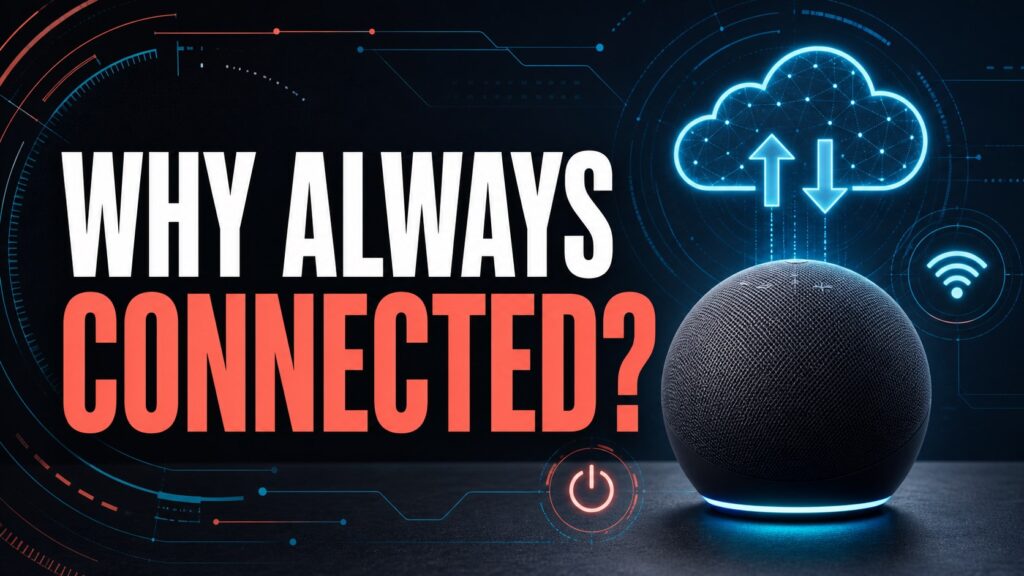
Updated on January 27, 2026The question of why Alexa needs to be always on has evolved dramatically since its early days. In 2026, it’s no longer just about a simple cloud connection. As an IoT Engineer, I’ve watched these devices transform from simple cloud terminals into increasingly capable local hubs. This is the definitive guide that breaks down why that connection is still vital, what’s changed with technologies like Matter, and what the real impact is on your power bill and privacy.
The Cloud Brain: Why Voice Processing Still Needs the Internet
The core reason an Echo device needs the internet hasn’t changed: Natural Language Processing (NLP). When you say the wake word (“Alexa”), the device starts recording and sends that audio snippet to Amazon’s powerful servers. There, complex AI algorithms transcribe your words, interpret your intent, and find the right answer or action. This entire process happens in milliseconds.
Without this cloud connection, your Echo would be unable to understand complex sentences, look up information, play music from streaming services, or activate most Skills. It’s Amazon’s remote brain that gives Alexa its “smarts.”

Does Alexa Work Without WiFi in 2026? The Local Control Revolution with Matter & Thread
Here’s where the 2026 landscape gets interesting. The answer to “Does Alexa work without WiFi?” is no longer a hard “no.” Thanks to the rise of standards like Matter and network protocols like Thread, modern Echo devices act as “border routers.”
This means if your internet connection goes down, you can still perform basic local actions. For example, you could ask Alexa to turn on a Matter-compatible light bulb or smart plug that’s on your same local network. The command is processed directly on the Echo device, no trip to Amazon’s servers required. This is a massive leap forward for the reliability and speed of basic smart home control.
However, the limitations are clear: anything requiring external data (weather, news, Spotify) or complex processing (creating a reminder, answering a trivia question) will still fail to work.
Alexa’s Power Consumption: A Silent Energy Vampire on Your Bill?
One of the biggest concerns about an “always-on” device is Alexa’s power consumption. Fortunately, my experience and measurements confirm modern Echo devices are extremely efficient. They’re engineered to spend most of their time in a low-power standby mode, just listening for the wake word.
To demystify this, I’ve put together a table with the real-world consumption of 2026’s most popular models and their estimated annual cost (calculated with an average price of $0.17/kWh).
| Model (2026 Generation) | Idle Power Draw (Watts) | Active Power Draw (Music/Video) | Estimated Annual Cost* |
|---|---|---|---|
| Echo Pop 2 | 1.2 W | 2.5 – 4 W | ~$1.94 |
| Echo Dot (6th Gen) | 1.5 W | 3 – 5 W | ~$2.42 |
| Echo Studio (3rd Gen) | 2.8 W | 7 – 25 W | ~$5.15 |
| Echo Show 8 (4th Gen) | 3.5 W | 6 – 12 W | ~$5.62 |
*Annual cost is calculated assuming 95% of the time in idle and 5% in use—a generous estimate for most households.
As you can see, the cost of keeping Alexa connected is marginal, often less than the phantom power draw of other household appliances.
Privacy Debunked: Is Alexa *Always* Listening?
The concern about Alexa always listening is valid, but it’s often based on a misunderstanding. The device is technically always “hearing” on its local processor, but it’s only listening for the wake word. It is not recording or transmitting anything to the cloud until it detects that keyword.
In 2026, privacy controls are more robust than ever:
- Physical Mute Button: Pressing this cuts power to the microphones at the hardware level. You’ll know it’s active because the light ring turns red. If you’re wondering what the different Alexa light colors mean, this is the most important one for privacy.
- Voice History Management: From the Alexa app, you can review and delete your voice history—individually, by date range, or have it deleted automatically.
- On-Device Processing: More and more simple commands (like “Alexa, stop”) are processed locally without sending any audio to the cloud, improving both privacy and speed.
- Camera Shutter: All Echo Show devices include a physical shutter to block the camera, giving you complete visual peace of mind.
What Happens if You Unplug Alexa?
If you decide to unplug your Echo, the answer is simple: it turns off completely. It’s just like powering down any other electronic device.
- Pros: It guarantees 100% privacy and zero power consumption. This is a good practice if you’re leaving for an extended vacation.
- Cons: You lose all functionality. It won’t respond, scheduled routines won’t run, and you can’t control your smart home devices. When you plug it back in, it will take a minute or two to boot up, connect to WiFi, and become operational again.
Unplugging it daily is impractical and defeats the purpose of the device: to be an always-available assistant.
Conclusion: Always On by Design, Smarter by Necessity
Ultimately, the need for Alexa to be always connected in 2026 is a function of its hybrid architecture. It still relies on the immense computing power of the cloud for its smartest features, but it has gained valuable local autonomy for basic smart home tasks thanks to Matter.
The energy consumption is minimal, and the privacy controls are robust and transparent. The decision to keep it plugged in comes down to a choice between an ever-ready assistant and an inert speaker. For me, the benefits of its instant availability far outweigh the marginal costs, especially with the reliability and privacy improvements we’ve seen in recent years.
Continue reading

Next related guide · 7 min read
Alexa Won’t Connect to Wi-Fi: Troubleshooting Guide
Updated August 26, 2026. This revision was checked against Amazon’s current support documentation and separates actual failures from normal device states and Alexa+ interface…
Continue with this article