
As an Amazon Associate, I earn from qualifying purchases. En calidad de Afiliado de Amazon, obtengo ingresos por las compras adscritas que cumplen los requisitos aplicables. If you buy through these links, the price is the same for you and Amazon pays me a small commission that helps keep Tecnoyfoto running.

Updated August 26, 2026. This revision was checked against Amazon’s current support documentation and separates actual failures from normal device states and Alexa+ interface changes.
What to know before troubleshooting
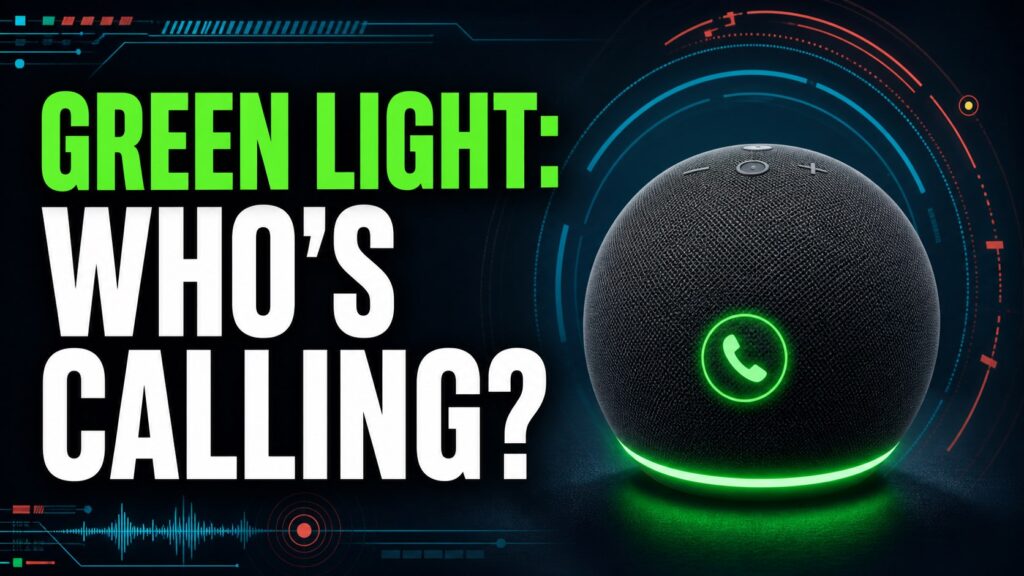
- Pulsing green means an incoming call; spinning green means an active call or Drop In.
- Waiting messages and notifications are not green; Amazon identifies those with a yellow light.
- Say “Alexa, hang up” or end the communication in the app; if it remains, restart the Echo before changing account settings.
Start with the least destructive check. Restarting is safe; a factory reset erases settings and should be the final step.
See the official support documentationAffiliate link as well. Menu labels can differ between original Alexa, Alexa+, and screen-based Echo devices.
For waiting notifications, see the guide to the Alexa yellow light.
Complete guide and step-by-step fixes
Last updated on January 27, 2026If you’ve noticed your Amazon Echo glowing with a mysterious green light, you’re not alone. This is one of the most important visual cues Alexa uses to communicate with you. Far from being an error, it’s a signal that your assistant has something to tell you. As a smart home expert who’s been tinkering with these devices for over a decade, I’ve seen these signals evolve. In this definitive 2026 guide, I’ll explain not only what it means but, more importantly, the exact actions you need to take in each case.What Does the Alexa Green Light Actually Mean?
Simply put, the Alexa green light is tied exclusively to the device’s communication features. However, its behavior changes to give you more precise information. It’s crucial to differentiate between a light that’s pulsing and one that’s spinning.- Pulsing or Flashing Green Light: This means you have an incoming call or an Alexa Drop In. It’s the smart speaker equivalent of your phone ringing.
- Spinning Green Light: This indicates that a call or Drop In is currently in progress. The ring will continue to spin as long as the communication is active.
How to Turn Off the Green Light on Alexa: A Practical Guide
The goal isn’t just to “get rid of” the light, but to address the notification that triggered it. Here are the exact voice commands you need to manage each situation and turn off that green glow.Scenario 1: Alexa is Flashing Green (Incoming Call)
When you see the green light pulsing, you have two main options. To interact, just say out loud:- To answer the call:
"Alexa, answer."or"Alexa, pick up." - To ignore the call:
"Alexa, ignore."
Scenario 2: The Green Light is Spinning (Active Call)
If the light is rotating, it means the call is connected. To end it and turn off the light, the command is:- To hang up the call:
"Alexa, hang up."or"Alexa, end call."
Scenario 3: Message Notifications
While message notifications are more commonly indicated by a yellow light, a pending communication can sometimes manifest as a green light. If you’ve already ruled out calls, try saying:"Alexa, read my messages."
Alexa Color Ring Cheat Sheet (2026 Edition)
To become a true power user, it helps to know Alexa’s entire communication spectrum. I’ve put together this quick-reference table with the most common Alexa color meanings you’ll see in 2026.| Color & Behavior | Meaning |
| Green (Pulsing) | You have an incoming call or Drop In. |
| Green (Spinning) | A call or Drop In is in progress. |
| Yellow (Pulsing) | There’s a new notification or message waiting for you. |
| Blue (Solid with spinning cyan) | Alexa is actively listening and processing your voice command. |
| Red (Solid) | The microphone is turned off (Mute mode). Alexa cannot hear you. |
| Orange (Spinning) | The device is in setup mode, connecting to your Wi-Fi network. |
| Purple (Pulsing) | There was an error connecting to Wi-Fi, or Do Not Disturb mode is enabled. |
| White (Varying brightness level) | You are currently adjusting the device’s volume level. |
Frequently Asked Questions (FAQ)
To clear up the most common questions, here are direct answers to the problems that often come up with the green light.How Do I Disable the Drop In Feature?
If you don’t want to receive these intercom-style calls, you can easily disable Drop In. Open the Alexa app on your phone, go to Devices, select your Echo device, tap on Communications, and then Drop In. From there, you can turn it off completely or restrict it to only devices within your household.The green light won’t go away after I hung up. What now?
This is a rare but frustrating glitch. If this happens to you, follow these troubleshooting steps in order:- Check for hidden notifications: Say clearly,
"Alexa, read my notifications."Sometimes an unread message keeps the light stuck on. - Force the call to end: Repeat the command
"Alexa, hang up."one more time. - Reboot the device: Unplug your Echo from the power outlet, wait 30 seconds, and plug it back in. This simple power cycle fixes 90% of software-related issues.
Does the Alexa green light mean someone is spying on me?
Absolutely not. The green light is reserved exclusively for communication features that you’ve enabled, like calls and Drop In. The only signals related to listening are the solid blue light (when it’s actively processing your request) and the solid red light (when the microphone is physically disconnected, making it impossible for it to hear you).Conclusion: The Green Light is Your Ally
Understanding why your Alexa is showing a green light is key to getting the most out of your voice assistant in 2026. Far from being a problem, it’s a useful notification that keeps you connected. Now that you know the different states (pulsing vs. spinning) and the exact commands to manage them, you have total control over communications in your smart home.Continue reading
Next related guide · 7 min read
Alexa Yellow Light: What It Means and How to Clear It
Updated August 26, 2026. This revision was checked against Amazon’s current support documentation and separates actual failures from normal device states and Alexa+ interface…
Continue with this article