
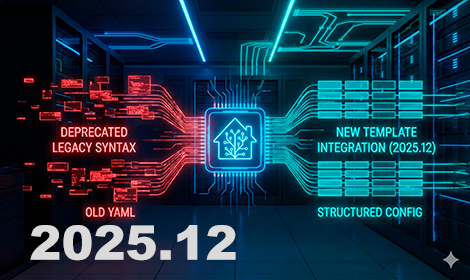

Do you need to fix legacy template entities after updating to Home Assistant 2025.12? If your repair dashboard is full of yellow warnings, you are not alone. The deprecation of the old platform: template format is finally here, and it is time to modernize your YAML configuration.
I just finished migrating over 100 entities in my own setup. It looked scary at first, but it is actually a great opportunity to clean up your code. This guide will help you fix legacy template entities quickly using the modern template: integration, including the one critical trick to keep your history data safe.
Why you must fix legacy template entities now
The old format (defining templates inside sensor: or switch:) is dying. While it might still work for a few months, Home Assistant is moving everything to the unified template: integration. This change is necessary to support future features like Template Blueprints in the UI. If you do not act now, your sensors will eventually stop working.
The “Secret” to Keeping Your History
Most tutorials miss this. If you just copy/paste to the new format, Home Assistant might generate a new Entity ID (e.g., sensor.kitchen_temp_2), causing you to lose all your historical graphs. To prevent this, you must use default_entity_id to match your old ID exactly.
Migration Examples (Copy & Paste)
Scenario 1: The Basic Sensor
BEFORE (Legacy):
# OLD FORMAT - sensor.yaml
- platform: template
  sensors:
    avg_home_temp:
      friendly_name: "Average Home Temperature"
      value_template: >
        {{ (states('sensor.living_room') | float + states('sensor.bedroom') | float) / 2 }}
AFTER (Modern):
# NEW FORMAT - templates.yaml
template:
  - sensor:
      - name: "Average Home Temperature"
        default_entity_id: sensor.avg_home_temp  # <--- CRITICAL LINE
        unit_of_measurement: "°C"
        state: >
          {{ (states('sensor.living_room') | float + states('sensor.bedroom') | float) / 2 }}
Scenario 2: Energy Cost Calculator
AFTER (Modern):
template:
  - sensor:
      - name: "Washer Daily Cost"
        default_entity_id: sensor.washer_daily_cost
        unit_of_measurement: "€"
        icon: "mdi:currency-eur"
        state: >
          {{ (states('sensor.washer_energy') | float * 0.20) | round(2) }}
Scenario 3: Switches (Important Change)
When you fix legacy template entities for switches, remember that service: is now action:.
AFTER (Modern):
template:
  - switch:
      - name: "PC Switch"
        default_entity_id: switch.pc_switch
        state: "{{ is_state('binary_sensor.pc_online', 'on') }}"
        turn_on:
          action: script.turn_on_pc
        turn_off:
          action: script.turn_off_pc
🛑 IMPORTANT: ESPHome Users (Read This)
Text:
If you use ESPHome, you will likely find
platform: templateinside your device YAML files. DO NOT CHANGE THEM.This deprecation warning applies only to Home Assistant’s internal configuration. It does NOT affect ESPHome.
platform: templatein Home Assistant: ❌ DEPRECATED (Must migrate).platform: templatein ESPHome: ✅ VALID (Works perfectly).You do not need to reflash your devices or edit your ESPHome code. Focus only on your Home Assistant configuration files (
configuration.yaml,sensors.yaml).
Frequently Asked Questions (Legacy Templates)
When will legacy template entities be removed from Home Assistant? Legacy templates are deprecated in version 2025.12 and will be completely removed in Home Assistant 2026.6 (June 2026). After that date, any sensor using the old format will stop working.
Does this deprecation affect ESPHome configurations? No. This change applies only to Home Assistant’s internal YAML configuration. platform: template inside ESPHome files is valid and should not be changed.
How do I keep my sensor history when migrating? To preserve your database history, you must ensure the new entity uses the exact same Entity ID as the old one. Use the default_entity_id: sensor.your_old_id option in the new configuration to link them effectively.
Can I use the “Repairs” dashboard to fix this automatically? Home Assistant provides the necessary YAML code in the Repairs dashboard, but it does not apply it automatically. You must copy the provided code and manually paste it into your templates.yaml or configuration.yaml file.
Where should I place the new template configuration? The new format uses the top-level template: integration. Do not place it inside sensor.yaml or switch.yaml. The best practice is to create a templates.yaml file and include it in your configuration.
Common Pitfalls to Avoid
- ESPHome False Alarm: If you search for
platform: templatein VS Code, you might see results inside your ESPHome files. Do not touch these. The deprecation only applies to Home Assistant configuration files. - Nesting Errors: A common mistake is putting the new format inside the old folders. The modern format belongs under
template:, notsensor:.
All fixed? Now the fun part! 🎄 Now that your templates are safe and the warning is gone, it’s time to enjoy the new features. This release introduces “Labs” with Winter Mode (Snow!) and real-time energy graphs. 👉 Check out the full Home Assistant 2025.12 Features Tour here
By following these steps, you will clear your repair dashboard and ensure your smart home is future-proof.
Sígueme a Youtube

Continue reading

Next related guide · 3 min read
Home Assistant 2025.12: Labs, Winter Mode & Legacy Templates (What’s New)
The new Home Assistant 2025.12 features are finally here, and it feels like an early Christmas gift. The last release of the year has…
Continue with this article