

Updated on January 26, 2026
Ever found yourself wondering if Amazon Echo and Amazon Alexa are the same thing? It’s a super common point of confusion, largely because Amazon’s marketing hasn’t always been crystal clear. As a smart home expert and IoT engineer for over a decade, I’ve seen this question pop up year after year. In this definitive 2026 guide, we’re going to settle the Alexa vs Echo debate once and for all, so you can understand what’s what and, more importantly, choose the perfect setup for your smart home.
What is Amazon Alexa? The Brain in the Cloud
Let’s make it simple: Alexa is the voice assistant, the artificial intelligence that lives in Amazon’s cloud. It’s not a physical object. Its job is to understand human language to execute commands and answer questions. To do that, it just needs two basic things: a microphone to hear you and a speaker to talk back.
By 2026, Alexa has evolved dramatically. It’s no longer just about reactive commands (“Alexa, play music”). Thanks to breakthroughs in generative AI, it’s now a proactive and conversational assistant. Alexa can maintain the context of a conversation, initiate routines based on your behavioral patterns (like lowering the blinds at sunset without being asked), and integrate far more seamlessly with thousands of devices.
The best part is that Amazon constantly updates Alexa on its servers. This means an Echo device you bought three years ago gets access to the same powerful AI capabilities as the latest model released in 2026, ensuring your experience is always cutting-edge.

What is an Amazon Echo? The Hardware that Gives Alexa a Voice
If Alexa is the brain, the Echo is the body. An Amazon Echo is a physical device—a smart speaker made by Amazon—specifically designed to be the best possible “home” for Alexa. Every Echo device is packed with sensitive, far-field microphones and optimized speakers to make your interaction with the voice assistant seamless.
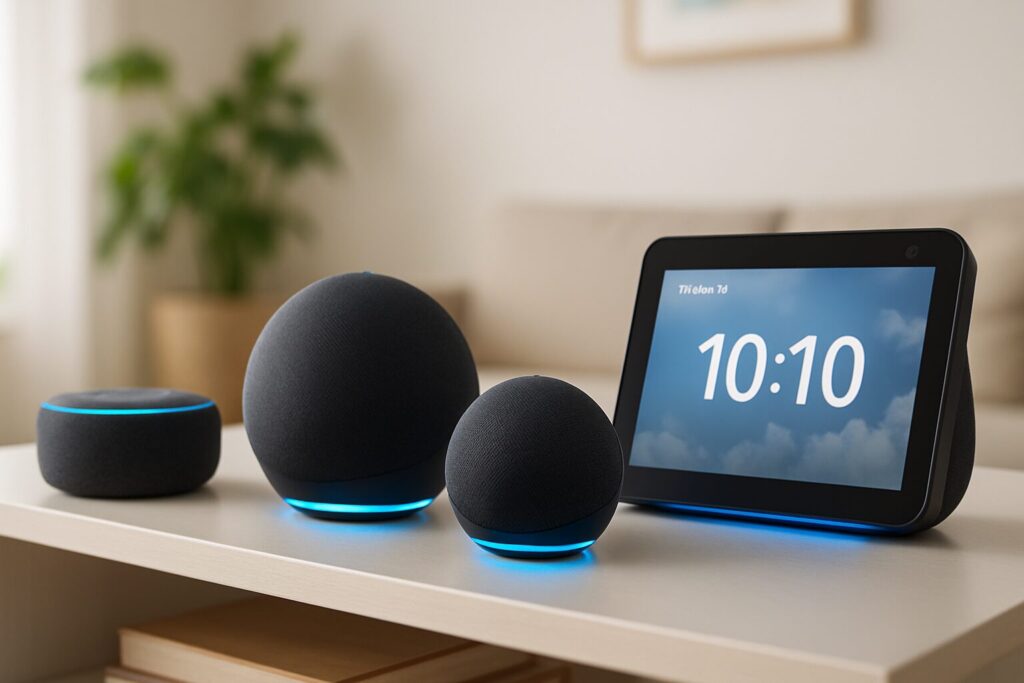
Amazon offers a wide range of hardware, known as the “Echo Family.” Each model has different hardware features to suit various needs and budgets, from compact speakers for small rooms to devices with screens for video calls or smart home control hubs. The key thing to remember is that while the hardware changes, the “Alexa” living inside is the same for all of them.
The Echo Family in 2026: A Head-to-Head Comparison
To clear things up, I’ve put together a table with the main Alexa-compatible devices in the Echo lineup for 2026. I’ve trimmed out older, discontinued models like the Echo Flex to focus on what really matters today.
| Model | Audio Quality | Screen | Smart Home Hub | Best for… | Estimated Price Range |
|---|---|---|---|---|---|
| Echo Pop (2nd Gen) | Basic | No | No | Small rooms, getting started with Alexa | $39 – $59 |
| Echo Dot (8th Gen) | Good | No (version with clock available) | Yes (Matter, Zigbee, Thread) | Any room, basic smart home control | $59 – $79 |
| Echo (6th Gen) | Very Good (Lossless Audio) | No | Yes (Matter, Zigbee, Thread) | Living rooms, quality music listening | $99 – $119 |
| Echo Studio (3rd Gen) | Excellent (Spatial Audio, Dolby Atmos) | No | Yes (Matter, Zigbee, Thread) | Audiophiles, home theater, the best Alexa speakers for sound | $219 – $249 |
| Echo Show 8 (5th Gen) | Very Good | 8″ HD Touchscreen | Yes (Matter, Zigbee, Thread) | Kitchens, video calls, visual home control | $149 – $179 |
| Echo Hub | Basic | 8″ Touchscreen (Control Panel) | Yes (Matter, Zigbee, Thread, Ethernet) | Wall-mounted, centralized smart home command | $189 – $219 |
Matter and the Smart Home: The Key Role of Echo Devices
One of the most significant upgrades in the smart home world has been the solidification of the Matter standard. This universal protocol allows devices from different brands (like Google, Apple, and Amazon) to communicate with each other seamlessly. This is where the more advanced Echo devices really shine.
Models like the Echo (6th Gen), Echo Dot (8th Gen), and the entire 2026 Echo Show line aren’t just speakers; they also function as powerful smart home hubs. They have built-in Thread and Zigbee radios, allowing them to directly control compatible light bulbs, plugs, and sensors without needing extra bridges or hubs. This dramatically simplifies setup and creates a more robust and reliable home network.
Beyond Echo: Other Alexa-Compatible Devices in 2026
While Echo devices are the native hardware, Alexa’s greatest strength is its ubiquity. You can access the voice assistant from a massive range of products from both Amazon and third-party manufacturers:
- Amazon Devices: Fire TV, Fire Tablets, and even the Alexa Voice Remote Pro.
- Smartphones & Smartwatches: Through the Alexa app, your own phone becomes an access point.
- Audio Gear: Headphones and soundbars from brands like Sonos, Bose, or Sony.
- Cars: With devices like Echo Auto or directly integrated into the infotainment systems of many new vehicles.
- Home Appliances: TVs, thermostats, robot vacuums, and much more.
The main difference is that the experience on third-party devices can sometimes be more limited. For instance, features like Drop In calls or multi-room music tend to work most reliably within the Echo ecosystem.
Frequently Asked Questions (FAQ): Clearing Up the Last Doubts
Are Amazon Echo and Alexa the same thing?
No. Alexa is the virtual voice assistant (the software) that lives in the cloud. An Amazon Echo is the smart speaker (the hardware) made by Amazon that lets you interact with Alexa.
Can I use Alexa without an Echo?
Yes. You can use Alexa through the app on your smartphone (iOS or Android) or on many other third-party devices with the assistant built-in, such as TVs, headphones, or smartwatches.
Does Alexa have a monthly fee?
No, using Alexa and its core features is completely free. You don’t need an Amazon Prime subscription. However, some services you can use through Alexa, like Spotify Premium or Amazon Music Unlimited, do have their own subscription fees.
Which Echo is best for music?
For a high-fidelity music experience, the Echo Studio (3rd Gen) is the undisputed champion, thanks to its support for Spatial Audio and Dolby Atmos. If you’re looking for a great balance of quality and price, the Echo (6th Gen) delivers excellent sound for most users.
Do I need a phone to use an Echo?
You need a smartphone or tablet with the Alexa app to perform the initial setup for an Echo device (connecting it to your Wi-Fi and Amazon account). Once it’s set up, the Echo operates independently; it just needs to be plugged in and connected to the internet.
Do all Echo devices work as a smart home hub?
No. As of 2026, the more advanced models like the Echo, Echo Dot, Echo Studio, and the Echo Show lineup include a built-in hub compatible with Matter, Thread, and Zigbee. More basic models like the Echo Pop do not have this functionality.
Don’t see your question answered? Drop a comment below, and I’ll add it to the list to help out the community!