

Last updated on January 24, 2026
Long gone are the days when a smart speaker was just a novelty for asking about the weather. Here in 2026, Google Nest devices, the successors to the original Google Home lineup, have cemented their place as the command center of the connected home. The real magic is what’s inside: Google Assistant, now supercharged with Gemini AI capabilities, turning it into a proactive, conversational, and genuinely useful partner. Whether you just unboxed one or want to rediscover the device you already own, this is the definitive guide on what to do with your Google Nest to unlock its full potential.
The 2026 Google Nest Lineup: Which One Is Right For You?
The Nest device family has seriously matured, offering a solution for every need and room. Forget the old Google Home devices; today’s lineup is more powerful, smarter, and better integrated. I’ve put together a comparison table to help you choose.
| Model | Best For… | Key Features | Estimated Price Range |
|---|---|---|---|
| Nest Mini (3rd Gen) | Bedrooms, kitchens, and smaller rooms. A great entry point into the ecosystem. | Improved audio with richer bass, touch controls, onboard AI chip for faster responses, Thread support. | $49 – $59 |
| Nest Audio (2nd Gen) | Living rooms and for music lovers who demand quality sound without sacrificing smarts. | Immersive stereo sound, spatial audio support, acoustic room tuning, improved far-field microphones. | $99 – $129 |
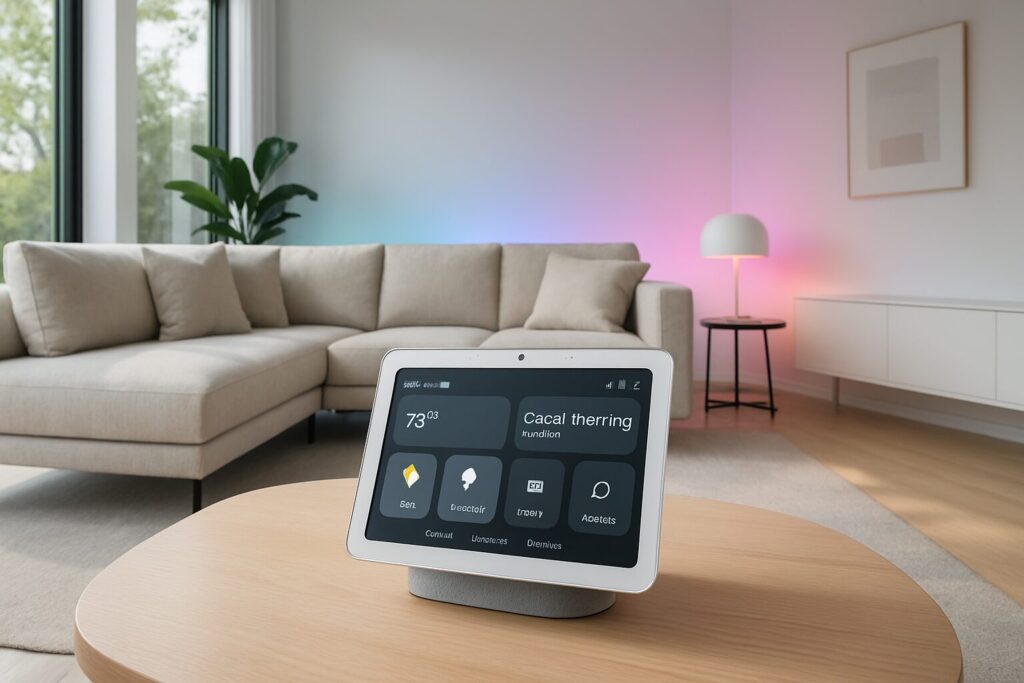
| Nest Hub (4th Gen) | The visual command center for your smart home, a perfect nightstand companion, or a kitchen assistant for recipes. | 7″ display with Ambient EQ, contactless sleep tracking, built-in smart home hub with native Matter support. | $89 – $109 |
| Nest Hub Max (2nd Gen) | The kitchen or family room hub, perfect for video calls and home security. | 10″ HD display, smart camera with facial recognition (Face Match), Quick Gestures, doubles as a Nest Cam security camera, powerful stereo sound. | $199 – $229 |
Unlocking Your Google Nest: The Essential Features You Need to Use
A Nest device is so much more than a speaker. It’s a personal assistant, a DJ, a sous-chef, a control panel, and more. I’ve broken down its capabilities into four key areas to show you everything you can do.
1. Smart Home & Automation: Your Voice is the Remote
This is, without a doubt, where these devices have evolved the most. Here’s what to do with Google Nest to make your home smarter.
- Universal Compatibility with Matter: The game-changer of the last few years. Thanks to the Matter protocol, brand compatibility is no longer the headache it once was. If a device is Matter-certified, it will work with your Nest, period. This includes lights, plugs, thermostats, locks, and sensors from hundreds of manufacturers.
- Create Scenes with a Single Command: Don’t just turn lights on and off. Say “Hey Google, set movie night,” and it can dim the lights, lower the smart blinds, and turn on the TV.
- A Whole-Home Intercom System: Use the “Broadcast” feature to send a message to every speaker in the house. Just say, “Hey Google, broadcast that dinner’s ready,” and the announcement will play in every room. It even works from your phone when you’re not home.
- Control Your Appliances: More and more brands like LG, Samsung, and Bosch are integrating Google Assistant into their appliances. You can preheat your oven, start the robot vacuum, or check how much time is left on the washer, all with your voice.
- Security Integration: Keep an eye on your home by connecting your smart cameras. You can ask your Nest Hub to show you the front door feed. If you’re looking for the best options, we’ve tested and reviewed the top Google Home compatible cameras for 2026.
2. Daily Productivity & Organization
Your Nest can be the perfect ally for keeping your daily life in order, freeing you up from repetitive tasks.
- Supercharge Your Day with Routines: Google Assistant routines are the key to automation. With a single command like “Hey Google, good morning,” you can get the weather forecast, your calendar appointments, a traffic update, and your favorite news podcast. You can now create far more complex routines with conditionals and triggers based on time, location, or the status of other devices.
- Master Timers and Alarms: A must-have in the kitchen (“Hey Google, set a 10-minute pasta timer”) or for waking up. Try saying, “Hey Google, set an alarm for 7 AM with rock music.”
- Find Your Phone (Even on Silent): A classic feature that’s still incredibly useful. Just say, “Hey Google, find my phone,” and it will ring your device, even if it’s on silent. Works for both Android and iPhone.
- Your Personal Post-it Note: Ask it to remember things for you. “Hey Google, remember the bike lock code is 2508.” Later, just ask, “What was the bike lock code?”
3. Entertainment & Multimedia Hub
Whether you’re hosting a party, relaxing, or keeping the kids entertained, your Nest is a full-fledged media hub.
- On-Demand Music and Podcasts: Connect your streaming services like Spotify, YouTube Music, or Apple Music, and ask for any song, artist, playlist, or podcast you can think of.
- Control Your TV, No Remote Needed: If you have a Chromecast or a TV with Chromecast built-in, you can use your voice to turn the TV on and off, open Netflix, search for YouTube videos, or pause playback.
- Relaxing Sounds for Sleep: If you have trouble falling asleep, try saying “Hey Google, play rain sounds” or “play white noise.” You can set a sleep timer to have it stop automatically.
- Games and Trivia for the Whole Family: The Assistant is packed with fun Easter eggs. Try saying “Hey Google, let’s play a game” or “Tell me something interesting.”
4. The AI Power-Up: Google Assistant with Gemini
The integration of the Google Assistant with Gemini AI model has been a quantum leap. Interactions are now far more natural and powerful.
- Fluid, Natural Conversations: You no longer need to use the wake word for every single follow-up. You can have a more natural back-and-forth, asking subsequent questions without repeating “Hey Google.”
- Summarize and Create on Command: On Nest Hub devices, you can ask it to summarize a news story or an article you’re reading. It can also help you brainstorm: “Hey Google, give me ideas for a quick, healthy dinner using chicken and broccoli.”
- Understands Complex, Layered Commands: It can now parse requests with multiple variables. For example: “Hey Google, turn on the living room and kitchen lights, but only if the hallway light is off, and set the thermostat to 70 degrees.”
- Real-Time Translation: Interpreter Mode is pure magic. Say “Hey Google, be my Italian interpreter,” and it will translate a two-way conversation in real time. It supports dozens of languages.
Privacy and Your Data: You’re in Control
It’s natural to be concerned about privacy with an always-on microphone in your home. Thankfully, Google provides robust tools to manage it.
- Physical Mic Switch: Every Nest device includes a physical switch to disable the microphones. When it’s off, an orange light confirms the device is electronically incapable of listening.
- Your Activity History: You can review (and delete) everything you’ve ever asked the Assistant. In the Google Home app, tap your profile > Assistant settings > Your data in the Assistant. From there, you can set up auto-delete for every 3, 18, or 36 months. I strongly recommend enabling this.
- Accidental Activations: If the speaker activates by mistake, you can say, “Hey Google, that wasn’t for you,” and the recording of what it heard will be deleted from your history.