
As an Amazon Associate, I earn from qualifying purchases. En calidad de Afiliado de Amazon, obtengo ingresos por las compras adscritas que cumplen los requisitos aplicables. If you buy through these links, the price is the same for you and Amazon pays me a small commission that helps keep Tecnoyfoto running.

Updated August 26, 2026. This revision was checked against Amazon’s current support documentation and separates actual failures from normal device states and Alexa+ interface changes.
What to know before troubleshooting
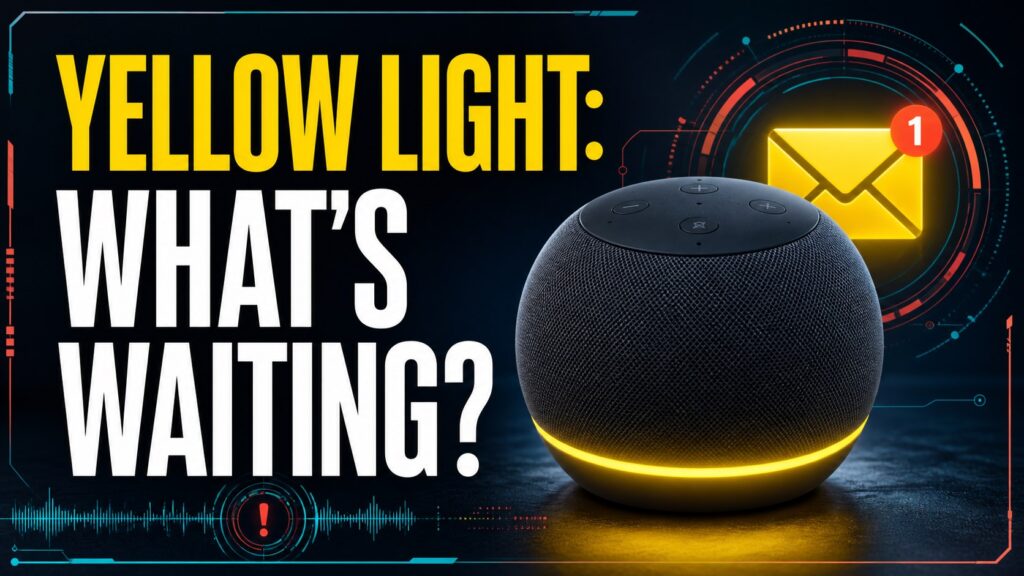
- A slow yellow burst every few seconds indicates a notification, message, or missed reminder.
- Ask “Alexa, what are my notifications?” and “Alexa, what are my messages?” before restarting anything.
- Shopping alerts and other notifications can be managed in the app, but disabling them may hide useful information.
Start with the least destructive check. Restarting is safe; a factory reset erases settings and should be the final step.
See the official support documentationAffiliate link as well. Menu labels can differ between original Alexa, Alexa+, and screen-based Echo devices.
If the light is green, check calls and Drop In; if it is red, check the microphone.
Complete guide and step-by-step fixes
Updated on January 27, 2026Here in 2026, Alexa has cemented its place as the command center for countless smart homes. It spins our favorite playlists, manages our lights and thermostats, and answers our random questions. But its primary method of non-verbal communication, the iconic light ring, can sometimes be a bit cryptic. If you’ve seen your Echo device pulsing with a yellow light and wondered what it’s trying to tell you, you’ve come to the right place. In this definitive guide, I’ll break down not only why you’re seeing the Alexa yellow light, but also how to manage these alerts and fix any related glitches.What Does the Alexa Yellow Light *Actually* Mean?
The short and simple answer is: you have a pending notification or message. The yellow light ring is Alexa’s visual cue to make sure you don’t miss important information. Think of it as the blinking light on an old-school answering machine, but upgraded for the IoT era.These notifications can come from a few different sources. To help you pinpoint what might be waiting for your attention, I’ve put together a handy chart breaking down the most common triggers for the Alexa yellow light.| Notification Type | Detailed Description | Sample Voice Command |
|---|---|---|
| Amazon Shopping Updates | Alerts about the status of your Amazon orders. This is the most frequent cause, notifying you when a package has shipped, is out for delivery, or has just been dropped off. | “Alexa, where’s my stuff?” or “Alexa, read my delivery notifications.” |
| Alexa Messages | Voice or text messages sent from your Alexa contacts. If someone sends you a message from their Alexa app or Echo device, your ring will glow yellow. | “Alexa, play my messages” or “Alexa, do I have new messages?” |
| Reminders & Alarms | If you’ve set a reminder for a specific task, Alexa might pulse the yellow light to grab your attention just before or during the alert. | “Alexa, what are my reminders?” |
| Skill Notifications | Many third-party Skills (news, games, productivity apps) can send notifications. If you’ve granted permission, a skill can alert you to new information this way. | “Alexa, read my notifications” (This will read all pending items, including from skills). |
How to Turn Off the Alexa Yellow Light: Your 2026 Step-by-Step Guide
Now that you know the ‘why,’ let’s get to the ‘how.’ Getting rid of the yellow light is straightforward and can be done in a couple of ways, depending on your device and preference.Method 1: Using Voice Commands (The Fast Way)
The most direct way to manage notifications and kill the yellow light is to simply talk to Alexa. Try these commands:- To listen to everything: Say, “Alexa, read my notifications” or “Alexa, what are my notifications?” Alexa will read out all pending alerts in chronological order.
- For specific messages: If you suspect it’s a voice message, you can use “Alexa, play my messages.”
- To delete without listening: If you don’t care about the content and just want the light gone, say, “Alexa, delete all my notifications.”
Method 2: From the Alexa App
If you’re not near your device or prefer a more visual approach, the Alexa app on your smartphone is your best bet. The menus may have shifted slightly by 2026, but the general process is the same:- Open the Alexa app on your phone.
- On the Home screen, you’ll often see a card or banner indicating new notifications. You can tap directly on it.
- If you don’t see a banner, tap the “More” icon (usually in the bottom-right corner).
- Select “Activity” or “Notification Center.” Here you’ll find a detailed list of all your alerts.
- You can read, listen to, or dismiss them one by one. Once the list is clear, the yellow light on your Echo device will turn off.
Notifications on Screen Devices (Echo Show)
On devices like the Echo Show or Echo Hub, the experience is more visual. In addition to the yellow light bar, you’ll see notifications pop up directly on the screen. A banner might appear at the top, or a card will show up on the home screen. Simply tap the notification on the screen to read, view, or listen to it. You can also swipe down from the top of the screen to open the notification center and manage everything from there.Troubleshooting: That Stubborn Alexa Yellow Light Won’t Go Away?
Sometimes, the yellow light persists even after you’ve asked Alexa to read your notifications. As an IoT engineer, I’ve seen this bug a few times. Here’s a checklist to fix it for good:- Try a Different Command: Say “Alexa, do I have any messages?” Occasionally, a message notification gets stuck and isn’t cleared by the general “notifications” command.
- Check the “Communicate” Tab in the App: Open the Alexa app, go to the “Communicate” tab, and make sure there are no unread text or voice messages in your conversations.
- Toggle Specific Notifications Off and On: In the app, navigate to
More > Settings > Notifications. Tap on “Amazon Shopping” and disable the delivery notifications. Wait a minute, then re-enable them. This can force a status refresh. - Reboot Your Echo Device: The classic tech support trick that works wonders. Unplug your device from the wall, wait 30 seconds, and plug it back in. This power cycle usually resolves any persistent state issues. If the problem continues, double-check your Wi-Fi connection, as a poor signal can sometimes prevent the notification status from updating correctly.
Frequently Asked Questions (FAQ) about the Yellow Light Ring
Why is my Alexa blinking yellow?
A slow, pulsing, or spinning yellow light means you have a notification waiting for you. It does not indicate an error or a connection problem; it’s simply an alert designed to get your attention so you can interact with the assistant.Can I permanently disable the yellow notification light?
Yes, you can disable the types of notifications that trigger it. In the Alexa app, go toSettings > Notifications and turn off any sources you’re not interested in, like “Amazon Shopping” or specific Skill notifications. You can also enable “Do Not Disturb” mode to temporarily silence all alerts, including the yellow light.What do the other Alexa light ring colors mean?
The Alexa light ring is a complete communication system, and each color has a purpose. For example, a solid red ring means the microphone is muted, while a spinning green ring typically means you have an incoming call or Drop In. For a full breakdown, I recommend checking out my detailed guide on all the Alexa colors and their meanings.Conclusion: The Yellow Light is Your Friend, Not Your Foe
So, to wrap it all up, if you’re wondering why your Alexa has a yellow light, the answer is simple: it wants to tell you something. Far from being a problem, this light is a smart design feature meant to keep you in the loop subtly but effectively.Now that you’ve mastered the meaning behind the Alexa yellow light, you can interact with your assistant more efficiently, manage your notifications like a pro, and ensure your smart home is running exactly the way you want it to. The next time you see that yellow glow, you’ll know exactly what’s up.Continue reading
Next related guide · 5 min read
Alexa Green Light: What It Means and How to Turn It Off
Updated August 26, 2026. This revision was checked against Amazon’s current support documentation and separates actual failures from normal device states and Alexa+ interface…
Continue with this article