

Updated on February 10, 2026
Home energy efficiency is a top priority in 2026. With dynamic time-of-use (TOU) electricity rates in constant flux, optimizing your power consumption isn’t just good for the planet—it’s a game-changer for your wallet. Luckily, if you’re running Home Assistant, you already have the ultimate tool for smart energy management. Let’s dive into how you can transform your home into a fortress of energy savings.
The 2026 Leap: From Manual Helpers to Real-Time Integration
In the past, achieving Home Assistant energy saving was a pretty manual process. It required creating a bunch of Helpers (like input_select for rate periods and input_boolean for holidays) and a chain of complex automations to guess the current electricity rate based on the time.
While that method was clever for its time, in 2026, it’s completely obsolete. Energy-saving automation has evolved. Now, instead of simulating rate periods, we pull them directly from the source in real-time.
Step 1: Integrate Your Actual Time-of-Use (TOU) Rates
Forget the manual helpers. The first and most critical step is to install an integration that pulls data from your local utility company. Your best bet is to search the HACS (Home Assistant Community Store) for an integration specific to your power provider (e.g., PG&E, Duke Energy, Con Edison).
These integrations create a sensor, for example sensor.utility_current_rate, that automatically updates with the current rate tier (e.g., ‘on-peak’, ‘off-peak’, ‘super-off-peak’). This means your system always knows whether electricity is expensive, cheap, or somewhere in between—no manual intervention needed, even if your utility changes its rate schedule. For a deep dive, check out our ultimate guide to mastering Time-of-Use rates.
Smart Automations for Peak Power Optimization
Once we have our live rate sensor, we can create much cleaner and more powerful automations. Here are the original examples, updated for the modern, efficient 2026 methodology.
Example 1: Shut Down an Electric Water Heater During On-Peak Hours
An electric water heater is a massive energy hog. With this single automation, we can ensure it shuts off during the most expensive hours and kicks back on when the price drops. We’ll use a state trigger and the `choose` action to keep it all in one simple block.
- id: 'water_heater_energy_management_2026'
  alias: 'Water Heater Energy Management'
  description: 'Turns off water heater during On-Peak and on during Off-Peak rates'
  trigger:
    - platform: state
      entity_id: sensor.utility_current_rate # Change to your utility sensor!
      to: 'on-peak'
    - platform: state
      entity_id: sensor.utility_current_rate # Change to your utility sensor!
      from: 'on-peak'
  condition: []
  action:
    - choose:
        - conditions:
            - condition: state
              entity_id: sensor.utility_current_rate # Change to your utility sensor!
              state: 'on-peak'
          sequence:
            - service: switch.turn_off
              target:
                entity_id: switch.your_water_heater # Change this to your entity!
      default:
        - service: switch.turn_on
          target:
            entity_id: switch.your_water_heater # Change this to your entity!
  mode: single
Example 2: Run a Device ONLY During Off-Peak Hours
Imagine you want your pool pump, dehumidifier, or EV charger to run only during the absolute cheapest hours. This automation is perfect for that.
- id: 'device_only_off_peak_2026'
  alias: 'Run Device Only During Off-Peak'
  description: 'Manages a smart plug to run only during the cheapest rate period'
  trigger:
    - platform: state
      entity_id: sensor.utility_current_rate # Change to your utility sensor!
  action:
    - service: "switch.turn_{{ 'on' if is_state('sensor.utility_current_rate', 'off-peak') else 'off' }}"
      target:
        entity_id: switch.your_off_peak_device # Change this to your entity!
  mode: single
This modern version uses a simple template right in the service call to decide whether to turn the device on or off, making the code incredibly compact and efficient.
Taking Savings to the Next Level: An Efficiency Ecosystem
True smart energy management goes beyond just rate schedules. It’s about creating an ecosystem in your home where every device works together to save power.
Key Smart Devices for Your 2026 Home
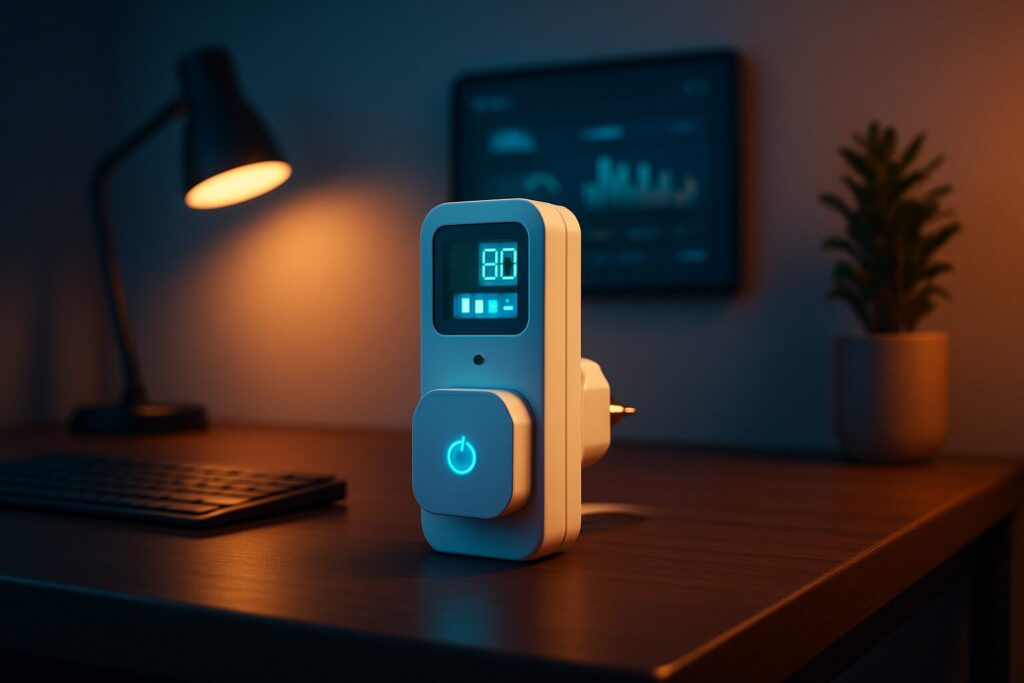
- Smart Plugs with Energy Monitoring: Devices like the SONOFF S31 or TP-Link Kasa KP115 not only let you control appliances but also provide real-time electricity consumption monitoring. Integrating them into the Home Assistant Energy Dashboard is a must.
- Smart Thermostats: Systems from Nest, Ecobee, or even advanced HVAC controllers like Airzone, when integrated with Home Assistant, allow you to create ultra-efficient climate schedules that prevent waste when you’re not home.
- Smart LED Lighting: Swapping old bulbs for LEDs controlled by ZHA or Zigbee2MQTT lets you create scenes that dim lights and automatically turn them off in empty rooms.
The ‘Workday’ Sensor: Your Routine’s Best Friend
Don’t underestimate the power of the built-in Workday sensor. This Home Assistant entity knows if the current day is a workday or a public holiday in your region. You can use it as a condition in your automations to, for example, relax the saving rules on a weekend or enforce a stricter profile Monday through Friday.
Comparison Chart: Energy Saving Strategies
To give you a clear idea of the potential impact, here’s a breakdown of different strategies.
| Strategy | Description | Estimated Bill Impact | Required Hardware |
|---|---|---|---|
| Load Shifting | Run high-consumption appliances (washer, dryer, water heater, EV charger) only during ‘Off-Peak’ hours. | High (15-30%) | Smart plugs or relays (Shelly, Sonoff). |
| Smart Climate Control | Adjust temperature based on presence, time of day, and the weather forecast. | High (10-25%) | Smart thermostat (Nest, Ecobee, etc.). |
| Phantom Load Elimination | Completely shut off devices in standby (TVs, game consoles, chargers) overnight or when away. | Medium (5-10%) | Smart plugs. |
| Efficient Lighting | Turn off lights in empty rooms and adjust brightness based on time of day. | Low-Medium (3-8%) | Smart bulbs/switches, presence sensors. |
By implementing these modern techniques, you’re not just updating your automations—you’re adopting a proactive, truly intelligent approach to managing your home’s energy in 2026. The power to optimize is in your hands with Home Assistant!