
This article may contain affiliate links. If you buy through these links, the price is the same for you and the store pays me a small commission that helps keep Tecnoyfoto running.

Last updated on February 10, 2026
Diving into the world of DIY home automation in 2026 is an absolute blast. But let’s be real: we’re way past the simple ‘plug-and-play’ era. To build a truly intelligent and cohesive smart home today, you often need to integrate devices on a much deeper level. Whether you’re tucking a Shelly relay behind a light switch, wiring up a Sonoff to control your garage door, or building a custom environmental sensor with ESPHome, you’re going to need a proper set of smart home tools.
This isn’t just another list; it’s the definitive guide I’ve refined over years of hands-on IoT projects. Here, you’ll learn which tools are critical, why you need them, and how to tell the essentials from the nice-to-haves for more advanced projects. And through it all, safety will be our number one priority.
At a Glance: The Essential Smart Home Toolkit for 2026
For those in a hurry, here’s the quick-and-dirty summary of the ideal DIY smart home toolbox.
| Tool | Skill Level | Primary Use | Estimated Price Range ($) |
|---|---|---|---|
| Insulated Screwdrivers | Beginner | Wiring relays, smart switches, and any electrical device. | $20 – $40 |
| Voltage Tester | Beginner | Identifying the ‘hot’ wire. Verifying power is OFF. | $10 – $20 |
| Pliers & Wire Strippers | Beginner | Cutting, stripping, and manipulating wires for secure connections. | $15 – $35 |
| Digital Multimeter | Beginner | Verifying voltages (AC/DC), checking continuity, and diagnosing issues. | $20 – $50 |
| Soldering Iron | Advanced | Flashing firmware, soldering headers to PCBs (ESPHome), or making repairs. | $30 – $80 |
| Network (RJ45) Crimper | Advanced | Creating custom-length network cables for PoE Zigbee coordinators, cameras, etc. | $15 – $30 |
Electrical Safety Rules: Your #1 Priority
Before you even think about touching a tool, we need to burn these electrical safety principles into your brain. Working on your home’s electrical system without the right knowledge and precautions can have fatal consequences. If at any point you are not 100% confident in what you’re doing, STOP and call a licensed electrician.
CRITICAL WARNING!
ALWAYS, WITHOUT EXCEPTION, CUT THE POWER AT THE MAIN BREAKER PANEL BEFORE HANDLING ANY WIRES OR DEVICES.
Flip the main breaker for the house, or at the very least, the specific circuit breaker for the circuit you’ll be working on. Then, use a voltage tester to confirm that there is absolutely no power present before you proceed.
The Must-Have Smart Home Tools (Beginner Level)
This is the core arsenal that every aspiring smart home DIYer should own. With this kit, you can safely and efficiently handle 90% of common installations.
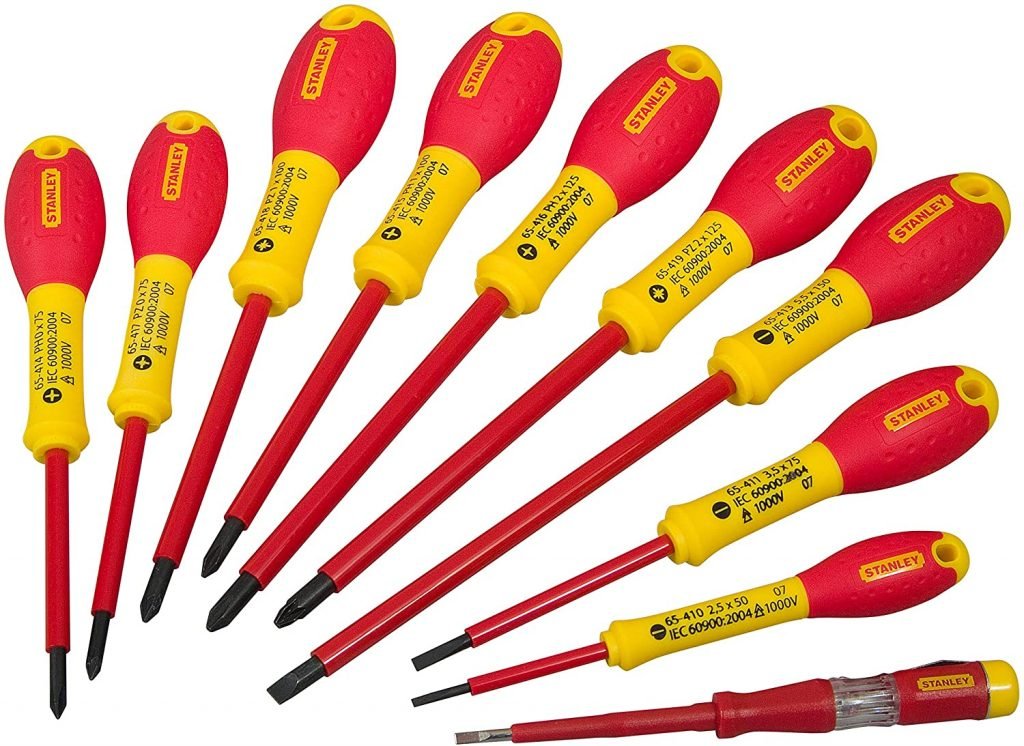
1. Insulated Screwdriver Set (1000V-Rated)
No, the random screwdriver from your junk drawer won’t cut it. You need a dedicated set of insulated screwdrivers with a VDE (or equivalent) certification, guaranteeing protection up to 1,000V. These tools have a special non-conductive coating that protects you from accidental shock if you were to make a terrible mistake and touch a live component. They are your first and most important line of defense.
2. Non-Contact Voltage (NCV) Tester
This little pen-sized tool is your best friend. An NCV tester lets you safely check for the presence of voltage without touching any bare wires. You simply bring the tip near a wire, outlet, or switch, and it will beep and flash if it detects a live circuit. It’s indispensable for identifying the ‘hot’ wire when installing devices like a Shelly 1 or Sonoff ZBM5Affiliate link, which require specific Line (L) and Neutral (N) connections, and for triple-checking that the power is off before you start working.
3. Pliers and an Automatic Wire Stripper
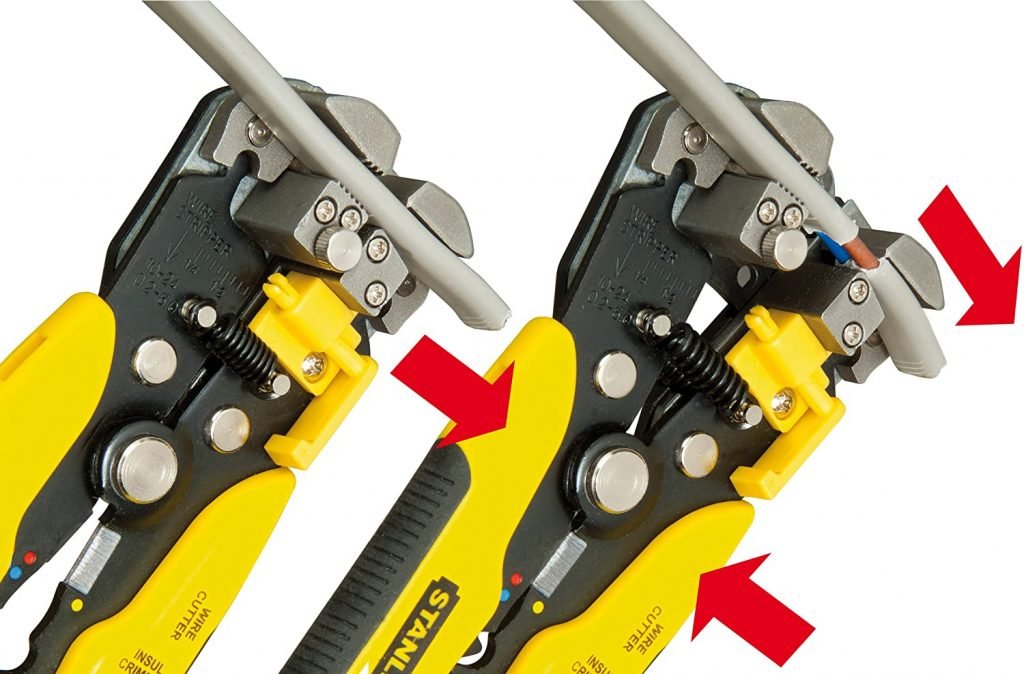
You’ll need a good pair of diagonal cutters to snip wires to the correct length, and possibly some needle-nose pliers for maneuvering them in tight electrical boxes. But here’s my pro tip: invest in an automatic wire stripper. This magical tool removes the perfect amount of insulation from a wire in one clean motion, leaving you with a professional-grade connection. It prevents damage to the copper strands and will save you an incredible amount of time and frustration. Trust me on this.
4. Digital Multimeter
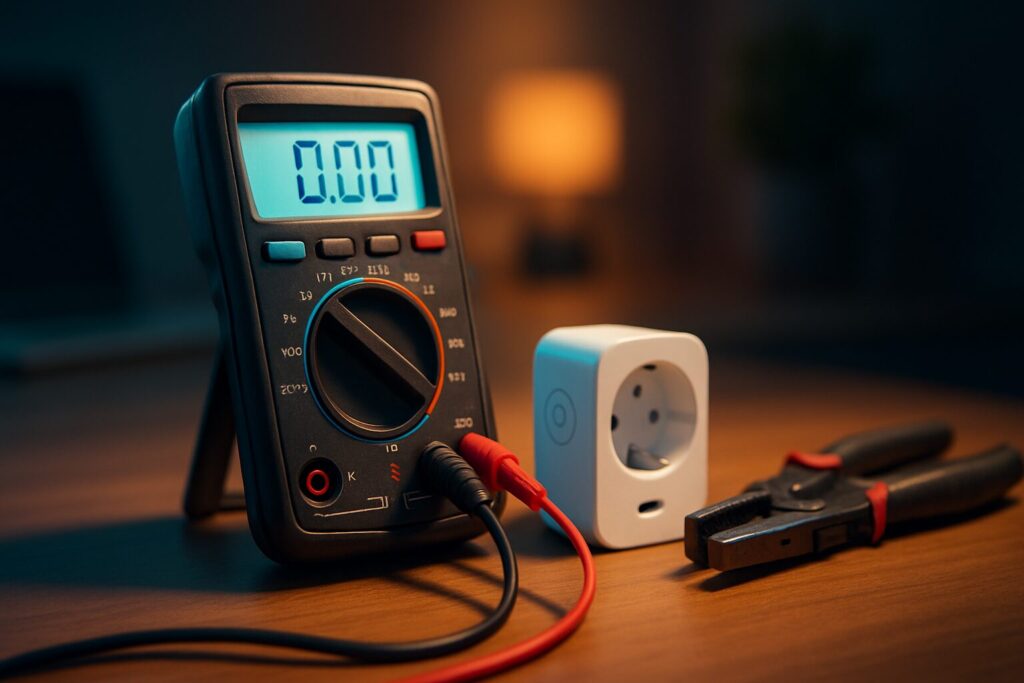
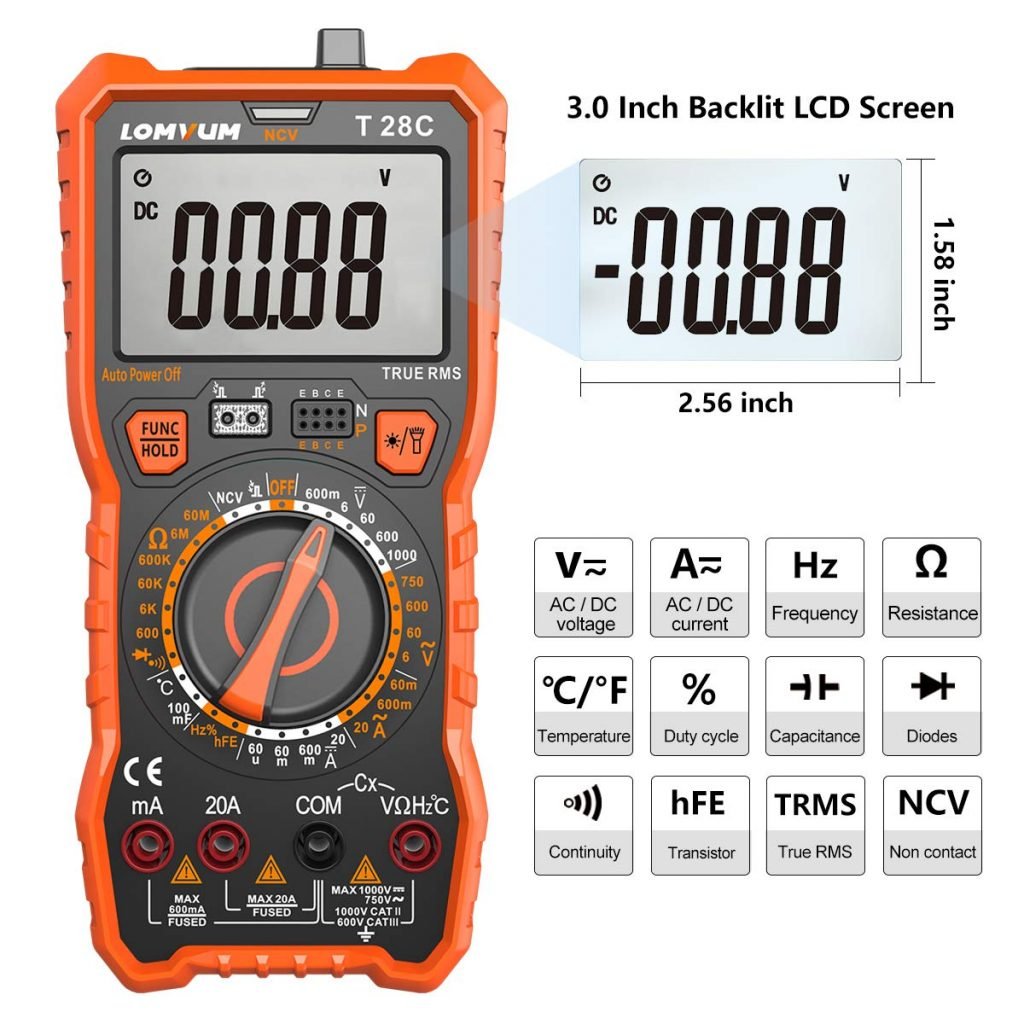
A multimeter is the Sherlock Holmes of your smart home toolkit. It’s an essential diagnostic device that lets you measure various electrical properties. Its most common uses in home automation are:
- Verifying Voltage (AC/DC): To confirm a device is receiving the correct voltage (e.g., ~120V AC for an outlet, 5V DC for an ESP board).
- Checking Continuity: To make sure a wire isn’t broken internally or that a connection is solid. This is a lifesaver for troubleshooting.
- Diagnosing Problems: Is a sensor not powering on? The multimeter lets you follow the path of electricity and pinpoint the failure.
You don’t need a high-end professional model. A basic one with these functions is more than enough to get started. Understanding its readings is key, especially concepts like True RMS for accurate AC measurements.
The Smart Shortcut: Are All-in-One Electrician’s Kits Worth It?
For those starting from absolute scratch, an all-in-one electrician’s tool kit can seem mighty tempting. They often bundle insulated screwdrivers, various pliers, a voltage tester, and sometimes even a basic multimeter into a convenient carrying case. The upside is the initial cost, which is often lower than buying each piece separately. The downside? The quality can be hit-or-miss. My advice: it’s a decent starting point, but plan on upgrading the key pieces you use most often to higher-quality standalone tools over time.
Advanced Smart Home Tools (For Next-Level DIY Projects)
Once you’ve mastered the basic installations and want to level up to creating your own devices, flashing custom firmware, or tackling more complex setups, your arsenal will need a few upgrades.
1. Soldering Iron
A soldering iron is your gateway to the amazing world of ESPHome and Tasmota. You’ll need it to solder header pins onto boards like the Wemos D1 Mini or a Sonoff Basic, allowing you to connect a programmer and flash custom firmware. A good temperature-controlled soldering iron is an investment that will last for years. The portable TS101 (and its predecessor, the TS100) is legendary in the maker community for its performance and value.
2. Network (RJ45) Crimper & Cable Tester
In 2026, a reliable wired network is the backbone of a robust smart home. With the rise of Power over Ethernet (PoE) devices like Zigbee coordinators and security cameras, knowing how to make your own network cables is a golden skill. An RJ45 crimper lets you create cables of the exact length you need, resulting in a much cleaner and more professional installation. A simple cable tester will then confirm that all eight wires are correctly ordered and have solid continuity.
3. Hot Glue Gun
It might seem like a craft tool, but a hot glue gun is the unsung hero of the DIY smart home. I use mine constantly to:
- Secure motion or temperature sensors inside project enclosures.
- Tack down wires to prevent them from shifting and causing intermittent contacts.
- Provide extra insulation and mechanical strain relief for soldered connections.
4. Precision Screwdriver Set
To crack open the cases of many commercial smart devices, you’ll need more than standard Philips and flathead bits. A good precision screwdriver kit (like those from iFixit) with Torx, pentalobe, and tri-wing bits will let you get inside sensors, plugs, and other gadgets without destroying the plastic housing.
Your Smart Home Toolkit Grows With You
Building your collection of smart home tools is a journey, not a destination. You don’t need to buy everything on day one. Start with the beginner’s kit, always prioritizing safety with high-quality, insulated tools. As your projects get more ambitious and your confidence grows, you can add the more specialized items. A well-equipped toolbox doesn’t just enable you to do the work—it gives you the confidence to experiment, troubleshoot, and take your smart home to the next level.
So, what’s the one tool in your kit you can’t live without? Did I miss any 2026 must-haves? Drop a comment below—I’d love to hear from you!
Continue reading
Next related guide · 6 min read
Sonoff TX Ultimate in 2026: Is This Classic Smart Switch Still Worth Buying?
Last updated on March 1, 2026 Sonoff TX Ultimate 2026 Review: A Modern Classic Revisited When the Sonoff TX Ultimate first launched back in…
Continue with this article