
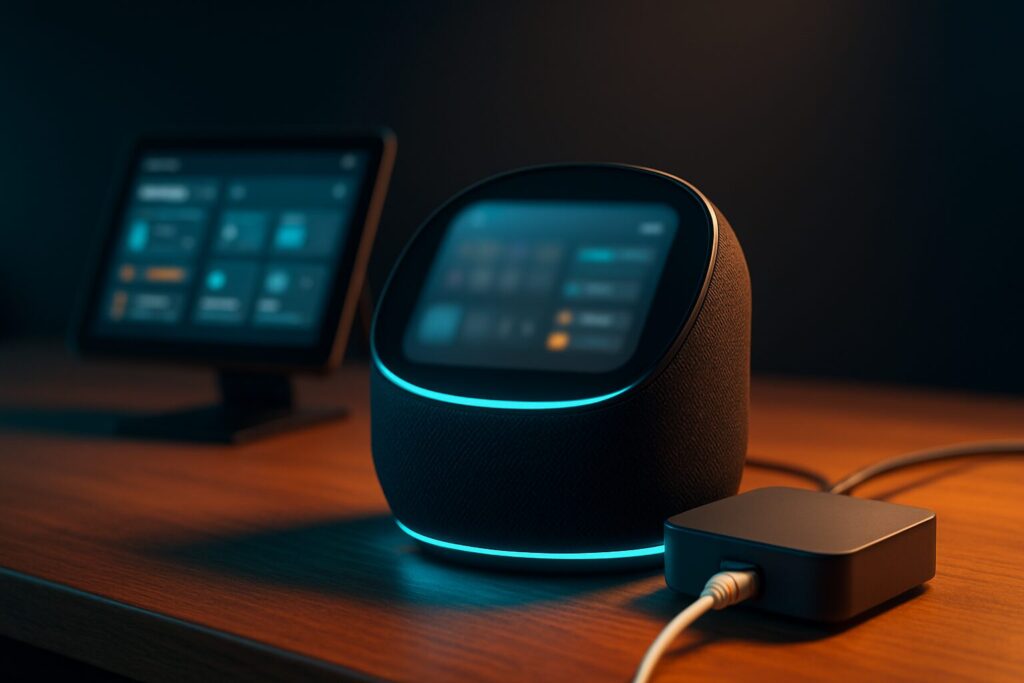

The integration between ChatGPT and Home Assistant is no longer just a fun experiment for tinkerers. In 2026, it has become a real way to make your home better understand what you ask, respond more naturally, and help you control devices without always relying on rigid commands.
But let’s be clear from the beginning: this does not mean your home becomes magical, nor does it mean an artificial intelligence should have permission to control everything without limits. The key is to use AI where it actually adds value, keep Home Assistant as the central control system, and carefully decide which entities, sensors, and actions you allow the assistant to access.
In this article, we will look at what you can actually do today with ChatGPT, OpenAI, Assist, and Home Assistant, what options are available, what risks you should keep in mind, and why tools like Codex are starting to make sense for those who want to create more advanced automations without losing control of their setup.
ChatGPT and Home Assistant: Two Different Pieces of the Smart Home
To properly understand this combination, we first need to separate the role of each tool.
Home Assistant is the control center of your home. It knows your lights, sensors, cameras, smart plugs, blinds, thermostats, automations, and scenes. Its greatest strength is that it allows very local, flexible, and private control of your home, without relying exclusively on each manufacturer’s cloud.
ChatGPT and OpenAI models, on the other hand, do not replace Home Assistant. Their role is to better interpret natural language, understand less rigid commands, answer questions in a more conversational way, and help turn a human request into an action that Home Assistant can execute.
In other words: Home Assistant remains the system in charge of your home. AI can act as a layer of interpretation and conversation on top of that system.
Assist: The Real Foundation of Voice Control in Home Assistant
Before talking about ChatGPT, we need to talk about Assist. Assist is Home Assistant’s system for controlling your home using natural language. It can work with text, voice, Home Assistant Cloud, or a local setup, depending on the hardware and services you want to use.
This matters because everything is often mixed together under the phrase “adding ChatGPT to Home Assistant,” when in reality there are several different layers:
- Assist, which is the foundation of the assistant inside Home Assistant.
- Voice devices or satellites, which capture what you say and play back the response.
- Voice engines, which convert speech to text and text to speech.
- Conversational agents, where models like OpenAI or other local or cloud-based models can come in.
For real home use, this distinction is important. You do not always need a huge model to turn on a light or activate a scene. Many simple commands can be handled faster and more efficiently by Assist. AI makes more sense when the request is ambiguous, contextual, or requires a more elaborate response.
What ChatGPT Adds to Home Assistant
The OpenAI integration in Home Assistant allows you to use a conversational model as an agent inside the system. This can be used to ask questions, interpret more natural requests, and, if configured that way, control home devices through the entities you have previously exposed.
The important word here is exposed. AI should not have unrestricted access to everything in your installation. Home Assistant allows you to decide which entities each assistant can see or control. This is essential for maintaining security and preventing a misunderstood command from affecting sensitive devices.
A simple example would be moving from a rigid command like:
Turn on the dining room light at 40%.
to a more natural request like:
Get the dining room ready for watching a movie.
In the second case, AI can interpret that you want dimmer lighting, maybe turn off a secondary lamp, or activate a specific scene, as long as you have properly prepared the entities and instructions.
Realistic Use Cases for ChatGPT with Home Assistant
AI applied to home automation has a lot of potential, but it is important to separate what sounds impressive from what is actually useful. These are some use cases that do make sense in a normal home.
1. More Natural Commands
One of the clearest uses is asking for things in a less robotic way. Instead of remembering the exact name of a scene, you can ask in a more human way:
- “Set a comfortable light for dinner.”
- “Get the office ready for work.”
- “Turn off anything unnecessary in the living room.”
- “Prepare the house for bedtime.”
This does not remove the need for a well-organized installation. Quite the opposite: the better your entities, areas, scenes, and devices are named, the better AI will be able to work.
2. Questions About the State of the Home
Another interesting use is asking about the overall state of the home without having to check dashboards or panels.
- “Are any windows open?”
- “Which lights are still on?”
- “Is there any unusual power consumption right now?”
- “Are the room temperatures balanced?”
Here, AI can help summarize information that already exists in Home Assistant. It does not invent new sensors, but it can better interpret and present the data your system already has.
3. Easier-to-Understand Automations
A very useful part of AI is not only controlling the home, but helping you think through automations. You can describe what you want to achieve and ask for an initial proposal:
I want any camera that has privacy mode disabled for more than five minutes while nobody is home to automatically turn privacy mode back on.
AI can help organize the logic, detect missing conditions, and suggest a structure. Then, as always, you need to review, test, and adapt the automation to the real entities in your installation.
4. Energy Summaries and Useful Alerts
If you have energy sensors, smart plugs, or an integration with your electrical system, AI can help you better interpret certain data.
For example, receiving a chart is not the same as receiving a sentence like:
This afternoon’s power usage was higher than usual. The biggest difference seems to come from the air conditioner and the water heater.
This kind of summary can be very useful, as long as the underlying data is reliable. AI does not replace good measurement, but it can make that information easier to understand.
5. Explanations for Less Technical Users
Home Assistant can be very powerful, but it can also be intimidating. A well-configured AI assistant can help explain what is happening at home in a more human way.
- “The heating did not turn on because the bedroom window is open.”
- “The blind automation did not run because today is marked as a holiday.”
- “The camera is still in privacy mode because someone is home.”
This can be very valuable in a family setup, where not everyone wants to understand dashboards, entities, helpers, or automation traces.
What You Should Not Promise
We also need to be realistic. ChatGPT does not automatically turn your home into a perfect predictive system. It can interpret, reason, and respond, but it depends completely on the quality of your data, how Home Assistant is configured, and what permissions you have given it.
You should not sell the idea that the home will “anticipate all your needs” without configuration behind it. For something like that to work, you need reliable sensors, well-managed presence detection, carefully designed automations, coherent scenes, and clear entity names.
AI can help a lot, but it does not fix a messy installation. If your lights are poorly named, your sensors are duplicated, your automations contradict each other, or your devices are unreliable, a conversational model will not perform magic. It may even get more confused.
Privacy: The Most Important Thing Before Connecting AI
Home Assistant has a very powerful philosophy: local control. Many automations, sensors, and devices can work inside your own network without relying on external servers. But when you add a model like ChatGPT, you need to understand that the requests sent to that model leave your installation and are processed in the corresponding provider’s cloud.
This does not mean you should not use it. It means you should configure it wisely.
- Do not expose all entities by default.
- Avoid giving direct control over critical elements.
- Be especially careful with locks, alarms, cameras, garages, and security systems.
- Use clear names for areas, scenes, and devices.
- Always protect your API keys.
- Review permissions after every major change.
My recommendation would be to start with low-risk entities: lights, scenes, temperature sensors, blinds, or status queries. Then, if everything works well, you can gradually expand.
Cloud Models or Local Models
In 2026, there is no longer just one way to use AI in Home Assistant. You can use cloud services, such as OpenAI, or local models installed on your own hardware. Each option has advantages and drawbacks.
| Option | Main Advantage | Main Drawback | Who It Makes Sense For |
|---|---|---|---|
| Cloud model | Better understanding and more natural responses | Depends on the Internet and sends requests outside the home | Users looking for ease of use and strong results |
| Local model | More privacy and control | Requires more hardware and usually has lower capability | Advanced users who prioritize privacy |
| Assist without an LLM | Fast, simple, and more controlled | Less flexible for complex conversations | Simple and reliable home commands |
For most homes, a balanced combination makes a lot of sense: Assist for normal commands and an AI model as support when the request requires more context or a more elaborate response.
Recommended Hardware for a Comfortable Experience
You do not need a huge server to get started, but choosing the right hardware matters. The experience can change a lot depending on the machine running Home Assistant, the quality of your network, and the devices you use for voice control.
| Element | Good Examples | Comment |
|---|---|---|
| Home Assistant server | Home Assistant Green, N100 mini PC, or similar hardware | For a serious installation, a stable device connected by Ethernet is better. |
| Zigbee coordinator | SMLIGHT SLZB-06, Sonoff ZBDongle, or similar options | Important for sensors, switches, and Zigbee devices. |
| Voice and Assist | Home Assistant Voice Preview Edition, ESPHome satellites, or compatible devices | Voice is becoming increasingly important, but expectations should stay realistic. |
| Presence sensors | PIR, mmWave, or a combination of both | AI works better when the home has reliable presence and context data. |
| Home network | Stable router, good Wi-Fi coverage, and Ethernet whenever possible | Without a stable network, home automation will fail even if the AI is very good. |
More than buying a lot of hardware, the important thing is to build a reliable foundation. A smart home with a few well-configured devices usually works better than a huge installation full of duplicated entities and improvised automations.
Where Codex Fits Into All This
This is where a second very interesting piece appears: Codex. I would not place it in the same category as ChatGPT inside Home Assistant, because its role is different.
ChatGPT can help you talk to your home. Codex, on the other hand, fits better as a technical assistant for building, reviewing, and maintaining that smart home.
For example, Codex can help you work with:
- YAML automations.
- Home Assistant templates.
- Complex scripts.
- ESPHome configurations.
- Dashboards.
- Log errors.
- Documentation for entities and devices.
- Reviewing changes before applying them.
This opens a very powerful door: using AI not only to control the home, but also to build the system behind it better.
That said, caution is important. Codex should not modify a real installation without human review. Before applying major changes, you should have a backup, understand what is going to be modified, and test things on a small scale first. In Home Assistant, an error in an automation might simply stop a light from turning on, but it can also affect heating, cameras, alarms, or family routines.
That is why the ideal approach is to treat Codex as a technical copilot: it can suggest, review, organize, and help, but the final decision should remain yours.
How I Would Start Step by Step
If you want to get started with ChatGPT and Home Assistant without overcomplicating things, I would do it in phases.
Phase 1: Organize Home Assistant
Before adding AI, review your entity names, areas, scenes, and devices. If your installation is messy, AI will be more likely to get confused.
Phase 2: Test Assist with Simple Commands
Start by using Assist to control lights, scenes, and simple queries. Check what it understands well and which names you need to adjust.
Phase 3: Add OpenAI Only to Specific Entities
Do not expose the entire home at once. Select a few safe entities and test how the assistant responds. It is better to move gradually than to open too many permissions from day one.
Phase 4: Create Useful Scenes
AI works better when it can activate well-designed scenes. For example: “movie mode,” “night mode,” “work mode,” “dinner mode,” or “away mode.”
Phase 5: Use Codex to Improve Automations
Once you have a stable foundation, you can use Codex or similar tools to review YAML, improve automations, document your installation, or prepare ESPHome configurations.
Common Mistakes When Mixing AI and Home Automation
There are some mistakes worth avoiding from the beginning:
- Giving AI too many permissions: not everything needs to be exposed.
- Trusting answers without verifying them: AI can make mistakes or misinterpret a command.
- Not protecting the API key: keys must be stored securely.
- Not making backups: before major changes, always create a backup.
- Not reviewing generated automations: proposed code must be adapted to your real installation.
- Expecting magic: AI helps, but the foundation is still a good Home Assistant configuration.
Frequently Asked Questions About ChatGPT and Home Assistant
Do I Need ChatGPT to Use Voice in Home Assistant?
Not necessarily. Home Assistant has Assist, which allows you to control your home with natural language. You can use Assist without always relying on ChatGPT. AI models make more sense when you want more conversational responses or more complex requests.
Can ChatGPT Control Any Device in My Home?
It should only control the entities you have decided to expose. It is not a good idea to give general access to all devices, especially locks, alarms, cameras, or critical systems.
Can I Use Local AI Instead of OpenAI?
Yes, there are options for using local models, although they usually require more hardware and may provide less powerful responses than cloud models. In return, you gain control and privacy.
Is Codex Used to Control the Home?
That is not its main purpose. Codex fits better as a technical assistant for creating, reviewing, and maintaining automations, scripts, ESPHome configurations, and other files related to Home Assistant.
Is It Worth Using ChatGPT with Home Assistant?
Yes, if you know what you want it for. You do not need to overcomplicate things just to turn on a light. But for more natural queries, summaries, contextual scenes, and help with automations, AI can add a lot of value.
Conclusion: AI in Home Assistant Should Help, Not Take Over
ChatGPT and Home Assistant form a very powerful combination, but the key is understanding the role of each one. Home Assistant should remain the control center of the home. AI should act as a layer of help, conversation, and interpretation, not as a system with absolute permission to decide everything.
Used wisely, AI can make home automation more natural, more accessible, and easier to maintain. It can help you control the home with more human phrases, better understand what is happening, and create more complete automations.
And with tools like Codex, a second and even more interesting path appears: not only talking to the home, but building the installation behind it better. Clearer automations, better-reviewed configurations, easier-to-maintain ESPHome setups, and less fear when touching YAML.
The future of the smart home is not letting AI do everything. It is using AI as an assistant, keeping control inside Home Assistant, and deciding for ourselves how far we want to go.