

Updated on February 21, 2026
Let’s get one thing straight: Alexa is way more than just a speaker that answers questions. Here in 2026, it has solidified its place as Amazon’s advanced AI-powered virtual assistant, engineered to be the central hub for your digital life and smart home. Its core mission is to streamline your daily tasks, keep you informed, connected, and entertained—all through natural voice commands. You access it through an ever-expanding ecosystem of devices, led by the Amazon Echo family.
But, what is Alexa and what can it actually do for you day-to-day? From queuing up your favorite podcast and controlling the living room lights to managing your calendar or ordering groceries, Alexa has become a cornerstone of “ambient computing”—a technology that seamlessly and helpfully integrates into our surroundings.
The Amazon Echo Lineup in 2026: Which Device is Right for You?
To use Alexa, you need a compatible device. While many third-party brands integrate the assistant, you get the most seamless experience from Amazon’s own Echo product line. I’ve tested most of them, and the right choice boils down to your specific needs and budget. Here’s an updated comparison table to help you decide which one fits your life.
| Model | Best For… | Key Features (2026) | Estimated Price Range |
|---|---|---|---|
| Echo Pop | Small spaces, dorm rooms, or as a first Alexa device. | Compact design, surprisingly good sound for its size, full voice control. | $25 – $50 |
| Echo Dot (6th Gen) | The all-rounder. Perfect for any room due to its excellent balance of price and performance. | Enhanced audio, built-in temperature and motion sensors, optional clock display. | $45 – $70 |
| Echo (5th Gen) | Music lovers and users with a growing smart home ecosystem. | High-fidelity sound, built-in smart home hub (Zigbee, Matter). | $80 – $120 |
| Echo Show 8 | Kitchens, living rooms. Ideal for video calls, following recipes, or as a digital photo frame. | 8-inch HD screen, high-resolution camera, stereo speakers. | $100 – $150 |
| Echo Hub | Advanced smart home users who want a centralized control panel. | Wall-mountable touch panel for managing all your smart devices at a glance. | $180 – $220 |
| Echo Auto | Bringing the full Alexa experience into any car. | Slim design, connects to your phone for data, controls music and navigation. | $50 – $75 |
The Best Alexa Commands You’ll Use Every Day
The real magic of Alexa lies in the Alexa commands you can use. Forget robotic phrases; today’s AI allows for much more fluid conversation. Here’s a categorized list of the commands I find myself using the most:
Task Management and Productivity
- Timers & Alarms: “Alexa, set a 10-minute pasta timer.”
- Reminders: “Alexa, remind me to take out the trash at 10 PM.”
- Lists: “Alexa, add bananas to the shopping list.”
- Calendar: “Alexa, what’s on my calendar today?”
Smart Home Control
This is where Alexa truly shines, especially if you pair it with advanced systems like Home Assistant. It can act as the voice front-end for your most complex automations.
- Lights: “Alexa, set the office light to 50%.”
- Climate: “Alexa, raise the thermostat by 2 degrees.”
- Routines: “Alexa, turn on ‘Movie Night'” (which could dim the lights, lower the shades, and turn on the TV).
- Devices: “Alexa, start the coffee maker.”
Entertainment and Media
- Music: “Alexa, play some chill music on Spotify.”
- Radio & Podcasts: “Alexa, play NPR on TuneIn.”
- TV Control: “Alexa, open Netflix on the Fire TV.” Learning to control your TV with Alexa is a game-changer.
- Audiobooks: “Alexa, read my book from Audible.”
Information and Communications
- General Questions: “Alexa, what’s the capital of Mongolia?”
- News & Weather: “Alexa, play my Flash Briefing.”
- Calls: “Alexa, call Mom.”
- Drop In: Use the Drop In feature to use your Echo devices like an intercom: “Alexa, Drop In on the kitchen.”
Unlimited Power: What Are Alexa Skills?
Alexa Skills are the equivalent of apps on your smartphone. They’re extra features developed by third parties that you can enable to teach your assistant new tricks. There are thousands of them, expanding Alexa’s capabilities almost infinitely. Enabling one is as easy as saying “Alexa, enable the Trivial Pursuit skill” or doing it from the app.
Some popular examples in 2026 include:
- Smart Home: Skills from Tuya, Smart Life, eWeLink, or Philips Hue to control devices from those brands.
- News: Skills from major news outlets for personalized briefings.
- Games: Trivial Pursuit, Akinator, or Escape Room for interactive entertainment.
- Food Delivery: Skills from Domino’s or Uber Eats to place orders with your voice.
- Health & Fitness: Connect your account with the Strava skill to check on your latest workouts.
You can browse and manage all available skills from the Alexa app on your phone.
Your Privacy Comes First: How to Manage Your Data
A common concern with any smart speaker is privacy. It’s crucial to understand how it works. Your Echo device is always listening, but only for the wake word (e.g., “Alexa,” “Echo”). This detection happens locally on the device itself. Only *after* it hears the wake word does it begin recording and sending your request to Amazon’s secure servers for processing.
Amazon gives you full control over your data. From the Alexa app, under Settings > Alexa Privacy, you can:
- Review and delete voice recordings: You can listen to and delete any recording, one by one or all at once.
- Set up auto-deletion: My recommendation is to configure your recordings to be automatically deleted every 3 months.
- Manage smart home history: Review the history of interactions with your connected devices.
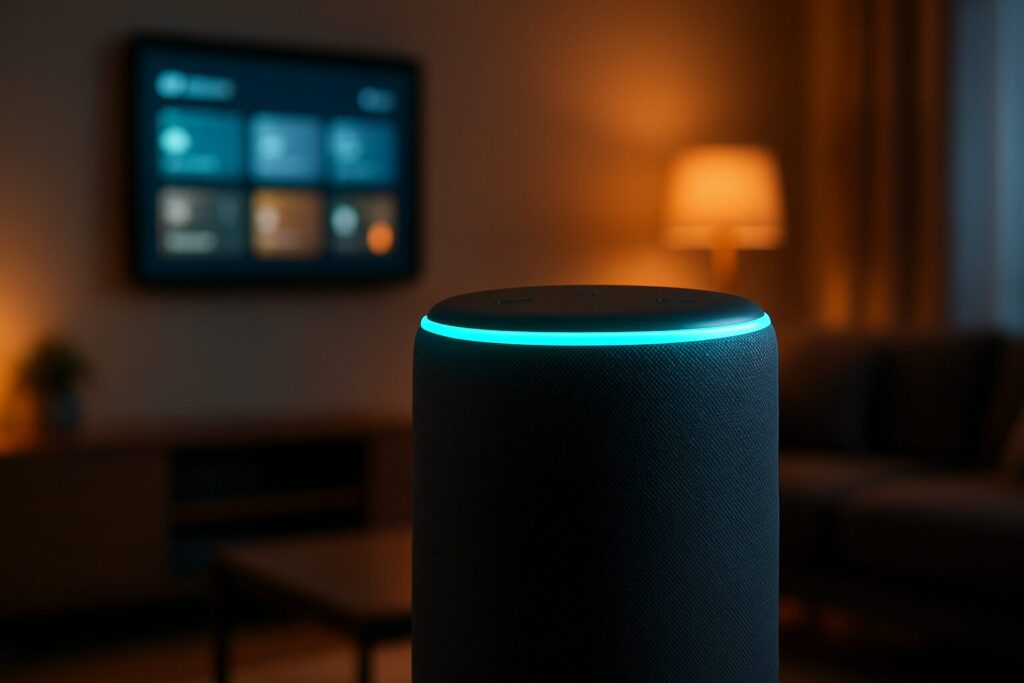
Furthermore, all Echo devices have a physical button to mute the microphones. When you press it, the light ring turns red, indicating that the mics are electronically disconnected and it’s impossible for it to hear you. It’s a clear visual cue, just like the other colors Alexa can display to communicate its status.
The Evolution of the Assistant: From Star Trek to Generative AI
The original inspiration for Alexa was the conversational computer from the Starship Enterprise in Star Trek. Launched in 2014, it pioneered a market that today, in 2026, is fully mature and dominated by giants like Amazon, Google (Assistant), and Apple (Siri).
The early years were focused on responding to direct commands. However, the biggest revolution in recent times has been the integration of Large Language Models (LLMs) and generative AI. This has transformed Alexa from a simple order-taker into a true conversationalist. It can now understand complex, multi-step requests, maintain the context of a conversation, and provide far more creative and detailed responses.
What started as a smart speaker has evolved into an ambient computing platform—a layer of intelligence that, through our voice, connects us with technology in a way that’s more human and efficient than ever before.