
As an Amazon Associate, I earn from qualifying purchases. En calidad de Afiliado de Amazon, obtengo ingresos por las compras adscritas que cumplen los requisitos aplicables. If you buy through these links, the price is the same for you and Amazon pays me a small commission that helps keep Tecnoyfoto running.

Updated on January 29, 2026
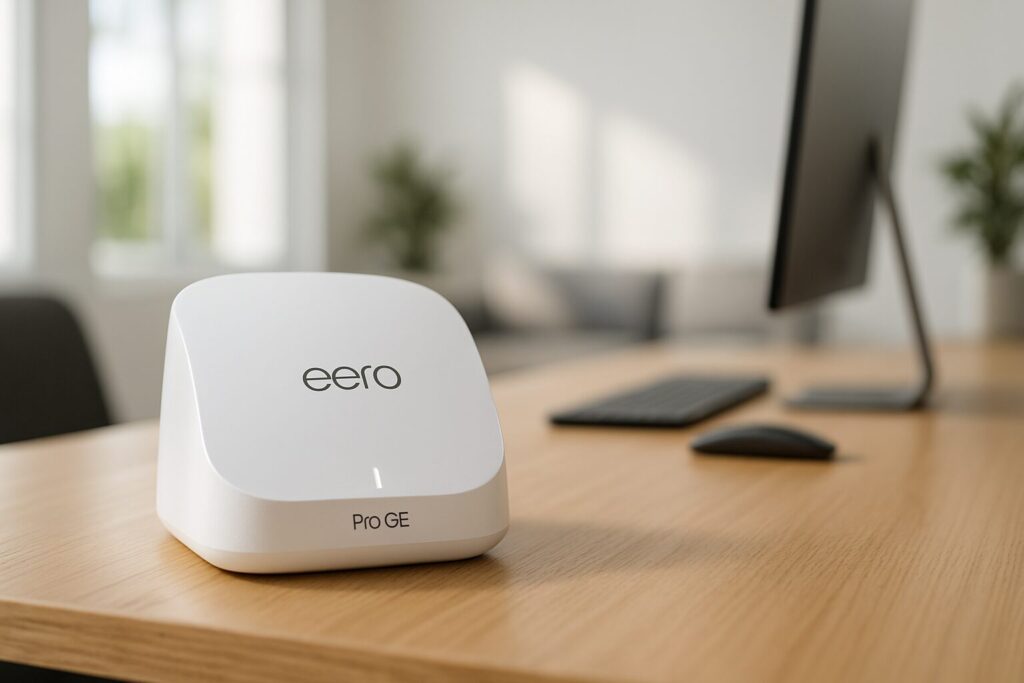
When the Amazon Eero Pro 6EAffiliate link first hit the market, it was a trailblazer, bringing the WiFi 6E standard and the wide-open 6 GHz band into our homes. Years later, here in 2026, I’ve put this mesh network system back on the test bench for a full-throttle review to answer one key question: is it still a smart buy against the shiny new WiFi 7 models?
The short answer is a resounding yes. For most people, the Eero Pro 6EAffiliate link has settled into a sweet spot, becoming one of the best bang-for-your-buck options on the market today. If you have an internet plan over 1 Gbps and crave a stable, fast home network that also runs your smart home, this 2026 Eero Pro 6EAffiliate link review is for you.
Eero Pro 6E Review 2026: The Core Specs That Still Matter
While it’s no longer Amazon’s top-tier system—a title now held by the Eero Max 7—the Eero Pro 6E’s spec sheet is still impressive in 2026. We’re talking about a tri-band mesh WiFi system operating on the 2.4 GHz, 5 GHz, and, most importantly, the 6 GHz bands. That last one is the secret sauce, acting like an exclusive superhighway for your newest devices, avoiding neighborhood congestion and delivering ultra-low latency perfect for gaming, 8K streaming, and lag-free video calls.
Each node in the system is identical and features two auto-sensing Ethernet ports. Critically, the primary router’s port supports WAN speeds up to 2.5 Gbps, a must-have feature now that multi-gig fiber plans are commonplace. The second port is a standard Gigabit Ethernet, perfect for hardwiring nearby devices like a gaming console or PC.

Real-World Performance: WiFi 6E Speed and Coverage Tests
For this review, I tested a 3-pack of nodes in a two-story, 1,600 sq. ft. home with a symmetrical 2 Gbps fiber internet connection. The results confirm that the Eero Pro 6E has aged like fine wine.
Speed and Latency
The real-world WiFi 6E speed is this system’s knockout punch. Connected to the 6 GHz network near the main router, my WiFi 6E-equipped laptop consistently hit sustained speeds of 1.8 Gbps for both download and upload, with a ping of just 3-4 ms. When I moved to the other floor, connecting through a satellite node, speeds remained an excellent 700-800 Mbps. That’s more than enough bandwidth for any demanding task. On the 5 GHz band, older devices (WiFi 5 and 6) clocked speeds between 500 and 900 Mbps, proving the rock-solid wireless backhaul Eero uses for communication between nodes.
Mesh System Coverage
With the three-unit pack, I got a blanket of coverage over the entire house, completely eliminating the dead zones I had with my ISP’s router. The handoff between nodes is completely seamless; as I walked around, my devices switched access points without any interruption to my connection. For larger homes, mesh technology is a radical improvement over traditional extenders. If you want to dive deeper into the differences, I recommend our guide on the best mesh WiFi systems.
Setup and the Eero App Experience
One of Eero’s biggest selling points has always been its simplicity. To set up the Eero router, you just need the mobile app and a few minutes to follow the on-screen prompts. I had the main network up and running in less than 10 minutes. Adding the other two nodes was just as easy: plug them in, and the app finds and adds them to the mesh automatically.
The app is clean and intuitive, allowing you to manage your network visually, see connected devices, create user profiles, and set up a guest network. However, to access advanced features like granular parental controls, ad blocking, or security reports, you’ll need an Eero Plus subscription. While it’s optional, it’s a factor to consider in the long-term cost.
Eero Pro 6E as a Smart Home Hub
The Eero Pro 6E isn’t just a router; it’s a bona fide smart home hub. It packs a built-in Zigbee controller and is compatible with the Thread protocol, making it a border router for Matter. In 2026, with Matter now firmly established, this means you can directly connect compatible bulbs, plugs, and sensors (like those from Philips Hue, Aqara, or Sonoff) without needing to buy separate bridges.
In my tests, I linked several Zigbee devices via the Alexa app, and the response was instantaneous. For smart home power users, especially those running platforms like Home Assistant, the integrated Zigbee coordinator works perfectly, simplifying your setup significantly.
Comparison Chart: Eero Pro 6E vs. 2026 Rivals
To see where the Eero Pro 6E stands today, I’ve pitted it against its bigger brother, the Eero Max 7, and one of its direct WiFi 6E competitors, the TP-Link Deco XE75.
| Feature | Amazon Eero Pro 6E | Amazon Eero Max 7 | TP-Link Deco XE75 |
|---|---|---|---|
| WiFi Standard | WiFi 6E (802.11ax) | WiFi 7 (802.11be) | WiFi 6E (802.11ax) |
| Bands | Tri-Band (2.4, 5, 6 GHz) | Tri-Band (2.4, 5, 6 GHz) | Tri-Band (2.4, 5, 6 GHz) |
| Theoretical Speed | Up to 5.4 Gbps | Up to 9.4 Gbps | Up to 5.4 Gbps |
| Ethernet Ports | 1x 2.5 Gbps, 1x 1 Gbps | 2x 10 Gbps, 2x 2.5 Gbps | 3x 1 Gbps |
| Smart Home Hub | Yes (Zigbee + Thread) | Yes (Zigbee + Thread) | No |
| Price Range (3-pack) | Mid-Range ($300 – $400) | Premium ($1000+) | Mid-Range ($280 – $380) |
As the Eero Pro 6E vs. Eero Max 7 comparison shows, the newer model offers a massive performance leap with WiFi 7 and 10 Gbps ports, but at a significantly higher cost. Against the TP-Link, the Eero Pro 6E wins with its 2.5 Gbps port and integrated smart home hub, justifying the slight price difference.

Amazon Eero Pro 6E Price in 2026
At launch, the Eero Pro 6E’s price was steep, easily topping $600 for a three-pack. In 2026, the situation is completely different. It’s common to find the three-node pack in the $300 to $400 range, depending on sales. A single node can often be found for around $150. This price drop has transformed it into a highly competitive option.
For tighter budgets, the Amazon Eero 6 Plus (which lacks WiFi 6E and the multi-gig port) remains a viable alternative for internet plans up to 1 Gbps, with three-packs typically hovering around the $200 mark.
Amazon Eero Pro 6E Review: My Final Thoughts
After several weeks using the Eero Pro 6E as my primary network in 2026, my takeaway is overwhelmingly positive. Stability has been absolute—not a single crash or required reboot. The speed is more than enough for a family with multiple devices streaming, gaming online, and working from home. The app’s simplicity is a double-edged sword: perfect for users who just want it to work, but perhaps a bit restrictive for power users who enjoy granular control over their network settings.
Eero Pro 6E: Pros and Cons
What I Liked
- Excellent WiFi 6E Performance: The 6 GHz band delivers incredible speeds and low latency.
- 2.5 Gbps WAN Port: Ready for the fastest internet connections of 2026.
- Dead-Simple Setup: Perfect for users of all technical skill levels.
- Integrated Zigbee & Matter Hub: Unifies your WiFi and smart home networks.
- Incredible Value in 2026: Offers premium features at a mid-range price point.
- Compact and Discreet Design.
What I Didn’t Like
- Limited Advanced Settings: Not ideal for power users who want total control.
- Eero Plus Subscription Required for advanced security and parental controls.
- Only One Multi-Gig Port: All other ports are limited to 1 Gbps.
- Lacks Future-Proofing (No WiFi 7): While not a real drawback for most, it’s not the latest tech available.
The Verdict: Should You Buy the Eero Pro 6E in 2026?
Absolutely. In 2026, the Amazon Eero Pro 6E represents the perfect sweet spot between performance, features, and price. While WiFi 7 is here, its adoption is still limited, and the hardware costs a fortune. The Eero Pro 6E delivers fantastic performance for the fastest fiber plans on the market, provides solid coverage with its mesh system, and includes a valuable smart home hub.
If you’re looking for a powerful, stable WiFi network that’s ready for the near future—without spending a small fortune on the absolute cutting edge—the Eero Pro 6E is, in my expert opinion, one of the smartest upgrades you can make for your home network in 2026.
Continue reading

Next related guide · 5 min read
Amazon eero Pro 6 Review (2026): The Surprising Verdict on an Aging Champ
Last updated on January 29, 2026 The Amazon eero Pro 6 was a game-changer for mesh networking when it launched, and deep into 2026,…
Continue with this article