
As an Amazon Associate, I earn from qualifying purchases. En calidad de Afiliado de Amazon, obtengo ingresos por las compras adscritas que cumplen los requisitos aplicables. If you buy through these links, the price is the same for you and Amazon pays me a small commission that helps keep Tecnoyfoto running.

Updated January 19, 2026
In a world where digital content, especially 4K and 8K video, devours gigabytes at a dizzying pace, having a fast and reliable storage solution is non-negotiable. Today, I’m doing a deep-dive TerraMaster D4-320Affiliate link review, a DAS (Direct Attached Storage) unit that promises to double the speed of its predecessor, the D4-300, thanks to its 10Gbps USB 3.2 Gen 2 interface. Let’s break down if, here in 2026, it’s still a relevant powerhouse for professionals and power users.
What is the TerraMaster D4-320? A DAS Deep Dive
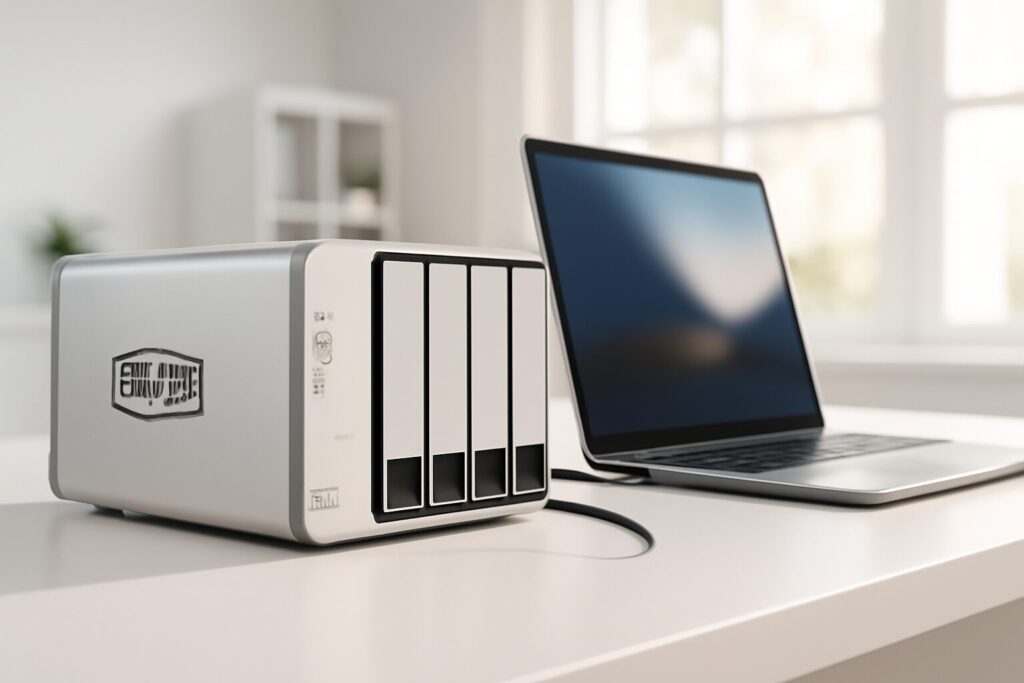
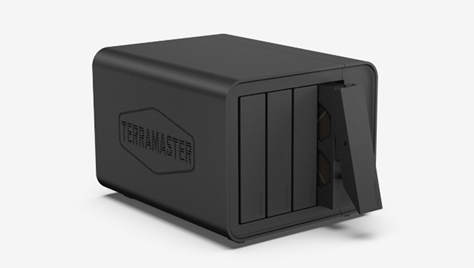
First things first, let’s be clear on what the D4-320 is: a DAS. Unlike a NAS (Network Attached Storage), which connects to your network and is accessible by multiple devices, a DAS like this plugs directly into a single computer (PC, Mac, or Linux) via a USB cable. Think of it as an external hard drive on steroids, with four drive bays and vastly superior speed. This direct connection makes it ideal for tasks that demand high, consistent bandwidth, like video editing.
If you’re looking for a solution to share files across a network or build your own private cloud, you need a NAS. But if what you need is a massive and speedy storage expansion for your workstation, keep reading, because this TerraMaster D4-320Affiliate link review is for you.
Key Technical Specs
To get a quick overview, I’ve summarized its most important features in this table:
| Feature | Specification |
|---|---|
| Device Type | DAS (Direct Attached Storage) |
| Drive Bays | 4 x 3.5″ or 2.5″ bays |
| Connection Interface | USB-C (USB 3.2 Gen 2, 10Gbps) |
| Max Raw Capacity | Up to 96TB (using 4 x 24TB HDDs) |
| Supported Drives | SATA HDDs and SSDs |
| RAID Support | Software RAID (OS-dependent: JBOD, RAID 0, 1, 5, etc.) |
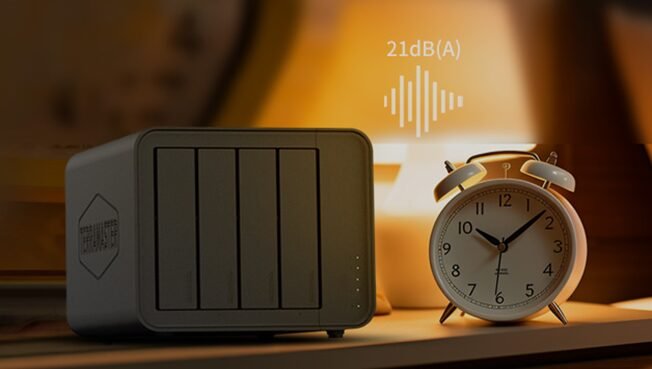
| Noise Level | Rated at 21dB (with drives idle) |
| Compatibility | Windows, macOS, Linux |
Performance Analysis: Real-World 2026 Benchmarks
The USB 3.2 Gen 2 Connection: Still Fast Enough?
The main upgrade of the D4-320 over the D4-300 is the jump to a USB 3.2 Gen 2 interface, which offers a theoretical transfer speed of 10Gbps (around 1250 MB/s). In 2026, this is a solid and widely adopted standard, capable of saturating the performance of most mechanical hard drives (HDDs) and even many SATA SSDs. While it’s true that for uncompressed 8K video workflows or extreme NVMe SSD setups, pros are now looking at interfaces like USB4 or Thunderbolt 4 (40Gbps), for the vast majority of users—including video editors and photographers—this 10Gbps connection is more than enough.

Benchmarks: Putting the TerraMaster D4-320 to the Test
For this review, I put the TerraMaster D4-320Affiliate link through a series of tests with different drive configurations to simulate real-world use cases. The tests were performed on a Mac Studio using CrystalDiskMark.
| Drive Configuration | RAID Mode | Sequential Read Speed | Sequential Write Speed | Ideal Use Case |
|---|---|---|---|---|
| 4 x 2TB SATA SSDs | RAID 0 (Stripe) | ~ 1025 MB/s | ~ 980 MB/s | 4K/6K video editing, maximum performance. |
| 4 x 8TB WD Red Pro HDDs | RAID 5 (Parity) | ~ 710 MB/s | ~ 650 MB/s | Mass storage with redundancy and great speed. |
| 1 x 2TB SATA SSD | Single Disk (JBOD) | ~ 520 MB/s | ~ 495 MB/s | Use as a fast external drive for individual projects. |
As you can see, with a four-SSD RAID 0 configuration, the D4-320 is capable of nearly saturating its USB-C port’s bandwidth. The speeds with mechanical hard drives are also excellent, far surpassing those of a standard external drive and providing rock-solid performance for working with large photo libraries or video projects.
Use Cases for Professionals and Enthusiasts
Thanks to its flexibility and performance, the D4-320 fits several user profiles:
- Video Editors: It’s a perfect solution for a scratch disk or for storing media libraries and finished projects. The speed allows for smooth editing of multiple 4K H.264 or ProRes video streams.
- Photographers: Ideal for managing massive Lightroom or Capture One catalogs and archiving terabytes of RAW photos. The quick access speed accelerates preview generation and image exports.
- Storage Expansion: If you already own a TerraMaster NAS (TNAS) or another brand, you can use the D4-320 to easily and affordably expand its capacity, creating a new storage pool for backups or less critical data.
- Massive Backups: With the included TPC Backupper software for Windows, or with Time Machine on macOS, you can set up automatic backups of your entire system, taking full advantage of the enormous maximum hard drive capacity.

TerraMaster D4-320 vs. The Competition in 2026
To put things in perspective, I’ve compared the D4-320 with two popular alternatives in the 4-bay DAS market.
| Model | TerraMaster D4-320 | QNAP TR-004 | OWC Mercury Elite Pro Quad |
|---|---|---|---|
| Interface | USB 3.2 Gen 2 (10Gbps) | USB 3.2 Gen 1 (5Gbps) | USB 3.2 Gen 2 (10Gbps) / Thunderbolt 3 |
| RAID | Software (Via OS) | Hardware (switches) / Software | Software (Via OS) |
| Build | Aluminum & Plastic | Plastic | Aluminum |
| Extras | Quiet, tool-less installation | One-touch copy button, NAS expansion mode | Premium build, more connectivity options |
| Estimated Price (Diskless) | $250 – $300 | $220 – $270 | $350 – $450 |
The TerraMaster D4-320 vs D4-300 comparison is a clear win for the new model due to its speed. Against the competition, it hits a very compelling sweet spot. It offers double the speed of the QNAP TR-004 for a slightly higher price and competes directly on performance with the OWC, but at a more affordable cost.
Design, Usability, and Noise Levels
One of the things I value most in my daily work is a quiet environment. TerraMaster has done an excellent job here. Thanks to sound-absorbing panels and an optimized design, noise has been cut by 50% compared to the previous generation. With the drives idle, the smart fan is barely audible (21 dB), which is comparable to a whisper in a library. Drive installation is another treat: the tool-less push-lock system lets you swap a drive in seconds, a detail that is hugely appreciated.
TerraMaster D4-320: Pros and Cons
| ✅ PROS | ❌ CONS |
| – Excellent transfer speeds (10Gbps). – Very quiet operation. – Incredibly fast and easy tool-less drive installation. – Massive maximum storage capacity (up to 96TB). – Great price-to-performance ratio. | – It’s not a NAS (no network features). – RAID is software-managed, using host PC resources. – The 10Gbps port is the bottleneck with 4 SSDs in RAID 0. |
Price and Availability
As of January 2026, the TerraMaster D4-320 can be found in a price range of $250 to $300 (diskless). This positioning makes it a highly competitive option for those seeking high performance without the cost of Thunderbolt solutions. It’s available at major online retailers.
- Buy on Amazon Spain: Check Price
- Buy on Amazon Germany: Check Price
- Buy on Amazon US: Check Price
Conclusion: My Expert Verdict in 2026
After this in-depth review, my conclusion is clear: the TerraMaster D4-320 is an excellent DAS solution that remains highly relevant in 2026. It offers a fantastic balance of speed, capacity, and price. It’s the perfect tool for content creators, photographers, or any professional who needs a massive and fast storage expansion connected directly to their computer.
If you understand that it’s not a NAS and your needs are centered on performance for a single workstation, the D4-320 will give you a smooth and efficient workflow. Its low noise level and ease of use are the icing on the cake, making it an easy recommendation.
Continue reading

Next related guide · 10 min read
Synology VPN Plus: The Ultimate Guide to Secure Remote Access in 2026
Last updated on April 21, 2026 In 2026, where remote work, data security, and access to our home network are more critical than ever,…
Continue with this article