
As an Amazon Associate, I earn from qualifying purchases. En calidad de Afiliado de Amazon, obtengo ingresos por las compras adscritas que cumplen los requisitos aplicables. If you buy through these links, the price is the same for you and Amazon pays me a small commission that helps keep Tecnoyfoto running.

Last updated: January 19, 2026
When a manufacturer claims 40 Gbps speeds on a storage device, my first instinct as a Multimedia Engineer is skepticism. However, the TerraMaster D4 SSD has been in my lab for weeks, and it’s proven to be much more than just a pretty face. This isn’t your average external hard drive; it’s a 4-bay, all-flash Direct-Attached Storage (DAS) solution that redefines what we content creators can expect from a portable device. In this in-depth review, we’ll break down its real-world performance, see how it stacks up against the competition, and determine if it’s truly worth the investment in 2026.
TerraMaster D4 SSD Review: Key Specs and Features
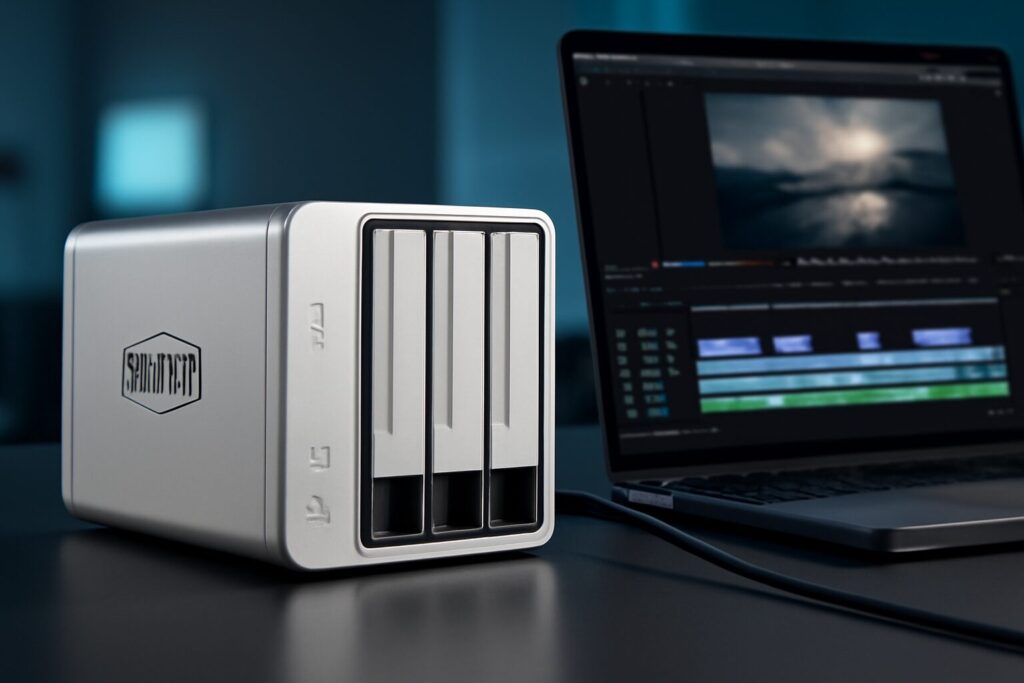
The concept is simple yet powerful: a compact enclosure with four M.2 NVMe SSD slots and a next-gen USB 4 connection. The goal is to deliver internal-drive-like performance but with the flexibility to take it anywhere or use it to expand the capacity of other machines.
SSD Installation and Initial Setup
Getting started is surprisingly straightforward. The aluminum chassis feels robust and premium. You just need to remove a few screws to access the four M.2 2280 slots. The NVMe drive installation is completely tool-less, which is a nice touch. For my testing, I used four Samsung 990 PRO 4TB drives, for a total raw capacity of 16TB. The enclosure officially supports up to 8TB per slot (for a 32TB total), though it’s likely that larger capacity drives released in 2026 will also be compatible.
USB 4 Connectivity: The Heart of the Beast
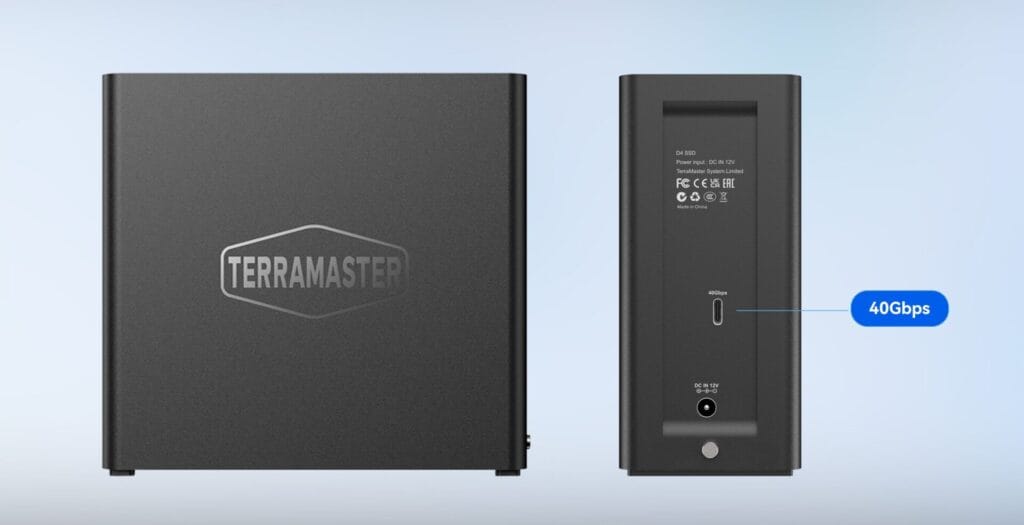
This is the secret sauce to its performance. The USB 4 40Gbps port not only offers massive theoretical bandwidth but also guarantees full compatibility with Thunderbolt 3, 4, and emerging Thunderbolt 5 ports. This means you can plug it into virtually any modern Mac or PC and get the maximum possible speeds. In practice, this eliminates the bottlenecks that plagued older external drives.
Design and Cooling: Compact, but Is It Quiet?
By using M.2 drives, the D4 SSD is extremely compact and lightweight, perfect for tossing in a backpack. TerraMaster has implemented a cooling system with a smart fan. At idle or under light loads, the unit is practically inaudible (their 19 dB claim is believable). However, during intensive stress tests, like rendering an 8K project, the fan does spin up and becomes noticeable. It’s not annoying, but you wouldn’t want it right next to your microphone.
Real-World Performance: 2026 Lab Benchmarks
Manufacturer specs are one thing, but real-world performance is what matters. I put the TerraMaster D4 SSDAffiliate link through a battery of tests on my M3 Ultra Mac Studio and a certified USB 4 Windows 11 PC.
Test Configuration: 4x Samsung 990 PRO 4TB NVMe M.2
| Configuration | Read Speed (Blackmagic) | Write Speed (Blackmagic) | Notes |
|---|---|---|---|
| Single Drive | ~1650 MB/s | ~1500 MB/s | Excellent single-drive performance, limited by the internal per-slot controller. |
| RAID 0 (macOS Disk Utility) | ~3250 MB/s | ~3100 MB/s | Blistering performance. Ideal for 4K and 8K ProRes video editing. |
| RAID 0 (Windows Storage Spaces) | ~3100 MB/s | ~2950 MB/s | Slightly behind macOS, but still elite-level throughput. |
As you can see, a RAID 0 SSD configuration unlocks the device’s full potential, hitting speeds that let you work with multiple 8K video streams without breaking a sweat. It’s important to remember that the D4 SSD has no hardware RAID controller; arrays are created via software through your operating system.
Quick Guide: How to Set Up a RAID 0 Array
Creating this high-performance external SSD storage is simple:
- On macOS: Open “Disk Utility,” select all the drives inside the D4 SSD, go to
File > RAID Assistant, and follow the steps to create a “Striped (RAID 0)” set. - On Windows: Search for “Manage Storage Spaces,” click “Create a new pool and storage space,” select the D4 SSD drives, and choose the “Simple (no resiliency)” option for RAID 0-equivalent performance.
The TerraMaster D4 SSD in Professional Workflows
Beyond benchmarks, the real test is daily use. For video editing, being able to work directly from a DaVinci Resolve or Final Cut Pro library hosted on the D4 SSD without proxies is an absolute dream. Latency is nonexistent, and scrubbing through the timeline is instantaneous.
Another one of its killer features is NAS expansion. I connected it to the TerraMaster F4 SSD, an all-flash NAS we’ve previously reviewed, and the system instantly recognized it as an external volume. This lets you easily double your NAS capacity, creating a second ultra-fast storage pool for backups or for hosting virtual machines.
TerraMaster D4 SSD vs. The Competition
In 2026, the 4-bay NVMe enclosure market is competitive. Here’s how it compares to its direct rivals:
| Model | Bays | Connectivity | RAID | Est. Price (Enclosure Only) |
|---|---|---|---|---|
| TerraMaster D4 SSDAffiliate link | 4 | USB 4 (40 Gbps) | Software | ~$379 |
| OWC Express 4M2 | 4 | Thunderbolt 3 (40 Gbps) | Software (SoftRAID included) | ~$429 |
| Akitio Thunder3 Quad X | 4 | Thunderbolt 3 (40 Gbps) | Software | ~$399 |
| Sabrent DS-4SSD | 4 | USB 3.2 Gen 2 (10 Gbps) | No | ~$199 |
The D4 SSD positions itself very cleverly. It offers the speed of Thunderbolt solutions at a slightly more competitive price, with the added benefit of USB 4’s universal compatibility.
TerraMaster D4 SSD: Pros and Cons
✅ Pros
- Exceptional RAID 0 performance (+3000 MB/s).
- Future-proof and universal USB 4 connectivity.
- Compact, portable, and high-quality build.
- Easy, tool-less M.2 drive installation.
- Competitive pricing against Thunderbolt rivals.
❌ Cons
- No hardware RAID controller.
- Performance is entirely dependent on the quality of the SSDs you install.
- Fan can become audible under sustained load.
- Doesn’t include a high-quality Thunderbolt/USB 4 cable in the box (a corner they shouldn’t have cut).
The Bottom Line: Verdict and Pricing
The TerraMaster D4 SSDAffiliate link delivers on its promises, establishing itself as one of the best external SSD storage solutions of 2026 for creative professionals. Its combination of speed, portability, and aggressive pricing makes it a highly recommended option for video editors, photographers, music producers, and anyone else who needs to move massive amounts of data at top speed.
Currently, the TerraMaster D4 SSD can be found in a price range of $350 to $400 (enclosure only) on the official TerraMaster store and at retailers like Amazon. While the initial investment, plus the cost of four NVMe SSDs, is significant, the productivity boost in demanding workflows fully justifies it.
👉 Learn more on the official TerraMaster product page.
About TerraMaster
TerraMaster is a professional brand that specializes in innovative storage solutions for homes, businesses, and enterprises. Committed to performance, reliability, and intuitive design, it offers cutting-edge NAS and DAS products for all types of users.
Continue reading
Next related guide · 7 min read
TerraMaster F4-424 Pro Review: A 2026 Look at a 4-Bay Powerhouse
Updated on January 20, 2026 When the TerraMaster F4-424 Pro hit the market back in 2024, it was an absolute performance beast. Two years…
Continue with this article