

Last updated on January 20, 2026
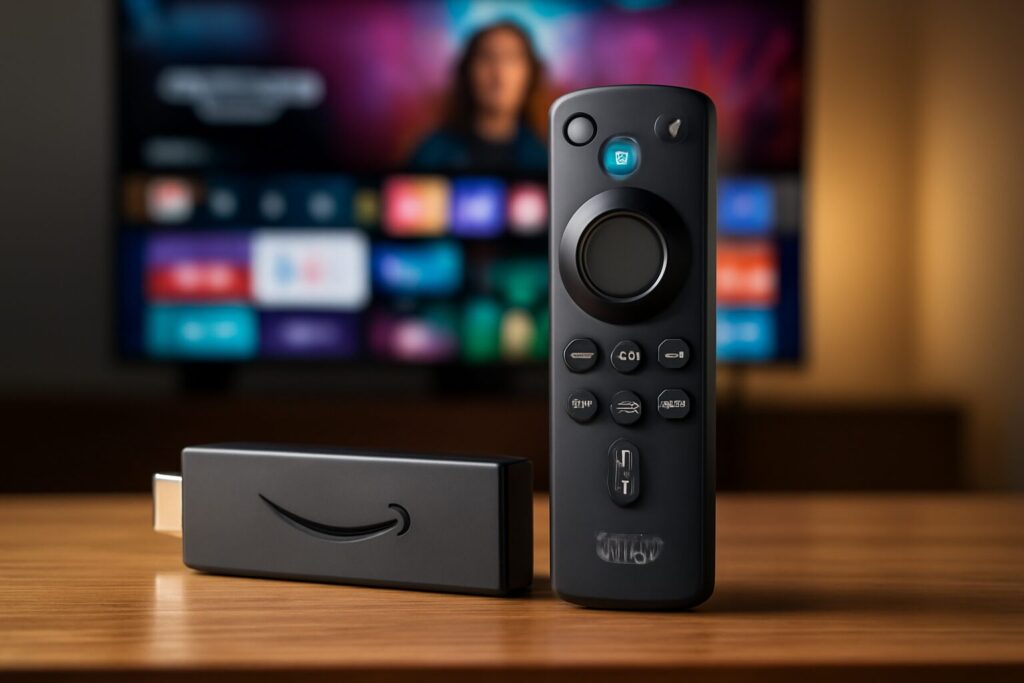
In the fiercely competitive streaming landscape of 2026, where every millisecond of load time and every shade of color matters, the Amazon Fire TV Stick 4K doesn’t just survive—it thrives. It has evolved to solidify its position as the gateway to a high-fidelity cinematic experience in your living room. As a Multimedia Engineer, I’ve put the latest version through its paces for a comprehensive, hands-on Fire TV Stick 4K 2026 review, breaking down its performance, key features, and how it stacks up against tougher-than-ever competition to determine if it’s still the smartest buy of the year.
Key Features Analysis: Amazon Fire TV Stick 4K (2026 Model)
Far from being a simple incremental update, the 2026 model refines the formula with substantial improvements that directly impact the user experience. I’ve benchmarked its capabilities to give you a clear, technical look at what to expect.
- Stunning 4K Ultra HD Picture Quality: Support for Dolby Vision, HDR10+, and HLG remains its strongest suit. In my tests on an OLED panel, the implementation of Dolby Vision’s dynamic metadata delivered exceptional scene-by-scene contrast and color. The image is crisp, blacks are pure, and HDR brightness peaks are stunning. A compatible TV is essential to unlock this feature’s full potential.
- AV1 Codec Support: A critical addition for 2026. Hardware decoding of the AV1 codec ensures more efficient 4K streaming, especially on platforms like YouTube. This translates to higher image quality at the same bandwidth, significantly reducing the likelihood of buffering.
- Next-Gen Connectivity with Wi-Fi 6E: This is one of the most significant leaps forward. The inclusion of Wi-Fi 6E opens up the 6 GHz band, guaranteeing buffer-free 4K streaming and drastically reducing latency, even on congested home networks. If you have a compatible router, like the ones we reviewed in our guide to the best mesh WiFi systems, content loading is virtually instantaneous.
- Snappy Processor Performance: Powered by an upgraded Quad-Core processor, the Fire OS interface feels more fluid than ever. Navigating between apps is swift, and load times have been noticeably reduced. While it’s not as powerful as the Max model, it’s more than enough for everyday streaming needs.
- Immersive Dolby Atmos Audio: If you have a compatible soundbar or home theater system, Dolby Atmos object-based audio completely immerses you in the action. Sound flows around you, creating a three-dimensional soundscape that was once reserved for movie theaters.
Content and App Ecosystem
The Fire TV Stick 4K opens the door to a virtually limitless catalog. You get access to all the major subscription platforms: Netflix, Prime Video, Disney+, Max, Apple TV+, and many more. Additionally, free ad-supported services like YouTube, Twitch, and Pluto TV round out the offering.
For power users, one of its greatest advantages is flexibility. You can install compatible media players, alternative browsers and other useful apps to adapt the device to your setup.

Alexa Voice Remote: The Command Center
The Alexa Voice Remote is, without a doubt, one of the best in its price range. Its ergonomic design and dedicated shortcut buttons for popular apps are incredibly convenient. But its real power lies in the Alexa integration. Commands like, “Alexa, find 4K action movies in Dolby Vision,” or “Alexa, open YouTube,” work flawlessly. You can also control the power and volume on your TV and soundbar, unifying everything into one remote. For the most demanding users, I recommend considering the Alexa Voice Remote Pro, which adds backlit buttons and customizability.
Smart Home Integration
The Fire TV Stick 4K transcends entertainment to become a hub for your smart home. With its support for the Matter standard, you can control devices from different brands right from your TV. From the screen, you can view live feeds from your security cameras, control lights, thermostats, and smart plugs. For home automation enthusiasts, its integration with platforms like Home Assistant opens up a world of possibilities, allowing you to create complex automations involving your entertainment system, such as using ZHA or Zigbee2MQTT.
Fire TV Stick 4K (2026) Pros & Cons
| Pros | Cons |
|---|---|
| Excellent value for the price. | Limited internal storage (8 GB). |
| Full support for 4K, Dolby Vision, HDR10+, and AV1. | Interface heavily promotes Amazon’s own content. |
| Wi-Fi 6E connectivity for robust streaming. | Gaming performance is basic. |
| The Alexa Voice Remote is intuitive and functional. | No built-in Ethernet port (adapter required). |
| Massive app ecosystem and flexibility for sideloading APKs. | Less powerful than the Fire TV Stick 4K Max model. |
Showdown: Fire TV Stick 4K Alternatives in 2026
Choosing the right streaming device is crucial. Here’s a comparison chart to show you where the Fire TV Stick 4K stands against its direct rivals in 2026, including the key differences between the Fire TV Stick 4K vs. Max and other top contenders.
| Feature | Amazon Fire TV Stick 4K | Amazon Fire TV Stick 4K Max | Chromecast with Google TV (4K) | Apple TV 4K |
|---|---|---|---|---|
| Processor | Quad-Core 1.8 GHz | Octa-Core 2.2 GHz | Quad-Core 2.0 GHz | A17 Bionic |
| Storage | 8 GB | 16 GB | 8 GB | 64 GB / 128 GB |
| Wi-Fi | Wi-Fi 6E | Wi-Fi 6E | Wi-Fi 6 | Wi-Fi 6E |
| HDR Support | Dolby Vision, HDR10, HDR10+, HLG | Dolby Vision, HDR10, HDR10+, HLG | Dolby Vision, HDR10, HDR10+ | Dolby Vision, HDR10, HDR10+ |
| Audio Support | Dolby Atmos, 7.1 Surround | Dolby Atmos, 7.1 Surround | Dolby Atmos, Dolby Digital+ | Dolby Atmos, Spatial Audio |
| Operating System | Fire OS 9 | Fire OS 9 (with exclusive features) | Google TV | tvOS |
| Estimated Price | $50 – $70 | $70 – $90 | $60 – $75 | $150 – $180 |
Price and Where to Buy the Fire TV Stick 4K in 2026
The price of the Fire TV Stick 4K has remained highly competitive, positioning it as one of the best options in terms of cost-benefit. Its MSRP is around $69.99, but it’s frequently on sale during events like Prime Day or Black Friday, where it can drop into the $40-$50 range. My recommendation is to keep an eye out during these sales to get the best possible deal.
You can check its current price and purchase it directly from Amazon.
The Verdict: Is the Fire TV Stick 4K Worth It in 2026?
After this extensive Fire TV Stick 4K 2026 review, the conclusion is clear: it remains the smartest choice for the vast majority of users. It delivers top-tier picture and sound quality, a responsive interface, a massive app ecosystem, and future-proof connectivity, all at a very aggressive price point.
Who is this device for?
- For 90% of users: This is the ideal purchase. If you want to upgrade an older TV or enhance the ‘smart’ capabilities of a newer model to stream in the highest possible quality without breaking the bank, the Fire TV Stick 4K is, without a doubt, the best choice.
- For power users or gamers: If you need extra storage for lots of apps, play cloud games, or demand the absolute smoothest multitasking, stepping up to the 4K Max model is well worth the price difference.
- For Google ecosystem fans: If you prefer the Google TV interface and are a heavy Google Assistant user, the Chromecast with Google TV is your natural alternative.
- For Apple ecosystem users: If you’re already invested in the Apple world, the Apple TV 4K offers seamless integration with your other devices and superior performance, albeit at a significantly higher cost.
Frequently Asked Questions (FAQ) about the Fire TV Stick 4K
- Do I need a 4K TV to use it?
- No, it works perfectly on 1080p (Full HD) TVs. The device will automatically downscale the resolution. However, to enjoy the full Ultra HD quality, you will need a 4K TV.
- How do I set up the Fire TV Stick 4K?
- Setup is incredibly simple: plug it into your TV’s HDMI port and a power source, follow the on-screen instructions to connect to your Wi-Fi network, and sign in with your Amazon account. It will be ready to use in just a few minutes.
- Can I install apps that aren’t in the Amazon Appstore?
- Yes, and this is one of its biggest strengths. You can go into the settings to enable “Apps from Unknown Sources” and sideload APK files. This allows you to install compatible media players, alternative web browsers, and other useful apps. For enhanced privacy when using these apps, consider using a reliable VPN service.
- What’s the real difference between the Fire TV Stick 4K and the 4K Max?
- In 2026, the main difference lies in processing power and storage. The 4K Max is faster thanks to its octa-core CPU, has double the storage (16 GB vs. 8 GB), and includes a few exclusive features like an enhanced Picture-in-Picture mode. For streaming, the difference is minor, but if you plan to use a lot of apps or games, the Max is the superior choice.
- Can the Alexa Voice Remote control my soundbar?
- Yes, the remote includes an IR blaster and is compatible with most TVs, soundbars, and AV receivers on the market, allowing you to control power and volume from a single remote.
Follow me on YouTube

Continue reading
Next related guide · 6 min read
Lost Your Fire Stick Remote? The 2026 Fire TV App Is Your Ultimate Fix
Updated on May 10, 2026 Lost your Fire TV remote *again*? Did the batteries die right before the season finale? Or are you just…
Continue with this article