
This article may contain affiliate links. If you buy through these links, the price is the same for you and the store pays me a small commission that helps keep Tecnoyfoto running.

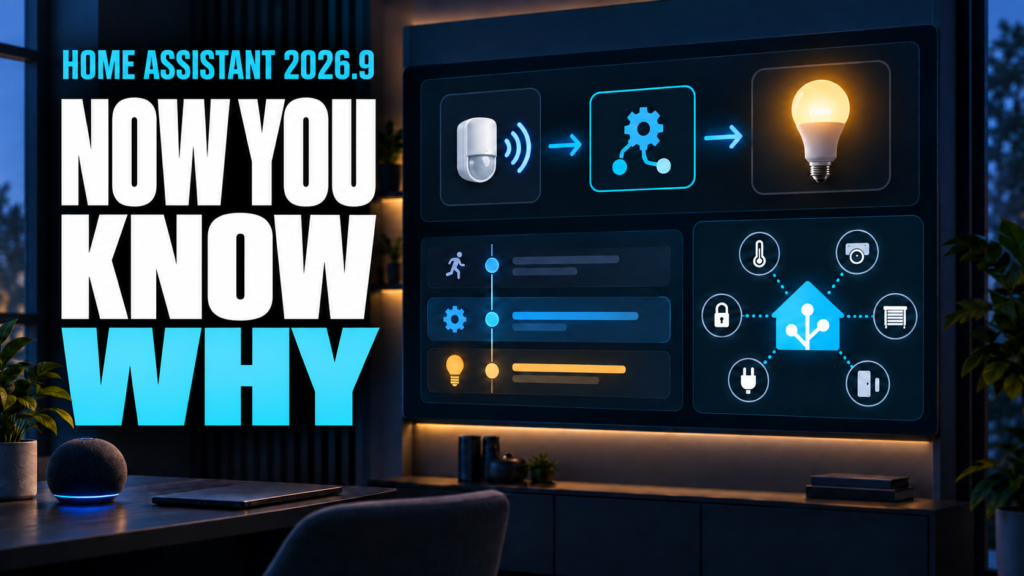
Home Assistant 2026.9 is not a release that needs to be judged by the number of changes. Its most useful improvement answers an everyday question: when a light, blind, or lock changed state, which person, sensor, schedule, or automation caused it? Activity’s new detail view reconstructs that chain and can save considerable time when an automation behaves unexpectedly.
The release also adds a Matter network map inside Home Assistant, active alerts and favorites on the Security dashboard, new foundations for device-specific Modbus integrations without making every user write register maps in YAML, and an improved speech-recognition test for Home Assistant Cloud. We have separated what we would test now, what deserves a slower evaluation, and what can be ignored unless it matches your equipment.
The short version: what deserves your time
| Priority | Feature | Why it matters |
|---|---|---|
| Test now | Activity explains why a change happened | Useful in almost every home and excellent for automation diagnostics |
| Test now | Security alerts and favorites | Highlights doors, smoke, locks, or leaks that need attention |
| Test now if you use Matter | Matter network map | Shows Thread or Wi-Fi paths and exposes problematic topology |
| Test carefully | New Cloud speech recognition | It is a Labs feature that needs comparison with real phrases and noise |
| Test carefully | Modern Modbus architecture | Important groundwork, but useful today only with a compatible integration |
| Hardware-specific | Shelly improvements | Cameras, Wall Display XL, and inverted climate relays |
Activity now explains why an entity changed
Activity previously showed that an entity had changed, but discovering the cause could require opening an automation, finding its trace, and working backward. In 2026.9, selecting a row opens a dialog that tells the story from top to bottom: what started the process, which automations or scripts it passed through, and the entity’s final change.
The origin can be a person, state change, schedule, integration, or restart. Each step is clickable: an automation opens its trace, while an entity opens its details. Timestamps include milliseconds, which helps when several events occur within the same second.
This is the first feature we would test because it requires no new hardware and no YAML changes. Trigger a simple automation, open Activity, and select the resulting state change. In a large installation, it can clarify why a light turned on, what closed a blind, or whether an action was manual, scheduled, or initiated by a sensor.
Activity and History filters are better too
Activity and History now share a Sources panel. It can target floors, areas, devices, and entities, then filter by domain, device class, or integration. Filters persist when you return. The panel docks on wider screens and becomes a pull-up sheet on smaller ones. It is less dramatic than causal details, but much better for investigating one room without searching the entire installation.
Matter’s network map arrives in Home Assistant
ZHA, Z-Wave, and Bluetooth already offered ways to inspect their connections. Matter Server had network information in its separate interface, but not in Home Assistant’s regular panel. Home Assistant 2026.9 adds a Show map button under Matter and presents that topology using a graph experience consistent with other protocols.
The map distinguishes Matter devices using Thread from those using Wi-Fi. It shows border routers, access points, end devices, and the path from Home Assistant to each node. Names use recognizable network hostnames or Wi-Fi names where possible. Link color identifies the transport, while thickness and direction reflect available signal-strength information at each end.
We would test this immediately in a home with several Matter devices or multiple Thread Border Routers. It may expose an unexpected dependency or show that Matter Server needs an update. If the server is too old, Home Assistant displays an explanation instead of silently rendering an empty graph.
Security gets active alerts and favorites
The automatic Security dashboard gains two configurable sections. Active alerts appears only when a selected entity requires attention. Users can assign Warning or Alert severity so an open window does not receive the same visual treatment as a smoke alarm. When everything is normal, the section stays out of the way.
Favorites pins frequently checked entities near the top: front door, lock, water leak, alarm, garage, or another critical sensor. Its usefulness depends on good areas and device classes, but setup is quick and can be clearer than building another manual view just to monitor essential states.
Modbus is modernizing, but your YAML is not suddenly obsolete
Modbus connects solar inverters, heat pumps, meters, and industrial equipment. Home Assistant’s generic Modbus integration remains available and its YAML configuration is not being removed. The 2026.9 change creates a new foundation for device-specific integrations that already understand a product’s registers and can configure it through the UI.
Those integrations can share a connection through the standalone modbus-connection library, backed by tmodbus. Sharing matters because some devices accept only a few simultaneous sessions. Early implementations include Fronius over Modbus TCP/SunSpec, Sofar Inverter Modbus, and Flexit. Fronius also gains per-string solar data that its local HTTP API did not expose.
We would not describe this as automatic migration for every existing YAML block. It is infrastructure that lets more vendor integrations offer guided setup in the future. Test it carefully only after confirming exact model support, keeping the current configuration, and comparing entities before removing anything.
New Home Assistant Cloud speech recognition
Nabu Casa is testing a new Soniox-based speech-to-text engine for Home Assistant Cloud through Labs. Its stated goal is better handling of accents, background noise, and languages other than English. The published privacy commitment says audio is not logged, stored, or used for training.
This is not the new permanent default. Home Assistant Cloud subscribers can enable it under Settings > System > Labs, and Labs features can change or disappear. A useful test therefore repeats the same phrases at the same distance and noise level with the previous and experimental engines. Saying it is simply “better” without that comparison would be premature.
Shelly improvements for cameras and climate devices
The Shelly integration adds full camera support, including a camera entity, motion detection, and a privacy switch that disables the lens. Wall Display XL gains its motion sensor, and climate entities now report the correct heating or cooling state when a thermostat relay output is wired with inverted logic.
These are meaningful changes for owners of those products, but they do not justify attention in a home without that equipment. A real demo requires checking the installed Shelly models first. A compatible camera could demonstrate video, motion, and privacy; an inverted thermostat output would require a very specific installation.
What does not need immediate attention
We would not spend time listing all 13 new integrations or every small improvement. Besen, Flow-it, Hot Spring, ISEO Argo, LibreNMS, NexBlue, Samsung TV via ExLink, Silla Prism, or Tonewinner may be excellent additions for owners of that hardware. For everyone else, they are names in a changelog rather than practical changes.
New Tile card controls for light effects, vacuum fan speed, and target humidity are convenient when those entities are already on your dashboard. Golden hour, blue hour, midnight sun, and polar night triggers also serve specific automations. None is as broadly useful as understanding the cause of a state change or prioritizing security alerts.
Real demos worth preparing for a video
- Activity: let a motion sensor turn on a light through an automation, then follow sensor, automation trace, and light in the detail dialog.
- Manual versus automatic Activity: change the same light from the dashboard and compare the recorded origin.
- Security: mark a door as a Warning and smoke or a leak as an Alert, then open an entity to make the active section appear.
- Matter: open the real map, identify Wi-Fi, Thread, and Border Routers, and explain one path without simulating devices.
- Cloud Voice: repeat a short list in Spanish with controlled background noise and compare old and Labs transcriptions.
- Shelly: show the new entities only if a compatible camera or Wall Display XL is available.
- Modbus: demonstrate guided setup only with compatible Fronius, Sofar, or Flexit hardware; otherwise explain the architecture from official documentation.
This order avoids manufacturing a demo without the required hardware. Activity and Security should be reproducible in almost any installation; Matter, Cloud Voice, Shelly, and Modbus depend on the appropriate service or device.
Should you update now?
The stable Home Assistant 2026.9 release already has its first patch. As usual, check backward-incompatible changes for the integrations you use, make a backup, and follow our guide to update Home Assistant safely when you have time to verify critical automations.
The practical recommendation does not depend on wanting every feature. Activity alone makes this release worth testing in a home with many automations. Security and Matter add immediate visibility; voice requires comparison; Modbus represents a future direction rather than an instant transformation. That distinction is what turns a changelog into a useful update.