

Updated August 20, 2026.
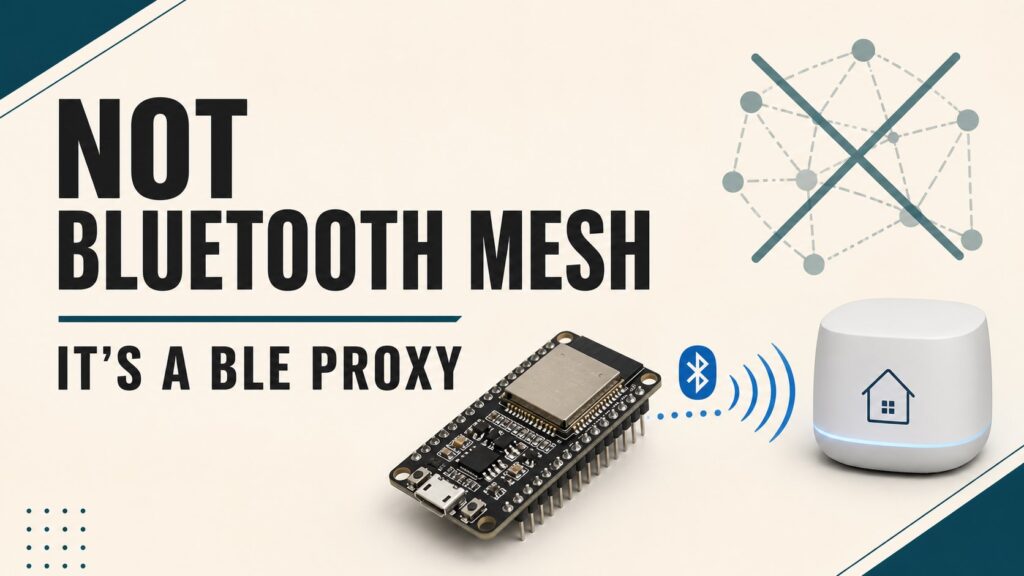
An ESPHome Bluetooth Proxy extends Home Assistant’s Bluetooth Low Energy coverage by placing one or more ESP32 nodes around your home. It does not create a Bluetooth Mesh network or replace device integrations. It forwards BLE advertisements and, when needed, GATT connections so Home Assistant can communicate with compatible sensors, locks, thermostats, and other devices.
This guide corrects the original article’s terminology and explains what a proxy actually does, which hardware to use, how to protect credentials, and how to troubleshoot common failures.
Quick answer: BLE proxy, not Bluetooth Mesh
| Term | What it means |
|---|---|
| Bluetooth Proxy | An ESP32 forwards BLE advertisements and connections to Home Assistant through the ESPHome API. |
| Bluetooth Mesh | A topology where Bluetooth nodes relay messages. That is not what bluetooth_proxy: configures. |
| Bluetooth integration | Home Assistant automatically aggregates available USB adapters and ESPHome proxies. |
| Device integration | BTHome, SwitchBot, Xiaomi BLE, or another integration interprets the data. The proxy does not decode it. |
Despite the component name, ESPHome’s proxy supports BLE, not Bluetooth Classic. Before buying hardware, confirm that the target device has a supported Home Assistant integration.
When a Bluetooth Proxy is worth installing
- Home Assistant is far from the Bluetooth sensors or inside a metal cabinet.
- Floors, walls, or remote rooms are beyond the USB adapter’s range.
- You want multiple reception points and fault tolerance.
- You use devices that broadcast data passively, including many BTHome sensors.
- You need active connections to compatible GATT locks, thermostats, or similar equipment.
A proxy is not always necessary. A good USB adapter on an extension cable may cover a small home. A proxy also cannot add support for a device that lacks a Home Assistant integration.
Recommended hardware and placement
The straightforward option is an ESP32 board with Bluetooth and Wi-Fi. For demanding installations, Ethernet prevents Wi-Fi and BLE from sharing a radio. ESPHome highlights PoE boards with external antennas as a high-performance reference. Always verify that the exact ESP32 variant supports the BLE components in your configuration.
- Place the proxy near the BLE devices, but not directly against them.
- Keep it away from routers, switches, racks, power supplies, and metal enclosures. The official documentation recommends roughly 10 feet or 3 meters from network equipment when practical.
- Use multiple well-placed proxies instead of forcing aggressive scan settings on a single node.
- Use a stable power supply and cable. Power resets often look like Bluetooth failures.
Secure ESPHome configuration
Store Wi-Fi credentials, the API encryption key, and the OTA password in secrets.yaml. This sample uses ESP-IDF, which ESPHome recommends for lower memory usage in a proxy:
substitutions:
  device_name: bluetooth-proxy-living-room
  friendly_name: Living Room Bluetooth Proxy

esphome:
  name: ${device_name}
  friendly_name: ${friendly_name}

esp32:
  board: esp32dev
  framework:
    type: esp-idf

wifi:
  ssid: !secret wifi_ssid
  password: !secret wifi_password

logger:

api:
  encryption:
    key: !secret api_encryption_key

ota:
  - platform: esphome
    password: !secret ota_password

esp32_ble_tracker:

bluetooth_proxy:
Active connections and GATT service caching are enabled by default. You do not need to add active: true unless you want the intent to be explicit.
How many active connections are available?
connection_slots defaults to 3. Each slot consumes memory, and a device that stays connected can occupy one continuously. ESPHome allows up to 9 but recommends no more than 5; Ethernet proxies can generally handle 4 reliably. Passive advertisements do not consume these slots.
bluetooth_proxy:
  active: true
  cache_services: true
  connection_slots: 3
Increase the value only when logs show a shortage and the board has enough free memory. Additional slots do not improve radio coverage.
Active versus passive scanning
Active scanning asks the BLE device for extra scan-response data and may be necessary during onboarding. Passive scanning only listens to advertisements, reduces traffic, and may reduce battery use on BLE sensors. Default scan parameters are appropriate for most installations.
esp32_ble_tracker:
  scan_parameters:
    active: false
Use this variation only if every device works with passive scanning. Avoid copying old configurations with extremely aggressive intervals and windows; they can increase heat, traffic, and Wi-Fi instability without a meaningful gain.
Adding the proxy to Home Assistant
- Create the node in ESPHome Device Builder and change
board:for your hardware. - Validate the YAML and perform the first installation over USB.
- When discovered, add the node through the ESPHome integration.
- Open Home Assistant’s Bluetooth integration and verify that the proxy appears as a remote adapter.
- Add each BLE product through its own integration, not through the proxy itself.
- Monitor signal, availability, and stability for several days before fixing the final location.
Common problems
| Symptom | What to check |
|---|---|
| The proxy is online but no devices appear | Integration compatibility, active scanning during onboarding, and distance. |
| Intermittent data | Interference, power, walls, placement, and whether another proxy would help. |
| Active connections are full | Devices that hold GATT connections and the connection_slots value. |
| Restarts or low memory | Use ESP-IDF, remove web_server, and reduce components or slots. |
| Problems after a very old installation | ESPHome recommends updating the NVS partition table when the last serial install predates 2022.12 on ESP-IDF or 2026.4 on Arduino. |
| Poor reception near a router | Move the proxy away from network gear and interference sources. |
Related guides
- What ESPHome is and how it works.
- ESP32 boards, pinout, and ESPHome setup.
- Secure ESPHome Wi-Fi configuration.
Checked sources
Frequently asked questions
Do I need one proxy per device?
No. One proxy can receive advertisements from many devices. The practical active-connection limit depends on slots, memory, and each integration’s behavior.
Can I reuse an ESP32 that already has sensors?
Yes, if it remains stable and has enough memory. A small dedicated configuration is preferable for a critical proxy.
Does it support Bluetooth Classic?
No. The component proxies Bluetooth Low Energy. A Bluetooth Classic-only product is not compatible.
The most reliable architecture is straightforward: several well-placed proxies, default scan settings, ESP-IDF, an encrypted API, and a compatible integration for every device. That extends Home Assistant Bluetooth without confusing a BLE proxy with Bluetooth Mesh.
Continue reading

Next related guide · 9 min read
Smart Refrigerator with ESPHome and Home Assistant
Updated August 6, 2026 · Migrated to one_wire and dallas_temp, with wiring, alerts and security checked against current documentation. A smart refrigerator does not…
Continue with this article