

Updated on January 23, 2026
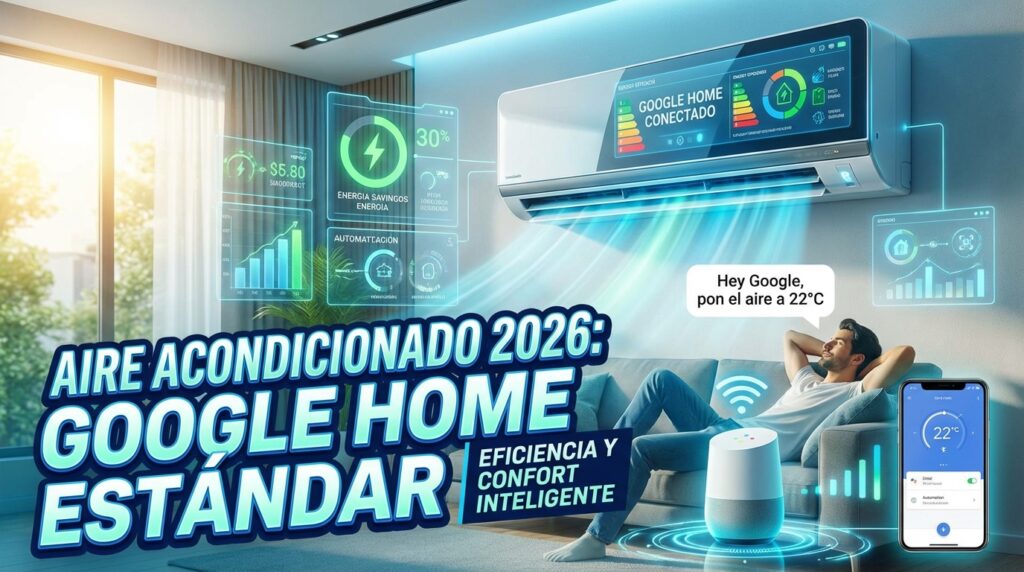
In 2026, having a Google Home air conditioner setup is no longer a futuristic gimmick—it’s the new standard for comfort and energy efficiency. Voice control and smart automation are now core pillars of any connected home. This isn’t just a party trick to impress your friends anymore; it’s a powerful tool to optimize your comfort and slash your monthly power bill.
Integrating your AC with the Google Home ecosystem lets you do more than just turn it on with a simple, “Hey Google, turn on the living room AC.” You can create complex Routines that adjust the temperature based on the time of day, your location, or even whether someone is in the room. But the big question for many is still: do I need to buy a brand-new air conditioner to get these perks?
The good news? The answer is a hard no. Today, there are two clear paths to get your home’s climate under smart control. In this definitive guide, we’ll break down both options so you can decide which one best fits your needs and budget.
Option 1: Make Your Current AC Smart with an Add-On Controller
If you already have a ductless mini-split, window, or portable air conditioner that uses an infrared (IR) remote control, you’re in luck. You can make it smart quickly and affordably with a smart AC controller. These gadgets act as a bridge between your Wi-Fi network and your old AC, learning its remote control signals. This allows you to control your air conditioner with your phone and, of course, with your voice through Google Assistant.
Here’s how it works: you place the controller in the same room as the air conditioner, with a clear line of sight. Using its app, you connect it to your Wi-Fi network and select your AC’s brand and model. The device either downloads the remote code from the cloud or learns it directly from your existing remote. Once set up, you just link it to your Google Home account.
Top Smart AC Controllers for 2026: Head-to-Head
The 2026 market is packed with options, but a few models have cemented their status as the undisputed leaders. I’ve tested the main contenders, and here’s a comparison chart to help you settle the classic debate: Sensibo vs. Tado and other heavy hitters.
| Model | Key Features | Pros | Cons | Estimated Price Range |
|---|---|---|---|---|
| Sensibo Sky / Air PRO | Geofencing, 7-day Scheduling, Climate React (AI), Humidity & Presence Sensors (PRO model). | Dead-simple setup. Super intuitive app. Effective AI algorithms for energy savings. | Some advanced features require an optional subscription. The PRO model is pricier. | $70 – $130 |
| tado° Smart AC Control V3+ | Geofencing, Weather Adaptation, Open Window Detection, Smart Scheduling. | Sleek design. Robust ecosystem if paired with their radiator thermostats. Huge focus on energy savings. | Full automation for Geofencing and Open Window Detection requires the “Auto-Assist” subscription (approx. $3/mo). | $80 – $120 |
| Airzone Aidoo Pro | Direct-wire connection to the AC unit. Full control of all manufacturer functions. Zoning system integration. | The most reliable option as it doesn’t depend on IR. Allows two-way communication (knows the AC’s real status). Ideal for ducted and multi-zone systems. Integrates with Home Assistant. | More complex installation (requires opening the indoor unit). Not universal; you need a specific model for your AC brand. | $120 – $180 |
| Universal IR Hub (Tuya/Smart Life) | Controls multiple IR devices (TV, AC, fans). Integrates with the massive Tuya ecosystem. | Extremely cheap. Very versatile for controlling multiple gadgets with a single device. | “Smart” features are very basic (mostly just timers). The app can be less polished. No environmental sensors. | $15 – $30 |
Quick Guide: How to Connect Your AC to Google Home (Step-by-Step)
We’ll use the Sensibo Sky as an example due to its popularity and ease of use, but the process is very similar for other Wi-Fi/IR controllers.
- Unbox and Place: Take the device out of the box and plug it in using the included USB cable. Place it on a shelf or mount it on the wall, making sure it has a clear line of sight to your indoor AC unit.
- App Setup: Download the “Sensibo” app from the Play Store or App Store and create an account.
- Connect to Wi-Fi: Follow the in-app instructions to connect your Sensibo to your home’s Wi-Fi network. This usually involves scanning a QR code on the device.
- Sync with Your AC: The app will ask you to point your original AC remote at the Sensibo and press the power button. The device will detect the IR signal and configure itself automatically. In seconds, you’ll be able to control your AC from your phone!
- Link to Google Home: Open the Google Home app. Tap the “+” icon in the top-left corner, select “Set up device,” and then “Works with Google.” Search for “Sensibo” in the list, sign in with your account, and authorize the connection. Your air conditioners will now appear in the Google Home app, ready for voice commands.
Option 2: The Best Air Conditioners with Native Google Home Support in 2026
If you’re already planning to upgrade your climate control system, the best move in 2026 is undoubtedly to buy one of the best air conditioners with built-in WiFi. Most leading manufacturers now include this functionality in their mid-range and high-end models, eliminating the need for any middle-man devices.
The main advantage here is a deeper, more reliable integration. The system doesn’t just send commands; it also receives real-time status from the unit (current temperature, mode, fan speed, etc.), allowing for much more precise control. Furthermore, the emerging Matter standard is gaining traction, promising even greater interoperability between devices and ecosystems in the near future.
When shopping, always look for the “Works with Google Assistant” or “Works with Hey Google” logo on the box.
Top Brands and Models with Native Compatibility (2026)
- LG (ThinQ Series): LG’s air conditioners with ThinQ technology are a benchmark. Their app is one of the most comprehensive, and the Google Home integration is direct and rock-solid. Models like the LG Dualcool or Artcool are excellent choices.
- Daikin (Stylish/Perfera Series): Through its Onecta app (formerly Daikin Residential Controller), Daikin’s units offer robust control. The Google Home compatibility allows for easy voice management of your units.
- Mitsubishi Electric (with MELCloud interface): This brand offers an optional Wi-Fi interface (standard on some models) that connects to its MELCloud platform. The Google Home integration is solid and provides detailed control.
- Haier, Hisense, Panasonic: These brands and others have also gone all-in on connectivity, offering full lineups with built-in Wi-Fi and compatibility with major voice assistants. It’s crucial to verify the specific model’s features before you buy.
The Real-World Perks of a Google Home Air Conditioner
Beyond the convenience of not having to hunt for the remote, integrating your AC into your smart home delivers tangible benefits:
- Real Energy Savings: Using geofencing to automatically turn off the AC when you leave, or scheduling it to raise the temperature by a few degrees overnight, can lead to savings of up to 25% on your power bill, based on my testing.
- Absolute Convenience: Turning on the AC 15 minutes before you get home to walk into a perfectly cool house is priceless. Or simply asking Google to adjust the temperature without getting off the couch.
- Centralized & Remote Control: Check and adjust the temperature in any room from anywhere in the world with your phone. Left for vacation and can’t remember if you turned it off? Problem solved.
- Advanced Automation: The possibilities are endless when you integrate it with other smart devices. For instance, you can create a “Hey Google, movie time” routine that dims the lights, lowers the smart blinds, and sets the AC to a comfortable 72°F. For power users, integration with platforms like Home Assistant unlocks a whole universe of possibilities.
Essential Google Assistant Voice Commands for Your AC in 2026
Forget the basic stuff. With today’s technology, you can get much more specific. Here are a few examples I use daily:
- “Hey Google, turn on the bedroom AC.”
- “Hey Google, set the living room temperature to 72 degrees.”
- “Hey Google, drop the temperature by 3 degrees.”
- “Hey Google, set the office AC to cool mode.” (You can also use “heat,” “fan,” “auto,” or “dry/dehumidify”).
- “Hey Google, set the fan speed to high.”
- “Hey Google, what’s the temperature in the master bedroom?”
- “Hey Google, turn off all the air conditioners.”
FAQ: Your Smart AC Questions Answered
- Will a smart controller work with any air conditioner?
- It works with virtually any AC unit that uses an infrared (IR) remote control that has its own screen displaying the settings (temp, mode, etc.). This includes most ductless mini-split, window, and portable units. It’s not compatible with central air systems that use a wired wall thermostat or very old models without a display on the remote.
- Do you actually save energy?
- Yes. The savings don’t come from the device itself, but from how you use its smart features. Intelligent scheduling, geofencing (which turns the AC off when you leave), and maintenance reminders for cleaning filters are what truly make a difference and help you save significant energy.
- What happens if the internet goes out?
- No problem at all. You can always control your air conditioner the old-fashioned way using its original remote control. The smart controller will simply stop working until your internet connection is restored.
- Do I need a smart home hub?
- For most smart controllers (like Sensibo and Tado) and ACs with native Wi-Fi, you don’t need any additional hub. They connect directly to your home’s Wi-Fi router. For more advanced setups or to unify devices from different brands, you might use a central hub or software like Home Assistant.
- What is a smart thermostat for Google Home, and is it the same as these controllers?
- A smart thermostat for Google Home, like the Google Nest Thermostat, is designed primarily for central HVAC systems (furnaces, heat pumps, central air). An AC controller like Sensibo or Tado is essentially a “smart thermostat” specifically designed for IR-controlled air conditioners like mini-splits or window units.