
This article may contain affiliate links. If you buy through these links, the price is the same for you and the store pays me a small commission that helps keep Tecnoyfoto running.

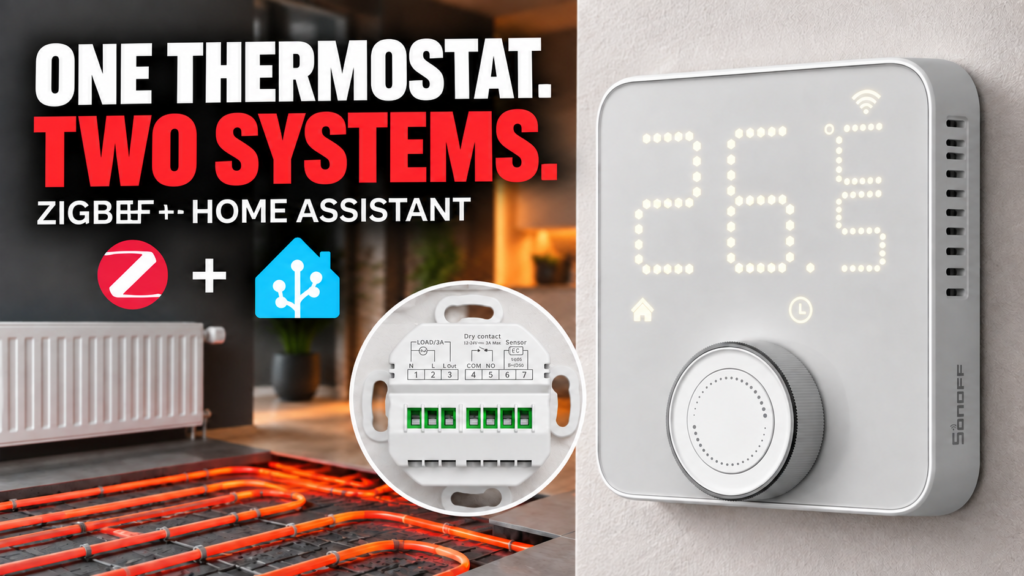
SONOFF has announced the Thermostat Core TP-WGZBA, a Zigbee 3.0 wall thermostat designed to control hydronic underfloor heating and boilers with a dry-contact thermostat input. Its defining feature is the combination of two outputs in one panel: an active output rated at up to 3 A for an actuator, plus a potential-free contact that can switch a compatible boiler on and off.
This article is based on SONOFF’s published technical documentation and the support currently available in the Home Assistant ecosystem. It is not a hands-on review: we have not physically tested the TP-WGZBA, so we will not judge its accuracy, reliability, Zigbee range, or real-world behavior. We are also omitting price and availability because those details can change by market and date.
What is the SONOFF Thermostat Core TP-WGZBA?
The TP-WGZBA is a mains-powered thermostat that measures room temperature, accepts a target temperature, and calls for heat when required. It is installed in a flush-mounted wall box and combines a dot-matrix display with a rotary knob and center button for local control.
It should not be confused with a thermostatic radiator valve, and it is not a universal relay for every heating appliance. SONOFF specifies it for water-based heating systems: hydronic underfloor heating actuators and boilers that accept an ON/OFF command through a dry contact. The wiring diagram, actuator type, boiler input, and available wall-box space all need to be checked before purchase.
Two outputs for two heating control methods
| Output | Terminals | Intended use | Limit |
|---|---|---|---|
| Active relay | N, L, and L Out | Mains-powered hydronic heating actuator | 100-240 V AC, 3 A maximum, resistive load |
| Dry contact | COM and NO | Compatible boiler’s ON/OFF thermostat input | Potential-free contact; never apply mains voltage to COM/NO |
The active output supplies switched live through L Out and can operate a suitable thermoelectric actuator on a hydronic floor-heating manifold. Its documented limit is 3 A and SONOFF specifies a resistive load. The thermostat is configured for a normally closed actuator by default, while the heating system settings can invert the output logic for a normally open actuator.
The separate COM and NO terminals form a dry contact. When heat is required, that contact can close to start a boiler equipped with a potential-free thermostat input. The distinction is critical: SONOFF explicitly warns that mains voltage must not be connected to COM or NO.
It is not suitable for directly switching most electric underfloor heating systems. Their loads commonly exceed 3 A. A qualified installer must determine whether a contactor or another interface is required and whether this thermostat is appropriate.
Zigbee 3.0 and local operation
Wireless communication uses Zigbee 3.0 over IEEE 802.15.4, allowing the thermostat to join a compatible Zigbee network without placing it directly on Wi-Fi. Within SONOFF’s ecosystem it can be paired with gateways such as the ZBBridge-P, ZBBridge-U, NSPanel Pro, or iHost. SONOFF also documents compatible USB coordinators and third-party platforms.
A particularly useful design choice is that schedules do not continuously depend on the coordinator. The TP-WGZBA has a real-time clock and stores its heating schedules locally. According to SONOFF, those schedules keep running during a temporary Zigbee outage as long as the thermostat remains powered.
- Three independent weekly plans that users can switch between.
- Up to 12 temperature periods per day in each plan.
- Auto, manual, Boost, and frost-protection modes.
- Target temperature range from 5 to 30 degrees Celsius.
- Child lock, temperature hysteresis, and calibration offset.
Proximity radar and display behavior
The front panel includes radar that wakes the display as a person approaches and allows it to sleep again after they move away. Three sensitivity levels correspond to approximate distances of 0.3, 0.6, and 1 meter. This is presented as a user-interface feature for waking the display, not as a general-purpose room occupancy sensor for automations.
SONOFF allows separate brightness levels for the active and standby display. A scheduled night mode can reduce the light further. These controls are sensible for a panel installed in a bedroom or hallway, although only hands-on testing could establish the radar’s practical sensitivity and the display’s lowest usable brightness.
Open-window detection
The thermostat provides two ways to pause heating while a room is being ventilated. Automatic detection interprets a temperature drop greater than 1.5 degrees Celsius within five minutes during heating as an open window. The second method uses a compatible door/window contact sensor, allowing the system to respond immediately to its open state.
Heating resumes after the contact closes or the temperature stabilizes, depending on the method used. Temperature-drop detection can be affected by mounting location and by how quickly the room cools, whereas a contact sensor provides a more direct condition.
External sensors: remote temperature and wired NTC
The TP-WGZBA supports two types of external reference. In eWeLink, users can select certain SONOFF temperature sensors associated with the same gateway. This can reduce errors caused by heat from the thermostat’s relay or by a wall position that does not represent the room well. Remote-temperature linking depends on the ecosystem and on the controls exposed by each integration.
Two additional terminals accept a 10 kOhm NTC probe with a beta value of 3950. SONOFF describes it as a floor sensor and uses it for overheat protection. The probe is not included according to the product documentation we consulted. If one will be installed, its cable should be routed in advance and should not run parallel to high-voltage conductors over long distances.
Home Assistant support through Zigbee2MQTT
For Home Assistant, the more mature route when this article was prepared is Zigbee2MQTT 2.14.0 or later. SONOFF specifies that minimum version, and Zigbee2MQTT already has an official TP-WGZBA device page. On an older release, pairing may fail or functionality may be incomplete.
The Zigbee2MQTT definition exposes a climate entity, current and target temperature, system mode, and heating state. It also documents controls for schedules, child lock, open-window detection, frost protection, external sensor input, relay behavior, radar, display brightness, history, and factory reset. That is an extensive interface, but it describes the converter’s implementation rather than our own test and does not imply that every control will matter in every installation.
Our Zigbee2MQTT and Home Assistant guide covers the coordinator, architecture, and initial setup. Update Zigbee2MQTT before pairing the thermostat and make sure the coordinator or nearby routers provide reliable coverage at the wall box.
Current ZHA status
As of September 8, 2026, the proposed native ZHA support had not yet been integrated. The zha-device-handlers pull request #5201 remained open and unmerged. The thermostat may pair, but some of its functions should not be expected to work correctly out of the box.
In the meantime, SONOFF provides a provisional ZHA script package. Manually importing a quirk is an advanced, temporary solution: it may require maintenance, change when official support lands, or become unnecessary. Check the current pull-request status and back up Home Assistant before using it. We will not describe ZHA support as complete and native until the relevant code is merged and included in a released version.
Installation requirements to check first
- Power: the wall box needs live (L) and neutral (N).
- Control wiring: the appropriate wires must reach the actuator or the boiler’s thermostat input.
- Wall box: the panel measures 86 x 86 x 45.5 mm, with 31.5 mm in-wall depth and 60 mm screw spacing.
- Conductors: SONOFF recommends 24 AWG to 12 AWG, or 0.2 to 3.5 mm2, according to function and local rules.
- Protection: the instructions call for a compliant 16 A MCB or RCBO upstream of the thermostat.
An old two-wire thermostat cannot always be replaced directly. If the wall box does not contain live, neutral, and the necessary control conductors, the wiring must be altered. The TP-WGZBA involves mains voltage, and SONOFF requires installation by a qualified electrician with power disconnected and all local electrical regulations observed.
SONOFF TP-WGZBA specifications
| Model | SONOFF Thermostat Core TP-WGZBA |
|---|---|
| Wireless connection | Zigbee 3.0, IEEE 802.15.4 |
| Heating system | Water heating: compatible hydronic actuators and ON/OFF boilers |
| Active output | 100-240 V AC, 50/60 Hz, 3 A maximum, resistive load |
| Boiler output | COM/NO dry contact |
| Temperature range | 5 to 30 degrees Celsius target |
| External probe | 10 kOhm NTC, beta 3950 |
| Radar range | Approximately 0.3 / 0.6 / 1 m depending on sensitivity |
| Dimensions | 86 x 86 x 45.5 mm; 31.5 mm in-wall depth |
| Environment | 0 to 50 degrees Celsius; up to 90% RH, non-condensing |
Who is it for?
On paper, the TP-WGZBA could suit users looking for a flush-mounted Zigbee thermostat for a boiler with an ON/OFF input, for hydronic floor-heating actuators, or for an installation that combines both controls. Local scheduling, the dry contact, and documented Zigbee2MQTT integration are its clearest technical arguments.
Four questions matter more than any app feature: whether the heating system is hydronic, whether the boiler accepts a dry contact, whether the actuator load stays within the stated limit, and whether the wall box has neutral and sufficient wiring. Home Assistant users must also make a deliberate choice between Zigbee2MQTT, which already has documented support, and ZHA, whose native support was still pending on the date above.
The Thermostat Core looks technically comprehensive, but our conclusion must stop there until it can be tested. We cannot yet say how accurately it measures, how well it regulates a real home, how the radar behaves, or whether it remains stable across different Zigbee networks. Those are the questions a future hands-on test should answer.