
This article may contain affiliate links. If you buy through these links, the price is the same for you and the store pays me a small commission that helps keep Tecnoyfoto running.

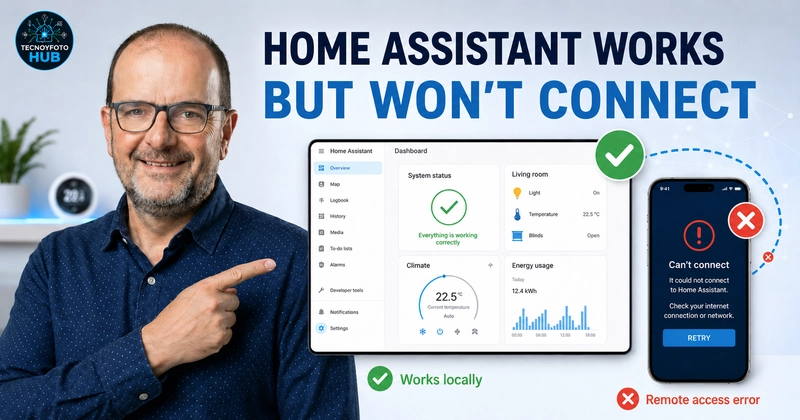
Is your Home Assistant installation working perfectly at home, but you suddenly can’t access it remotely from your phone?
This is one of those problems that can be incredibly confusing. Your automations still run. Your sensors keep updating. You may even receive notifications through Telegram, the Home Assistant mobile app, or another integration. But when you try to connect from outside your home network, you get an error saying that Home Assistant cannot be reached.
At first, it feels like Home Assistant is down.
But in many cases, Home Assistant is not the problem. The issue is the remote access method you are using.
In this guide, we’ll go through the most common reasons why Home Assistant works locally but remote access is not working, especially if you use Nabu Casa, Home Assistant Cloud, or DuckDNS.
The Real Problem: Home Assistant Works, but Remote Access Fails
When you cannot connect to Home Assistant from outside your home, the first thought is usually:
“Home Assistant is broken.”
But that is not always true.
Your Home Assistant instance can still be running properly inside your local network. Lights, sensors, automations, scenes, scripts, dashboards, and notifications may continue working normally.
The only thing that fails is the external connection.
That means you need to separate the problem into two different areas:
- Is Home Assistant itself still running?
- Is the remote access method working correctly?
This distinction is very important.
If Home Assistant still sends notifications, triggers automations, or responds locally, your server is probably fine. The issue may be related to Nabu Casa, Home Assistant Cloud, DuckDNS, SSL certificates, your router, IPv6, CG-NAT, DNS, or your network configuration.
First Check: Can You Access Home Assistant Locally?
Before changing advanced settings, check whether you can access Home Assistant from inside your home network.
Connect your phone or computer to your home WiFi and try to access Home Assistant using the local address or local IP.
For example:
http://homeassistant.local:8123
or
http://YOUR_LOCAL_IP:8123
If Home Assistant opens locally, that is a good sign. It means your Home Assistant server is running and the problem is most likely related to remote access.
If Home Assistant does not work locally either, then you should troubleshoot the Home Assistant server itself before focusing on external access.
Remote Access with Nabu Casa / Home Assistant Cloud
One of the easiest ways to access Home Assistant remotely is through Nabu Casa, also known as Home Assistant Cloud.
Nabu Casa allows remote access without opening ports on your router, without manually managing SSL certificates, and without setting up dynamic DNS.
For many users, it is the cleanest and safest way to access Home Assistant from outside the home.
However, even with Nabu Casa, remote access can sometimes stop working.
In some cases, the remote access tunnel may become stuck or fail to respond correctly. When that happens, Home Assistant may continue working locally, but you cannot access it from outside your home.
Quick Fix If You Use Nabu Casa
If you use Nabu Casa and Home Assistant works locally but remote access is not working, try this first:
- Connect to Home Assistant from your local network.
- Go to Settings.
- Open Home Assistant Cloud.
- Find the Remote Access option.
- Turn remote access off.
- Wait 10 to 15 seconds.
- Turn remote access back on.
- Test again from your phone using mobile data.
This forces Home Assistant Cloud to rebuild the remote access connection.
In many cases, this simple step fixes the problem immediately.
Before changing your router settings, editing YAML files, or reinstalling integrations, try disabling and re-enabling remote access in Nabu Casa.
It is simple, fast, and often enough.
How to Test Remote Access Correctly
A common mistake is testing remote access while still connected to your home WiFi.
If your phone is connected to the same local network as Home Assistant, you may not be testing the real external connection.
To test remote access properly:
- Open your phone.
- Turn off WiFi.
- Make sure you are using mobile data.
- Open the Home Assistant app or external URL.
- Check whether it loads.
This is important because local access and remote access are not the same thing.
If Home Assistant works on WiFi but fails on mobile data, the issue is almost certainly related to remote access.
What to Check If You Use DuckDNS
If you do not use Nabu Casa, you may be accessing Home Assistant through DuckDNS.
DuckDNS is a common method for remote access, but it depends on several pieces working correctly:
- Your domain must point to the correct public IP address.
- Your SSL certificate must be valid.
- Your router must forward the required port correctly.
- Your internet provider must allow external access.
- Your DNS configuration must resolve properly.
If any of these fail, you may lose access from outside your home even though Home Assistant still works locally.
Check Your SSL Certificate
One of the most common problems with DuckDNS setups is an expired or broken SSL certificate.
If the certificate is expired, not renewed correctly, or misconfigured, your browser or app may refuse the connection.
If you use DuckDNS and remote access suddenly stops working, check:
- Is the SSL certificate still valid?
- Did the renewal process fail?
- Is the certificate path still correct?
- Did you recently update Home Assistant?
- Did your router or network configuration change?
A certificate issue can make it look like Home Assistant is down, but the actual problem is the secure connection layer.
Check Your DuckDNS Domain
Another important step is checking whether your DuckDNS domain points to your current public IP address.
If your public IP changed and DuckDNS did not update correctly, your domain may be pointing to the wrong place.
That means your phone is trying to reach your old IP address instead of your Home Assistant server.
To troubleshoot this, verify that:
- Your DuckDNS domain resolves correctly.
- The IP shown by DuckDNS matches your current public IP.
- Your DuckDNS add-on or update script is running.
- There are no errors in the DuckDNS logs.
If the domain points to the wrong IP, remote access will fail.
Check Router and Port Forwarding
If you use DuckDNS or another manual remote access method, your router configuration matters.
Check whether your router is still forwarding the correct port to your Home Assistant server.
In many installations, Home Assistant runs on port 8123. Depending on your setup, your router may forward external traffic to that internal port.
Things to check:
- Did your router restart or update recently?
- Did your Home Assistant server get a new local IP address?
- Is the port forwarding rule still active?
- Is the internal IP address correct?
- Is the firewall blocking the connection?
- Did your internet provider change anything?
A small change in the router can break remote access completely.
Check IPv6 and CG-NAT
Sometimes the issue is not Home Assistant, Nabu Casa, or DuckDNS.
It may be your internet connection.
Two common network-related causes are IPv6 and CG-NAT.
IPv6 can sometimes create unexpected behavior depending on your router, provider, and DNS setup. If remote access started failing after a router change or internet provider change, IPv6 is worth checking.
CG-NAT is another possible issue. Some internet providers place customers behind Carrier-Grade NAT. This can prevent traditional port forwarding from working correctly.
If you use Nabu Casa, CG-NAT is usually not a problem because you do not need to open ports. But if you use DuckDNS with port forwarding, CG-NAT can break remote access.
Restart Home Assistant
It may sound simple, but restarting Home Assistant is still worth trying.
If the remote access service, cloud connection, network stack, or certificate process is stuck, a restart may fix it.
To restart Home Assistant:
- Go to Settings.
- Open System.
- Select Restart Home Assistant.
- Wait a few minutes.
- Test again from mobile data.
Do not test immediately after restarting. Give Home Assistant enough time to fully start all integrations and services.
How to Know If the Problem Is Home Assistant or Remote Access
Use these questions to identify where the issue is:
Do automations still work?
If automations still run, Home Assistant is probably still working.
Do you still receive notifications?
If notifications continue arriving, the server is probably alive.
Can you access Home Assistant locally?
If local access works but remote access fails, the issue is likely external access.
Does it fail only on mobile data?
If it works on WiFi but fails on mobile data, the problem is remote access.
Are you using Nabu Casa?
Try disabling and re-enabling remote access in Home Assistant Cloud.
Are you using DuckDNS?
Check your domain, SSL certificate, router, port forwarding, and public IP.
Recommended Troubleshooting Order
Follow this order before changing advanced settings:
- Check whether Home Assistant works locally.
- Confirm that automations and notifications are still working.
- Test remote access using mobile data, not WiFi.
- If you use Nabu Casa, turn remote access off and back on.
- If you use DuckDNS, check your domain and SSL certificate.
- Restart Home Assistant.
- Check your router and port forwarding.
- Review IPv6, DNS, firewall, and CG-NAT.
- Only then move into advanced troubleshooting.
This order helps you avoid wasting time on complicated fixes when the problem may be something simple.
Why This Happens
Remote access depends on several layers working together.
Home Assistant may be running perfectly, but if the external access layer fails, you will not be able to connect from outside your home.
For example:
- Nabu Casa’s remote tunnel may need to be refreshed.
- DuckDNS may point to an old IP address.
- The SSL certificate may have expired.
- The router may no longer forward the correct port.
- IPv6 or CG-NAT may affect the connection.
- The mobile app may be trying to use the wrong external URL.
That is why it is important not to assume that Home Assistant itself is broken.
In many cases, only the access path is broken.
Final Thoughts
If Home Assistant works locally but remote access is not working, do not panic.
Your installation may be fine.
Start by checking local access, automations, and notifications. Then test from mobile data. If you use Nabu Casa, try turning remote access off and back on from Home Assistant Cloud. If you use DuckDNS, check your SSL certificate, domain, router, and port forwarding.
Most importantly, troubleshoot in the right order.
Do not start with the most complex solution.
Start with the simplest checks first.
Continue reading
Next related guide · 13 min read
How to Calibrate Temperature and Humidity Sensors in Home Assistant
Place two temperature sensors next to each other and one may report 22.3 °C while the other says 22.8 °C. Add a third sensor…
Continue with this article