
This article may contain affiliate links. If you buy through these links, the price is the same for you and the store pays me a small commission that helps keep Tecnoyfoto running.

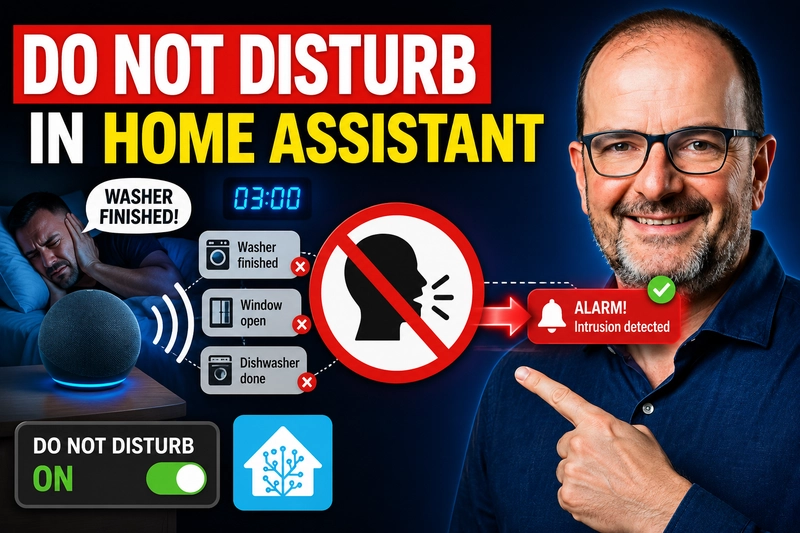
Voice notifications in Home Assistant are incredibly useful… until they speak at the wrong time. A finished washer, an open door, rain starting outside, or a reminder can be great during the day, but annoying at night or when someone is sleeping.
That is why I use a Do Not Disturb mode in Home Assistant. It is not a special integration or a complex system. In my setup, it is simply a helper that my automations and voice notification scripts respect.
This is the advanced version. If you are new to Home Assistant or prefer the visual editor, start with Basic Do Not Disturb in Home Assistant without YAML.
The idea is simple:
When Do Not Disturb is enabled, normal voice alerts stay silent. Urgent alerts can still be announced.
1. What “Do Not Disturb” Means in My Home Assistant Setup
In my Home Assistant setup, Do Not Disturb is an input_boolean. In other words, it is a virtual switch.
input_boolean:
  no_molestar:
    name: "Do Not Disturb"
    icon: mdi:minus-circle
This helper does not do anything by itself. The important part is that my automations and my voice notification hub check its state before speaking.
Think of input_boolean.no_molestar as a traffic light. If it is off, the house can speak. If it is on, the house stays quiet unless the alert is marked as urgent.
2. Time Helpers
To avoid turning Do Not Disturb on and off manually every day, I use two time helpers:
input_datetime:
  hora_inicio_no_molestar:
    name: Do Not Disturb Start
    has_date: false
    has_time: true

  hora_fin_no_molestar:
    name: Do Not Disturb End
    has_date: false
    has_time: true
These helpers define when Do Not Disturb starts and when it ends. Automations then turn the boolean on or off at the right time.
3. Basic Automation: Turn Do Not Disturb On and Off
The simplest way to create a Do Not Disturb mode in Home Assistant is this:
- id: do_not_disturb_on
  alias: Do Not Disturb On
  trigger:
    - platform: time
      at: input_datetime.hora_inicio_no_molestar
  action:
    - service: input_boolean.turn_on
      target:
        entity_id: input_boolean.no_molestar
  mode: single

- id: do_not_disturb_off
  alias: Do Not Disturb Off
  trigger:
    - platform: time
      at: input_datetime.hora_fin_no_molestar
  action:
    - service: input_boolean.turn_off
      target:
        entity_id: input_boolean.no_molestar
  mode: single
With this alone, you already have an automatic Do Not Disturb mode. You set the start and end times from the Home Assistant UI, and Home Assistant handles the switch for you.
4. My Setup: Do Not Disturb Based on Work Shift
My setup is a little more personalized because I work shifts. A normal day is not the same as a night-shift day.
My main logic is:
- At
8:30 PM, Do Not Disturb turns on. - If I am not on night shift, it turns off at
8:00 AM. - If I am on night shift, it stays on until
10:30 AM.
- id: do_not_disturb_by_shift
  alias: "Do Not Disturb by shift (8:30 PM → 8:00 AM / 10:30 AM)"
  trigger:
    - platform: time
      at: "20:30:00"
      id: turn_on
    - platform: time
      at: "08:00:00"
      id: turn_off_0800
    - platform: time
      at: "10:30:00"
      id: turn_off_1030
  action:
    - choose:
        - conditions:
            - condition: trigger
              id: turn_on
          sequence:
            - service: input_boolean.turn_on
              target:
                entity_id: input_boolean.no_molestar
            - choose:
                - conditions:
                    - condition: state
                      entity_id: input_select.jornada_laboral
                      state: "Night shift"
                  sequence:
                    - service: input_datetime.set_datetime
                      target:
                        entity_id: input_datetime.hora_fin_no_molestar
                      data:
                        time: "10:30:00"
              default:
                - service: input_datetime.set_datetime
                  target:
                    entity_id: input_datetime.hora_fin_no_molestar
                  data:
                    time: "08:00:00"

        - conditions:
            - condition: trigger
              id: turn_off_0800
            - condition: not
              conditions:
                - condition: state
                  entity_id: input_select.jornada_laboral
                  state: "Night shift"
          sequence:
            - service: input_boolean.turn_off
              target:
                entity_id: input_boolean.no_molestar

        - conditions:
            - condition: trigger
              id: turn_off_1030
            - condition: state
              entity_id: input_select.jornada_laboral
              state: "Night shift"
          sequence:
            - service: input_boolean.turn_off
              target:
                entity_id: input_boolean.no_molestar
  mode: single
This example depends on having a work-shift selector, such as input_select.jornada_laboral. If you do not work shifts, you can keep things much simpler and use the basic version from the previous section.
5. How I Use It with Voice Notifications
The key part is that my voice notifications check the Do Not Disturb boolean before speaking.
In my voice notification hub, I use this condition:
- condition: template
  value_template: >
    {{ (urgent | default(false)) or not is_state('input_boolean.no_molestar', 'on') }}
In plain English:
- If
urgentistrue, the alert is announced anyway. - If
urgentisfalseand Do Not Disturb is on, the alert stays silent. - If Do Not Disturb is off, the alert plays normally.
That is why I always try to define whether a voice alert is urgent or not:
- service: script.anunciar_por_voz_alexa_google_2
  data:
    message: "The washer has finished."
    devices:
      - papi
      - show
    urgent: false
    modo: "{{ states('input_select.voz_modo') }}"
And for something important:
- service: script.anunciar_por_voz_alexa_google_2
  data:
    message: "Warning. The house power usage is very high."
    devices:
      - papi
      - show
      - pop
    urgent: true
    modo: "{{ states('input_select.voz_modo') }}"
6. Adjusting Volume When Do Not Disturb Changes
In my setup, Do Not Disturb does more than block normal voice alerts. I also use it to change speaker volume.
When input_boolean.no_molestar turns on, I apply my nighttime volume. When it turns off, I apply my daytime volume.
- id: do_not_disturb_volume
  alias: "Do Not Disturb: adjust volume when enabled or disabled"
  trigger:
    - platform: state
      entity_id: input_boolean.no_molestar
      to: "on"
      id: enabled
    - platform: state
      entity_id: input_boolean.no_molestar
      to: "off"
      id: disabled
  action:
    - choose:
        - conditions:
            - condition: trigger
              id: enabled
          sequence:
            - service: script.turn_on
              target:
                entity_id: script.volumen_de_noche

        - conditions:
            - condition: trigger
              id: disabled
          sequence:
            - service: script.turn_on
              target:
                entity_id: script.volumen_de_dia
  mode: single
This part depends a lot on your home. You may use volume scripts, scenes, room-based automations, or you may decide not to touch volume at all. The important idea is that the boolean can also be used as a trigger for other actions.
7. My Special Case: Night Shift
Because I work shifts, I have one important exception. When I am on night shift, I sleep in the morning in my studio. In that situation, I do not want some speakers to turn up too early.
So when Do Not Disturb turns off but I am still on night-shift timing, I keep specific speakers quiet, such as papi and the Nest Hub in the studio.
Not everyone needs this rule, but it is a good example of why it helps to keep the logic separated:
- The boolean decides whether the house is in quiet mode.
- The voice notification hub decides whether a message can be announced.
- The volume automations decide how loud the speakers should be.
8. What I Do Not Recommend
- I do not recommend adding time conditions to every single voice notification automation. You will end up repeating the same logic everywhere.
- I do not recommend blocking urgent alerts just because it is nighttime. That is what
urgent: trueis for. - I do not recommend mixing volume logic, schedule logic, and message logic inside every automation. A central boolean is much cleaner.
The advantage of using a boolean is clarity. Any automation can simply ask: “Is Do Not Disturb enabled?” and act accordingly.
9. Final Thoughts
My Do Not Disturb mode in Home Assistant is based on a very simple idea: one central boolean that the whole house respects.
input_boolean.no_molestartells the house whether it should stay quiet.input_datetime.hora_inicio_no_molestarandinput_datetime.hora_fin_no_molestardefine the schedule.- Automations turn the boolean on or off.
- The voice notification hub blocks normal voice alerts while Do Not Disturb is enabled.
- Urgent alerts can bypass the silence with
urgent: true.
The best part is that it does not need to be complicated. Do Not Disturb in Home Assistant can simply be a well-used switch.
Continue reading

Next related guide · 11 min read
Voice announcements in Home Assistant: one “voice switchboard” for Alexa and Google
At home I have dozens of voice announcements in Home Assistant: washer, dryer, dishwasher, high power usage, doors left open, rain, intercom, reminders… For…
Continue with this article