

Updated on June 21, 2026
The Ultimate Guide to Smart Medication Management with Home Assistant in 2026
Staying on top of your medication is a critical part of healthcare, especially for anyone managing chronic conditions or multiple prescriptions. In 2026, medication adherence is still a major challenge; missing a dose or failing to log it correctly can have serious consequences. Thankfully, the smart home has evolved to offer powerful and, most importantly, private solutions. In this updated guide, I’ll show you how to turn your Home Assistant system into the nerve center for smart medication management, giving you control, automation, and peace of mind.
Why Use Home Assistant for Medication Management?
While the market is flooded with apps and standalone devices, Home Assistant offers a unique combination of benefits that make it the superior choice for anyone who values control and privacy.
- Your Health Data Stays Private: Unlike commercial apps that upload your sensitive information to third-party servers, Home Assistant runs locally. Your health data stays in your house, under your exclusive control. In my opinion, this is the single most important factor.
- Limitless Customization: From a simple voice-activated log to a complex system with physical dispensers, Home Assistant adapts to your exact needs. You aren’t boxed in by the features a manufacturer decides to offer.
- Deep Ecosystem Integration: You can connect reminders to smart lights, speakers, mobile notifications, smartwatches, and even your TV. The system works cohesively to ensure you never miss a dose.
Method 1: Voice-Activated Logging with Google Calendar (Beginner Level)
This is the perfect starting point. The idea is simple: when you take a medication, you tell your voice assistant (like Alexa or Google Assistant), and Home Assistant automatically logs the date, time, and drug name to a dedicated Google Calendar.
Tech Requirements & Difficulty
- Home Assistant: A working instance. If you’re new, here’s how to install Home Assistant.
- Google Calendar Integration: You’ll need to connect your Google account. I walk you through the process in my guide on creating Google Credentials for Home Assistant.
- Voice Assistant: Alexa or Google Assistant already linked to your Home Assistant.
Difficulty Level: Beginner. This just requires copying a small block of code and setting up basic integrations.
Creating the Home Assistant Script
We’re going to create a separate script for each medication. Navigate to Settings > Automations & Scenes > Scripts and create a new one. Switch to YAML mode and paste the following code.
alias: 'Medication: Tylenol'
sequence:
  - service: google.add_event
    data:
      calendar_id: 'your_calendar_id@group.calendar.google.com'
      summary: 'Tylenol taken'
      start_date_time: "{{ now().strftime('%Y-%m-%d %H:%M:%S') }}"
      end_date_time: "{{ now().strftime('%Y-%m-%d %H:%M:%S') }}"
mode: single
icon: mdi:pill
Code Breakdown:
alias: The descriptive name for your script.service: google.add_event: The action we’re executing—adding an event to Google Calendar.calendar_id: The unique identifier for your calendar. You can find this in the settings for that specific calendar in Google Calendar. Pro-tip: I highly recommend creating a new calendar just for medication tracking.summary: The title of the event that will be created. You can put the medication name here.start_date_time&end_date_time: We use the{{ now() }}template to log the exact moment the script is run.
Save the script and repeat the process for each medication, changing the alias and summary. Once created, just expose these script entities to your voice assistant, and you’ll be able to say, “Hey Google, activate Tylenol” to log the dose.
Method 2: Automating Medication Reminders (Intermediate Level)
Logging is reactive. The real power lies in automating medication reminders. With Home Assistant, we can build a proactive system.
Let’s say you need to take a medication every 8 hours. We can create an automation that:
- Triggers 8 hours after the last dose was logged (by reading the last event from the calendar).
- Announces over the house speakers: “Reminder: It’s time to take your medication.”
- Sends a persistent notification to your phone.
- Repeats the reminder every 15 minutes until you run the script to log the dose.
This requires a bit more advanced knowledge of automations and templates in Home Assistant, but it transforms the system from a simple passive log into an active health assistant.
Method 3: Integrating a Smart Pill Dispenser (Advanced Level)
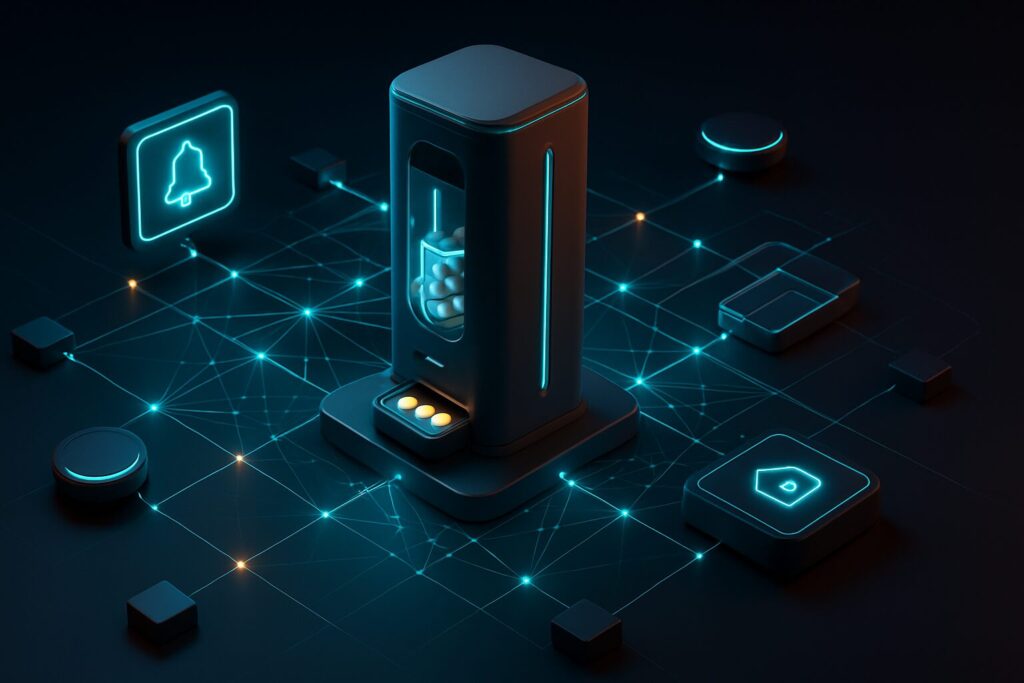
By 2026, smart pill dispensers are far more common and affordable. Many of them use local protocols like Zigbee, making them perfect for a secure integration with Home Assistant.
The workflow looks like this:
- Home Assistant sends a reminder (voice, light, notification).
- The dispenser lights up or beeps, indicating which compartment to open.
- The user takes the pill. A sensor in the compartment (or the device itself) detects the action.
- The dispenser sends a signal back to Home Assistant via Zigbee. For this, you’ll need a good coordinator like the SMLIGHT SLZB-06 and a setup like Zigbee2MQTT or the native ZHA integration.
- Home Assistant receives the confirmation and automatically runs the script to log the dose in Google Calendar, canceling any pending reminders.
This closed-loop system offers maximum reliability and dramatically improves medication adherence.
2026 Medication Management Solutions: A Comparison
To put it all in perspective, here’s a table comparing the Home Assistant approach with other popular alternatives on the market today.
| Solution | Tech Level | Estimated Cost | Privacy | Pros | Cons |
| Home Assistant (DIY) | Medium – High | Low (Hardware cost) | Maximum (Local-First) | Endless customization, deep integration, no monthly fees. | Requires setup and maintenance. |
| Commercial Smart Dispenser | Low | Medium – High | Variable (Vendor-dependent) | User-friendly, all-in-one solution. | Locked-in ecosystem, potential subscription fees, your data is in the cloud. |
| Dedicated Mobile Apps | Very Low | Free or low subscription | Low (Data on third-party servers) | Highly accessible, easy setup. | Reliant on your phone, easy-to-ignore notifications, compromised privacy. |
Your Health Data is Non-Negotiable
I can’t stress this enough. Information about your medication is extremely sensitive. By using Home Assistant, you maintain total control. However, when you integrate third-party devices or services, you need to be aware of the risks.
My security recommendations for 2026:
- Prioritize Local-Control Devices: Whenever possible, choose dispensers, sensors, and other devices that use Zigbee, Z-Wave, or Wi-Fi with local firmware (like ESPHome/Tasmota) instead of relying on a manufacturer’s cloud.
- Segment Your Network: Isolating your IoT devices on a separate VLAN is one of the best security practices you can adopt. I explain how to get started with home network segmentation in another guide.
- Use Strong Passwords and 2FA: Protect access to your Home Assistant instance like you’d protect your front door. It’s that simple.
Conclusion: Your Health, Your Data, Your Rules
Smart medication management has moved from a futuristic idea to an accessible and powerful reality, thanks to platforms like Home Assistant. By starting with a simple voice-logging script and scaling up to a fully automated system with smart dispensers, you can build a tailored solution that not only improves medication adherence but also fiercely respects your privacy.
When applied correctly, technology is a formidable tool for improving our quality of life. With Home Assistant, you have the power to build a personal, reliable, and secure health assistant, right in your own home.