
This article may contain affiliate links. If you buy through these links, the price is the same for you and the store pays me a small commission that helps keep Tecnoyfoto running.

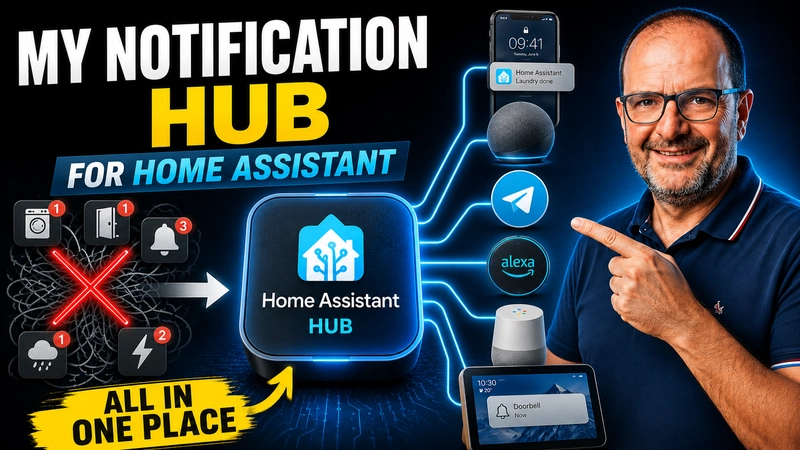
At home I have dozens of voice announcements in Home Assistant: washer, dryer, dishwasher, high power usage, doors left open, rain, intercom, reminders… For years, each automation called one or more voice services directly, like notify.papi_hablar, notify.echo_show_8_hablar, etc.
The problem is: this works… until it doesn’t.
- For a while, Alexa Media Player was failing and the “stable” option was Alexa Devices.
- Then later it flipped: Alexa Devices started failing and Alexa Media Player came back.
- And at one point I even had periods where both were failing, and I was left with no voice announcements.
With dozens and dozens of “talking” automations, switching integrations meant touching EVERYTHING by hand. That’s exactly what I wanted to avoid.
So I built a more “pro” solution: a voice switchboard so my automations don’t depend directly on Alexa or Google. If the backend changes, I don’t edit 50 automations—I edit one place.
0. What you’ll get (and why it’s worth it)
When you finish this setup, you’ll have:
- One single script used by all automations:
script.anunciar_por_voz_alexa_google_2. - A selector
input_select.voz_backendto choose the voice backend:alexa_media,alexa_devices,google, and (optional)auto. - A selector
input_select.voz_modoto choose how it speaks:hablar(speak) oranunciar(announce/broadcast). With Alexa Media,anunciartypically adds the announcement chime. - A boolean
input_boolean.no_molestarthat silences the house unless the announcement is markedurgent: true. - And a real-life improvement for my case: when I’m on night shift and sleeping in my office, I mute only
papibetween 06:00 and 12:00, whileshowandpopstill work.
The key idea is this:
Your automations never call notify.* directly anymore. They only call one script, and that script decides where and how to speak.
1. Before you start: the most common mistake (I’m telling you now on purpose)
This is an advanced project, but the most common failure is not advanced at all: names.
In the script we’ll use “logical speakers”, for example:
papishowpop
If your automations send salon or pop_albert but the script only recognizes show and pop, nothing will play… and you might not see a clear error. So you need to choose:
- Either standardize and always use
papi/show/popin every automation, - Or expand the script to accept aliases (possible, but longer).
In this article I assume the clean option: papi / show / pop.
2. Step by step: helpers you need
I built this with these helpers:
input_boolean.no_molestar(global Do Not Disturb)input_select.voz_backend(Alexa Media / Alexa Devices / Google / Auto)input_select.voz_modo(hablar / anunciar)
You can create them in the UI, but if you prefer YAML, here are the blocks.
input_boolean:
  no_molestar:
    name: Do Not Disturb
    icon: mdi:minus-circle
input_select:
voz_backend:
name: Voice backend
options:
- auto
- alexa_media
- alexa_devices
- google
initial: auto
icon: mdi:account-voiceinput_select:
voz_modo:
name: Voice mode
options:
- hablar
- anunciar
initial: hablarImportant: if you want a default value after every Home Assistant restart, you set it here with initial:. For example, I keep voz_backend at auto so it always starts in automatic mode.
3. (Optional) “Smart” AUTO mode: integration health sensors
AUTO mode is optional. If you don’t want extra complexity, keep voz_backend in manual mode and you’re done. But if you want Home Assistant to pick the best backend automatically, you need some criteria to decide which integration is “OK”.
I use two binary_sensor entities:
binary_sensor.alexa_media_player_integracion_okbinary_sensor.alexa_devices_integracion_ok
Practical approach (adjust for your setup):
Alexa Media Player: I consider it OK if an Alexa media_player stays available (for example, my Echo Show 8).
Alexa Devices: this can be tricky to detect reliably (notify services may still exist even when they “don’t really work”), so the most reliable option is a manual “health” boolean.
input_boolean:
  alexa_devices_ok:
    name: Alexa Devices OK
    icon: mdi:amazon-alexa
template:
- binary_sensor:
- name: Alexa Media Player integracion ok
unique_id: alexa_media_player_integracion_ok
state: >
{{ states('media_player.echo_show_8') not in ['unavailable','unknown','none'] }}
- name: Alexa Devices integracion ok
unique_id: alexa_devices_integracion_ok
state: >
{{ is_state('input_boolean.alexa_devices_ok', 'on') }}If you don’t want AUTO mode, you can skip this section entirely. The script will still work with voz_backend set to alexa_media / alexa_devices / google.
4. The silence gatekeeper: Do Not Disturb + urgent
The boolean input_boolean.no_molestar stops the house from talking when it shouldn’t. But there are announcements I want to hear no matter what (for example, dangerous power usage). That’s what urgent is for.
urgent: false→ respectsno_molestar.urgent: true→ ignoresno_molestarand always speaks.
The condition that controls it (you’ll see it inside the script) is:
- condition: template
  value_template: >
    {{ (urgent | default(false)) or not is_state('input_boolean.no_molestar', 'on') }}
5. Key improvement for my case: mute only “papi” while I sleep on night shift
I work shifts. When I’m on night shift, I sleep in my office to avoid waking anyone up. The obvious problem: my main speaker (papi) is in that room. So I need:
- Mute
papibetween 06:00 and 12:00 when I’m on night shift. - But keep
showandpopworking normally.
This is solved inside the script with a variable that checks whether papi must be muted. For this to work, you need your shift selector (in my case: input_select.jornada_laboral) to have a state called Turno noche. If your state name is different, you’ll adjust that one string.
6. The master script (copy/paste first, then adapt IDs)
This is the heart of my voice announcements in Home Assistant. Every automation calls this script. Inside it I choose backend, voice mode, Do Not Disturb behavior, urgent alerts, and the special “night shift: mute papi” rule.
Important: this script does not change volume. I prefer controlling volume with separate “day volume / night volume” scripts, so voice announcements follow whatever volume I already set.
anunciar_por_voz_alexa_google_2:
  alias: Anunciar por voz (Alexa / Google)
  mode: queued
  max: 10

  fields:
    message:
      description: Texto que los altavoces dirán
      example: "Prueba de voz"
    devices:
      description: "Lista de altavoces lógicos: papi, show, pop."
      example: "['papi', 'show']"
    urgent:
      description: "Si es true, ignora el modo No molestar."
      example: "false"
    modo:
      description: "Cómo hablar: 'hablar' (normal) o 'anunciar' (broadcast)."
      example: "hablar"

  sequence:
    - condition: template
      value_template: >
        {{ (urgent | default(false)) or not is_state('input_boolean.no_molestar', 'on') }}

    - variables:
        devs: >
          {% set d = devices | default('papi') %}
          {% if d is string %}
            {{ [d] }}
          {% else %}
            {{ d }}
          {% endif %}

        modo_local: "{{ (modo | default('hablar')) | lower }}"

        backend_config: "{{ states('input_select.voz_backend') }}"

        backend_efectivo: >
          {% if backend_config != 'auto' and backend_config in ['alexa_media', 'alexa_devices', 'google'] %}
            {{ backend_config }}
          {% else %}
            {% if is_state('binary_sensor.alexa_media_player_integracion_ok', 'on') %}
              alexa_media
            {% elif is_state('binary_sensor.alexa_devices_integracion_ok', 'on') %}
              alexa_devices
            {% else %}
              google
            {% endif %}
          {% endif %}

        silenciar_papi_noche: >
          {{ is_state('input_select.jornada_laboral', 'Turno noche')
             and now().hour >= 6
             and now().hour < 12 }}

    - choose:
        - conditions:
            - condition: template
              value_template: "{{ backend_efectivo == 'alexa_media' }}"
          sequence:
            - repeat:
                for_each: "{{ devs }}"
                sequence:
                  - choose:
                      - conditions:
                          - condition: template
                            value_template: >
                              {{ repeat.item == 'papi' and not silenciar_papi_noche }}
                        sequence:
                          - service: notify.alexa_media_papi
                            data:
                              message: "{{ message }}"
                              data:
                                type: >
                                  {% if modo_local == 'anunciar' %}
                                    announce
                                  {% else %}
                                    tts
                                  {% endif %}

                      - conditions:
                          - condition: template
                            value_template: "{{ repeat.item == 'show' }}"
                        sequence:
                          - service: notify.alexa_media_echo_show_8
                            data:
                              message: "{{ message }}"
                              data:
                                type: >
                                  {% if modo_local == 'anunciar' %}
                                    announce
                                  {% else %}
                                    tts
                                  {% endif %}

                      - conditions:
                          - condition: template
                            value_template: "{{ repeat.item == 'pop' }}"
                        sequence:
                          - service: notify.alexa_media_echo_pop_de_albert
                            data:
                              message: "{{ message }}"
                              data:
                                type: >
                                  {% if modo_local == 'anunciar' %}
                                    announce
                                  {% else %}
                                    tts
                                  {% endif %}

        - conditions:
            - condition: template
              value_template: "{{ backend_efectivo == 'alexa_devices' }}"
          sequence:
            - repeat:
                for_each: "{{ devs }}"
                sequence:
                  - choose:
                      - conditions:
                          - condition: template
                            value_template: >
                              {{ repeat.item == 'papi' and not silenciar_papi_noche }}
                        sequence:
                          - service: notify.send_message
                            target:
                              entity_id: >
                                {% if modo_local == 'anunciar' %}
                                  notify.papi_anunciar
                                {% else %}
                                  notify.papi_hablar
                                {% endif %}
                            data:
                              message: "{{ message }}"

                      - conditions:
                          - condition: template
                            value_template: "{{ repeat.item == 'show' }}"
                        sequence:
                          - service: notify.send_message
                            target:
                              entity_id: >
                                {% if modo_local == 'anunciar' %}
                                  notify.echo_show_8_anunciar
                                {% else %}
                                  notify.echo_show_8_hablar
                                {% endif %}
                            data:
                              message: "{{ message }}"

                      - conditions:
                          - condition: template
                            value_template: "{{ repeat.item == 'pop' }}"
                        sequence:
                          - service: notify.send_message
                            target:
                              entity_id: >
                                {% if modo_local == 'anunciar' %}
                                  notify.echo_pop_de_albert_anunciar
                                {% else %}
                                  notify.echo_pop_de_albert_hablar
                                {% endif %}
                            data:
                              message: "{{ message }}"

        - conditions:
            - condition: template
              value_template: "{{ backend_efectivo == 'google' }}"
          sequence:
            - repeat:
                for_each: "{{ devs }}"
                sequence:
                  - choose:
                      - conditions:
                          - condition: template
                            value_template: >
                              {{ repeat.item == 'papi' and not silenciar_papi_noche }}
                        sequence:
                          - service: tts.google_say
                            data:
                              entity_id: media_player.nesthub81f6_2
                              message: "{{ message }}"

                      - conditions:
                          - condition: template
                            value_template: "{{ repeat.item == 'show' }}"
                        sequence:
                          - service: tts.google_say
                            data:
                              entity_id: media_player.googlehome6398
                              message: "{{ message }}"

                      - conditions:
                          - condition: template
                            value_template: "{{ repeat.item == 'pop' }}"
                        sequence:
                          - service: tts.google_say
                            data:
                              entity_id: media_player.nestaudio5858
                              message: "{{ message }}"
Note about “anunciar” mode: with Alexa Media Player, when modo is anunciar, Alexa typically plays the announcement chime before speaking. I like it for important alerts, and you can switch it for the whole house from voz_modo without editing automations.
7. How to call the script from your automations (one pattern)
From now on, your automations stop calling notify.xxx directly. Instead, they always call the script.
Recommended pattern (I use this in most cases):
- service: script.anunciar_por_voz_alexa_google_2
  data:
    message: "Your announcement text."
    devices:
      - papi
      - show
    urgent: false
    modo: "{{ states('input_select.voz_modo') }}"
If a specific automation should always announce or always speak normally, you can override it:
modo: "anunciar"
# or
modo: "hablar"
8. Real examples (copy and adapt)
Here are common examples I use at home. The pattern stays the same: the message changes, the speakers change, and whether it’s urgent or not changes… but the “engine” is always the same script.
8.1 Washer / dryer / dishwasher (normal alerts)
- service: script.anunciar_por_voz_alexa_google_2
  data:
    message: "The washer finished. Don’t forget to hang the clothes."
    devices:
      - papi
      - show
    urgent: false
    modo: "{{ states('input_select.voz_modo') }}"
If you also want Telegram (I use it a lot), add it as a separate action:
- service: notify.telegram
  data:
    message: "The washer finished. Don’t forget to hang the clothes."
8.2 High power usage (I mark this as urgent)
These alerts are the ones I prefer to hear even with Do Not Disturb enabled, because a power outage can be worse than a quick announcement.
- service: script.anunciar_por_voz_alexa_google_2
  data:
    message: "Attention. Home power usage is very high."
    devices:
      - papi
      - show
      - pop
    urgent: true
    modo: "{{ states('input_select.voz_modo') }}"
8.3 Intercom / doorbell (usually not urgent)
This is typically a non-urgent alert that should respect no_molestar (unless you decide otherwise).
- service: script.anunciar_por_voz_alexa_google_2
  data:
    message: "Someone is ringing the intercom."
    devices:
      - show
      - pop
    urgent: false
    modo: "{{ states('input_select.voz_modo') }}"
8.4 Rain sensor (ESPHome) + voice alert
Same pattern: you can keep Telegram, logs, etc., alongside voice.
- service: script.anunciar_por_voz_alexa_google_2
  data:
    message: "It’s starting to rain."
    devices:
      - show
      - pop
    urgent: false
    modo: "{{ states('input_select.voz_modo') }}"
9. Bulk migration: how I moved from “notify everywhere” to “one script”
My process was simple:
- I separated all voice-related automations into a dedicated YAML file to keep things organized.
- In my editor (VS Code), I searched for
notify.and replaced direct calls with the script pattern. - I added
urgentto every voice call (even when it wasfalse) and addedmodo: "{{ states('input_select.voz_modo') }}". - I tested with 2–3 simple automations first (washer + rain) and then migrated the rest.
Once migrated, switching backend or switching voice mode becomes a dropdown change, not a 50-automation rewrite.
10. Common mistakes (so you don’t suffer like I did)
- Inconsistent logical names: if you put
salonin an automation but the script expectsshow, nothing will play. Standardize names. - Do Not Disturb enabled: if you’re testing and nothing plays, try
urgent: trueto rule out DND blocking. - Default values live in helpers, not the script: use
initial:on the input_select to define startup defaults.
11. Final recap
With this voice announcements in Home Assistant switchboard, I moved from dozens of automations tightly coupled to notify.xxx services to a much more solid system:
- One single script for all voice alerts.
no_molestar+urgentto decide when the house can speak.voz_backendto switch between Alexa Media, Alexa Devices, and Google without editing automations.voz_modoto switch between speak/announce with a dropdown.- And in my case, a very practical rule: on night shift I mute only the office speaker while I sleep.
If you’re tired of Alexa breaking for weeks at a time and you don’t want to rewrite half your setup every time an integration changes, this approach genuinely pays off.
Continue reading
Next related guide · 4 min read
Home Assistant Compatible Appliances: How to Choose Wisely
Buying an appliance today that doesn't have "WiFi" is almost impossible. However, most of these devices are technological islands: they have their own App,…
Continue with this article