

Updated on January 19, 2026
Your Amazon Echo’s light ring or light bar is Alexa’s primary way of communicating with you. Far from just being a decorative flourish, each color and pattern has a specific meaning, letting you know about its status, notifications, or potential issues. Understanding this visual language is key to getting the most out of your assistant and quickly troubleshooting any problems. In this definitive guide, I’ll break down what every color means and, more importantly, what you need to do about it.
Alexa Light Color Cheat Sheet
For a quick answer, I’ve put together this handy table that summarizes the meaning and recommended action for each light. Use it as your go-to cheat sheet.
| Color | Light Pattern | Quick Meaning & Action |
|---|---|---|
| Blue / Cyan | Solid, spinning, or with a cyan spotlight | Listening, processing, or responding. Wait for her to finish, or speak now! |
| Yellow | Slowly pulsing | You have a notification or message. Say: “Alexa, read my notifications.” |
| Green | Pulsing or spinning | Incoming/active call or Drop In. Say: “Alexa, answer” or “Alexa, hang up.” |
| Red | Solid | Microphone is off (privacy mode). Press the physical microphone button to turn it back on. |
| Orange | Spinning continuously | Setup mode or connecting to Wi-Fi. Follow the instructions in the Alexa app. |
| Purple | Flashing (during setup) or a single pulse | Wi-Fi setup error or Do Not Disturb is on. Check your Wi-Fi password or say “Alexa, turn off Do Not Disturb.” |
| White | Varying brightness / Spinning | Adjusting volume level or Alexa Guard mode is active. This is normal behavior or say “Alexa, I’m home” to disable Guard. |
A Deep Dive Into Each Light Color & What to Do
Now, let’s dig into each color so you’re never left guessing. I’ve broken down the explanations by color, detailing the different patterns and the actions you can take.
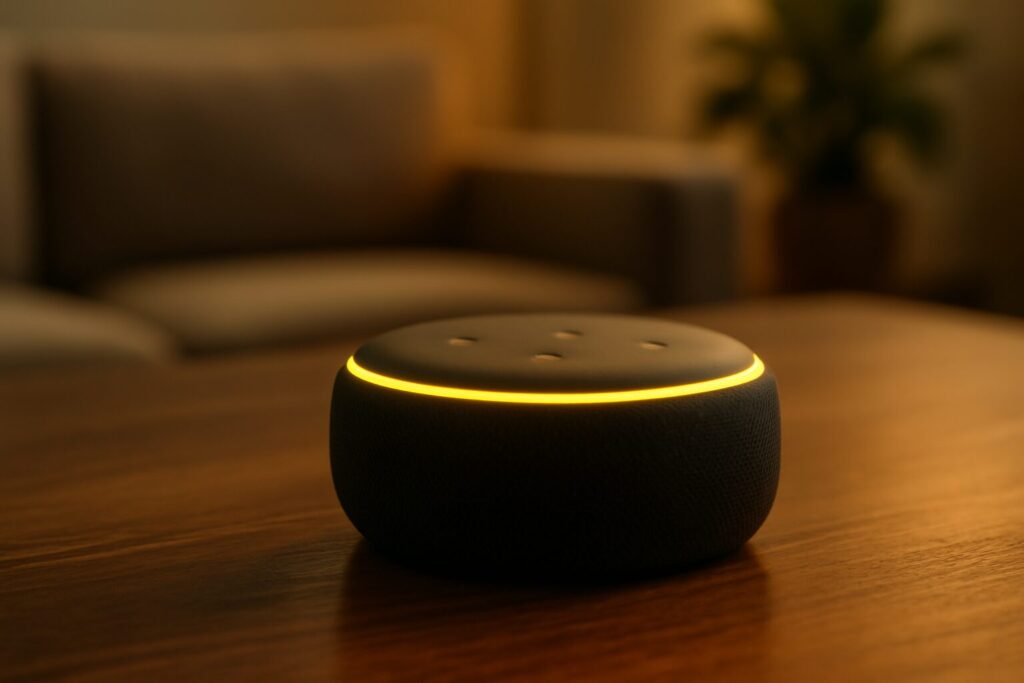
Pulsing Yellow Light: You’ve Got a Notification
A slowly pulsing yellow Alexa light means you have a pending message or notification. This is commonly triggered by an Amazon package delivery but can also be an unheard reminder or a notification from a Skill.
- What to do: The fix is simple. Just say, “Alexa, what are my notifications?” or “Alexa, read my messages.” Once you’ve heard it, the yellow light will disappear.
- For more info: If this issue persists, check out our dedicated guide on why Alexa is showing a yellow light.
Pulsing or Spinning Green Light: Call or Drop In
The green light on Alexa is all about communications. If it’s pulsing, it means you’re receiving a call or a Drop In. If the green light is spinning, it indicates that the call or Drop In is already active.
- What to do: To pick up, say “Alexa, answer the call.” To dismiss or end it, say “Alexa, ignore” or “Alexa, hang up.” If the light won’t go away, a Drop In might be stuck; you can cancel it from the Alexa app.
- For more info: Explore all the causes in our article on why Alexa turns green.
Solid Red Light: Microphone is Off
Seeing a solid red light on Alexa is a privacy signal. It means the device’s microphone has been manually disconnected, and Alexa is not listening. It will not respond to the wake word or any commands.
- What to do: This is a physical fix, not a voice command. Find the button with a crossed-out microphone icon on top of your Echo device and press it once. The red light will turn off, and Alexa will listen again. On Echo Show devices, a red bar can also indicate the camera is disabled.
- For more info: For all the details, read our guide on why Alexa is showing a red light.
Blue and Cyan Light: Normal Operation
Blue is the most common color and, generally, a good sign. A solid blue ring with a spinning cyan spotlight pointed in your direction means Alexa heard the wake word and is processing your request. A spinning cyan ring means the device is booting up.
- What to do: Nothing. This is Alexa’s standard behavior. If it ever gets “stuck” in this state, try the classic fix: unplug it from the wall for 30 seconds and plug it back in.
Spinning Orange Light: Setup Mode
The spinning orange light appears when your Echo device is in setup mode or trying to connect to your Wi-Fi network for the first time. It’s the signal that it’s ready to be configured via the Alexa app.
- What to do: Open the Alexa app on your phone and follow the steps to add a new device. If your device loses its Wi-Fi connection, you might see this light again. In that case, your best bet is to follow the steps in our guide to connect Alexa to Wi-Fi.
Purple Light: Wi-Fi Error or Do Not Disturb
The purple light can be confusing, as it has two very different meanings. If it flashes continuously during setup, it indicates a problem connecting to the Wi-Fi network. However, if it pulses once briefly after you give a command, it means Do Not Disturb mode is enabled.
- How to fix a Wi-Fi error: Go back to the Alexa app, double-check that your network password is correct, and try again. If the problem persists, restart your router.
- How to turn off Do Not Disturb: Simply say, “Alexa, turn off Do Not Disturb.” Call and message notifications will become active again.
White Light: Volume Control or Guard Mode
The white light serves two functions. The most common one is displaying the current volume level when you adjust it manually with the buttons or by voice. The second, a slowly spinning white light, indicates you’ve activated Alexa Guard mode, which listens for sounds like glass breaking or smoke alarms while you’re away.
- What to do: The volume indicator is temporary and requires no action. For Guard mode, when you return home, say “Alexa, I’m home” to disable it and make the spinning white light disappear.
Light Ring vs. Light Bar: Echo Dot vs. Echo Show
It’s important to note that while the colors mean the same thing, their presentation varies by device. The light ring on an Echo Dot, Echo Studio, or standard Echo offers a 360-degree view. On the other hand, the meaning of the lights on an Echo Show is displayed on a light bar at the bottom of the screen. Despite the format difference, the color-to-pattern correlation is identical across the entire Echo ecosystem.
The Ultimate Hack: Just Ask Alexa
If you ever see a color or pattern you don’t remember, Amazon included a brilliant solution. You don’t need to search the internet—just ask your assistant.
The next time you see a light and don’t know what it is, just say: “Alexa, what does your light mean?” She will explain the reason for the light notification herself. It doesn’t get any easier than that!
Frequently Asked Questions (FAQ)
How do I get rid of the green light on Alexa?
The green light indicates an active call or Drop In. To turn it off, you need to end the communication. Say “Alexa, hang up the call” or check the Alexa app on your phone to see if a Drop In session is active that you need to end manually.
Why is my Alexa suddenly pulsing purple?
If you’re not in the middle of a Wi-Fi setup, you’ve most likely enabled Do Not Disturb mode, perhaps by accident or through a routine. To fix it, simply say out loud: “Alexa, turn off Do Not Disturb.” The light will stop appearing, and you’ll receive notifications again.
Can I turn the light ring off completely?
You cannot permanently disable the light ring, as it’s the device’s fundamental status indicator. However, you can dim its brightness in the Alexa app (under Settings > [Your Device] > Light Ring) or enable Do Not Disturb mode to suppress light-based notifications (though the purple light will pulse briefly to remind you it’s on).
My Alexa is alternating between blue and cyan, what does that mean?
This spinning pattern is completely normal. It indicates that your Echo device is responding to your command. It’s the visual signal that it’s processing your request and preparing the audio response. It requires no action on your part.