

Updated August 5, 2026 for ESPHome 2026.7.3.
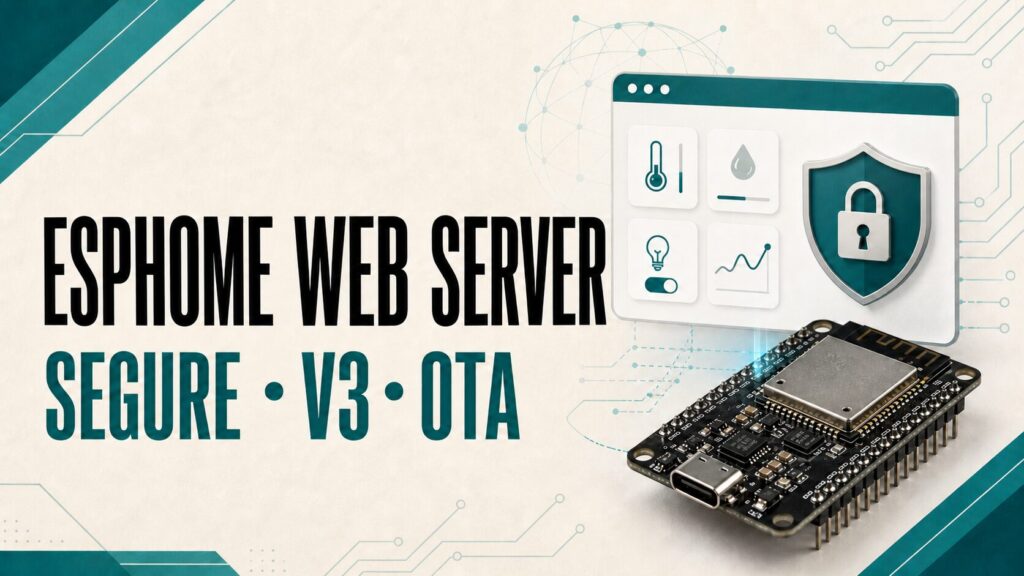
ESPHome Web Server adds a page hosted directly on an ESP32 or ESP8266. You can use it to check sensors, control entities, and read logs without opening Home Assistant. It also provides a simple REST API and a real-time event stream. That makes it useful for local diagnostics and control, but it should not be enabled without considering memory use and security.
This guide covers a current setup with Digest authentication, the differences between Web Server v1, v2, and v3, and the Web Server OTA change introduced in ESPHome 2025.7. It includes copy-ready YAML, migration steps, offline operation, and fixes for common problems.
What ESPHome Web Server does
The web_server component runs an HTTP server on the microcontroller. Open it with the device IP address or node-name.local/ when mDNS works on your network. The page displays entities published by the node and can control switches, lights, buttons, numbers, and other supported components.
- Use it for local diagnostics, standalone installations, emergency controls, and applications that consume the web API.
- It is not required for Home Assistant. ESPHome normally communicates with Home Assistant through the native API.
- It is not a configuration editor. The interface changes states; it does not replace Device Builder or edit YAML.
- It has a cost in flash, RAM, and network connections. ESPHome warns that it can reduce stability, especially on ESP8266.
If you are still choosing hardware, see the ESP32 board and pinout guide. An ESP32 usually offers more headroom than an ESP8266 when a project needs a busy web interface.
Recommended secure configuration
This is a sensible starting point for ESPHome 2026.7 or newer. Version 3 provides the most capable interface, while type: digest avoids sending a reversibly encoded Base64 password with every request.
web_server:
  port: 80
  version: 3
  auth:
    username: !secret web_server_username
    password: !secret web_server_password
    type: digest
  include_internal: false
  log: false
Digest authentication arrived in ESPHome 2026.7. The transitional default is still basic, but ESPHome plans to change that default to Digest in 2027.1. Declaring the type explicitly makes future upgrades predictable.
Important: Digest better protects the password, but the server still uses HTTP. Entity states, commands, and logs are not encrypted. Keep the device on a trusted network, do not forward its port through your router, and never expose this interface directly to the internet.
Store credentials in secrets.yaml
Keep credentials outside the main device file and use different values for every node. secrets.yaml prevents accidental disclosure when sharing a configuration, but it does not make a weak password stronger.
# secrets.yaml
web_server_username: "living_room_node_admin"
web_server_password: "a-long-unique-password"

# device.yaml
web_server:
  version: 3
  auth:
    username: !secret web_server_username
    password: !secret web_server_password
    type: digest
For larger installations, combine this approach with ESPHome substitutions and packages and the guide to protecting Home Assistant passwords with secrets.yaml.
ESPHome Web Server v1 vs v2 vs v3
| Version | Status | When to choose it |
|---|---|---|
| v1 | Deprecated; removal planned for 2027.1 | Do not use for new projects. Keep it only during a short migration. |
| v2 | Default | A lighter compatible interface when you do not need v3 features. |
| v3 | Current and optional | Home Assistant-style UI, groups, sorting, improved controls, and sensor graphs. |
Version 3 can sort entities with sorting_weight, place them in sorting_groups, expand controls and logs, and display a temporary graph when you click a sensor. That graph reflects values received while the page is open; it is not a replacement for persistent Home Assistant history.
Web Server OTA changed in ESPHome 2025.7
Before ESPHome 2025.7, Web Server included its own firmware upload feature and controlled it inside the web_server block. That architecture was removed. Browser-based firmware upload is now a separate OTA platform that must be enabled explicitly.
Do not copy this legacy configuration:
# Syntax from before ESPHome 2025.7
web_server:
  port: 80
  ota: true
Use the current list-based OTA configuration instead:
web_server:
  port: 80
  version: 3
  auth:
    username: !secret web_server_username
    password: !secret web_server_password
    type: digest

ota:
  - platform: esphome
    password: !secret ota_password
  - platform: web_server
The esphome platform serves Device Builder and the CLI through the native OTA protocol. The web_server platform adds the browser upload section. Upload firmware.bin or firmware.ota.bin; do not use firmware.factory.bin for an OTA update.
| Method | Credential | Recommended use |
|---|---|---|
platform: esphome | Its own OTA password | Device Builder and CLI; preferred for normal uploads. |
platform: web_server | web_server authentication | Manual browser upload or recovery when the native OTA port is unavailable. |
Since ESPHome 2026.5, you can also force the HTTP path with esphome upload device.yaml --ota-platform web_server. Current documentation states that this CLI path uses HTTP Basic. If you selected Digest, use the browser for web OTA or retain native OTA for CLI uploads. See the full ESPHome OTA setup and troubleshooting guide for more detail.
Disable only browser-based OTA
If you do not need browser uploads, omit platform: web_server. A configured captive_portal can load the platform automatically; in that special case, ota: false inside web_server disables uploads on the normal interface while retaining captive-portal recovery.
web_server:
  port: 80
  ota: false

captive_portal:
Run the interface without internet access
By default, the node’s HTML loads JavaScript resources from oi.esphome.io. The page may stay blank when the browser cannot reach the internet even though the ESPHome device responds. Set local: true to embed the supporting files in the firmware.
web_server:
  port: 80
  version: 3
  local: true
  compression: gzip
  auth:
    username: !secret web_server_username
    password: !secret web_server_password
    type: digest
gzip is the most compatible choice over HTTP. Brotli can be smaller, but some browsers only support it over HTTPS. Embedding assets increases firmware size, so check free flash space—especially on ESP8266.
REST API and real-time events
In addition to the visual interface, Web Server exposes state and action routes following /<domain>/<entity_name>. The /events endpoint uses Server-Sent Events to stream states and logs in real time.
# Read a sensor protected with Digest
curl --digest -u "living_room_node_admin:password" \
  "http://living-room-sensor.local/sensor/Temperature"

# Turn on a switch with POST
curl --digest -u "living_room_node_admin:password" -X POST \
  "http://living-room-sensor.local/switch/Relay/turn_on"
ESPHome 2026.7 removed the legacy URL-matching fallback based on object_id; routes now match the entity name. If a custom integration stopped working after an update, check the official Web Server API documentation and correctly encode spaces and UTF-8 characters.
Security, cross-origin requests, and remote access
A trusted network and authentication remain the primary defenses. ESPHome 2026.7 added controls that reject browser requests whose origin does not match the device. If a dashboard hosted on another origin must reach the node, list only the exact origins it needs.
web_server:
  version: 3
  allowed_origins:
    - "https://dashboard.example.local"
  enable_private_network_access: true
  auth:
    username: !secret web_server_username
    password: !secret web_server_password
    type: digest
Do not use "*" unless you understand the consequences. Private Network Access is disabled by default in ESPHome 2026.7 and requires allowed_origins when enabled. For access away from home, connect through a VPN; do not forward port 80 to the device.
Organize entities in Web Server v3
Lower sorting weights appear first. This example creates an “Environment” group and places a temperature sensor inside it:
web_server:
  version: 3
  sorting_groups:
    - id: environment_group
      name: "Environment"
      sorting_weight: 10

sensor:
  - platform: template
    name: "Temperature"
    lambda: return 23.5;
    update_interval: 30s
    web_server:
      sorting_group_id: environment_group
sorting_weight: 10sorting_groups, sorting_group_id, and sorting_weight only work with version: 3. When an entity has no custom group, the interface can use its entity_category.
Complete ESP32 example
esphome:
  name: living-room-sensor
  friendly_name: Living Room Sensor

esp32:
  board: esp32dev
  framework:
    type: esp-idf

wifi:
  ssid: !secret wifi_ssid
  password: !secret wifi_password

logger:

api:
  encryption:
    key: !secret living_room_sensor_api_key

ota:
  - platform: esphome
    password: !secret living_room_sensor_ota_password
  - platform: web_server

web_server:
  port: 80
  version: 3
  auth:
    username: !secret living_room_sensor_web_username
    password: !secret living_room_sensor_web_password
    type: digest
  include_internal: false
  log: false

sensor:
  - platform: wifi_signal
    name: "WiFi Signal"
    update_interval: 60s
Validate before installing with esphome config living-room-sensor.yaml. The native API key, OTA password, and web credentials serve different purposes and should all be unique to this device.
Common ESPHome Web Server problems
The page is blank or never finishes loading
Check whether the browser can reach the external assets. If the installation must work offline, enable local: true. Try the direct IP address as well to rule out an mDNS problem.
The OTA upload section disappeared
Add - platform: web_server under the ota: list. Since ESPHome 2025.7, enabling web_server alone does not add firmware upload.
curl returns 401 with the correct password
If you configured type: digest, the client must negotiate Digest. Add --digest to curl; a Basic-only client will be rejected.
The ESP8266 reboots or stops responding
Reduce components, disable logs inside Web Server, avoid embedded local assets when space is tight, and inspect free memory. Move to an ESP32 if the web interface is essential.
An external web app receives origin errors
Add the exact URL to allowed_origins, without a path or trailing slash. Do not use a wildcard as the first workaround.
Original video and chapters
The original Spanish video remains useful for understanding the concept and early interfaces, but it predates Web Server v3, the 2025.7 OTA separation, and Digest authentication in 2026.7. Use the YAML in this article for a current installation.
Security checklist
- Enable
authand keep unique credentials insecrets.yaml. - Use Digest on ESPHome 2026.7 or newer.
- Never expose the device port directly to the internet.
- Enable Web Server OTA only when you need browser uploads.
- Retain protected native OTA or a physical USB recovery path.
- Do not publish internal entities or logs without a reason.
- Allow only the cross-origin sites you actually need.
- Validate the configuration before installation and keep a working backup.
ESPHome Web Server FAQ
Do I need Web Server for ESPHome and Home Assistant?
No. Home Assistant normally uses the ESPHome native API. Web Server is an optional additional interface.
Is Web Server v3 the default?
No. In ESPHome 2026.7, v2 is still the default. Set version: 3 to use groups, sorting, and the newer interface.
Does Digest turn the connection into HTTPS?
No. Digest avoids sending the password directly, but the rest of the HTTP connection remains unencrypted.
Why did OTA disappear after ESPHome 2025.7?
Web OTA is no longer implicit. Add ota: - platform: web_server when you want browser-based firmware upload.
Can I use Web Server on ESP8266?
Yes, but monitor RAM and flash use. Disabling it can improve stability on resource-constrained nodes.
Conclusion
ESPHome Web Server is valuable when you need direct local control and diagnostics, but it should be treated as a protected local control surface. For a current project, use v2 or v3, unique credentials, Digest from ESPHome 2026.7 onward, and an explicit OTA platform after 2025.7. Keep the native API as the primary Home Assistant connection and enable only the web features you need.
See the official Web Server reference, the official security recommendations, and Tecnoyfoto’s secure ESPHome OTA guide for related details.
Continue reading

Next related guide · 8 min read
ESPHome WiFi: Secure Setup, Roaming and Troubleshooting (2026)
Updated August 5, 2026 for ESPHome 2026.7.3. ESPHome WiFi connects an ESP32 or ESP8266 to your network so it can communicate with Home Assistant,…
Continue with this article