
This article may contain affiliate links. If you buy through these links, the price is the same for you and the store pays me a small commission that helps keep Tecnoyfoto running.

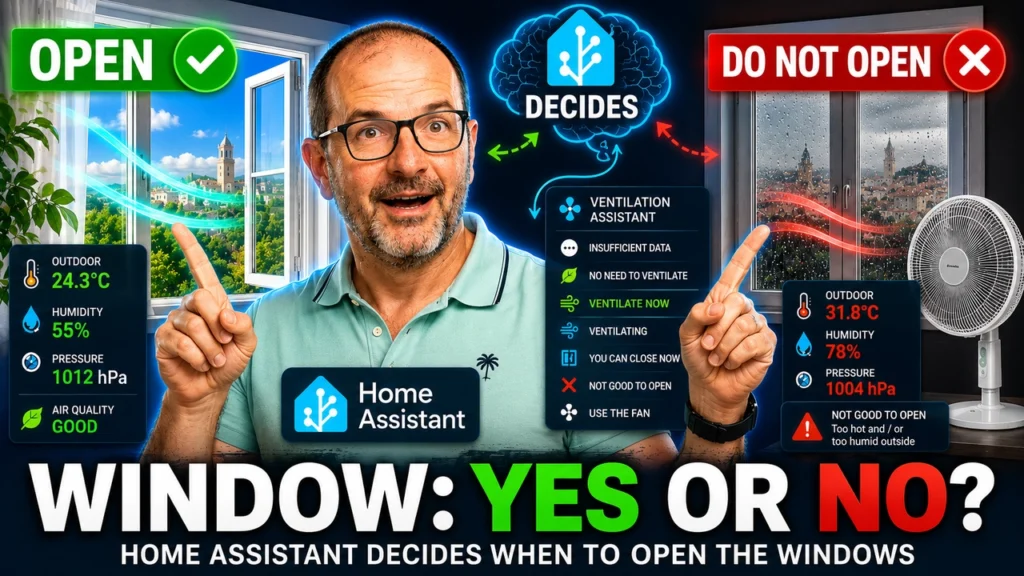
This project creates a Smart Ventilation Assistant for Home Assistant. It compares real indoor and outdoor conditions and explains whether you should open the window, keep it open, close it, wait, or use a fan instead.
The assistant does much more than trigger when relative humidity exceeds 60%. It calculates absolute humidity, dew point, and vapor pressure deficit; filters outdoor measurements; applies hysteresis; checks optional weather and HVAC blocks; and returns one of seven readable statuses:
INSUFFICIENT DATANO NEED TO VENTILATEVENTILATE NOWVENTILATINGYOU CAN CLOSE NOWDO NOT OPENUSE THE FAN
Important: this first version evaluates hygrothermal comfort. Without a CO₂, VOC, or particulate sensor, it cannot prove that indoor air needs to be renewed for air-quality reasons.
Download the complete project
The project is distributed as three files. The package contains the complete logic, the form records the entities in your installation, and the prompt tells ChatGPT or Codex how to adapt the YAML without inventing devices.
Privacy: do not send passwords, long-lived tokens, webhook URLs, secrets.yaml, or files from .storage to an AI. The adaptation process only needs the entity IDs listed in the form. See my guide to protecting secrets in Home Assistant for more context.
The SONOFF AirGuard TH Pressure sensor
I use the SONOFF AirGuard TH Pressure SNZB-02MAffiliate link as the indoor sensor. It is a compact Zigbee 3.0 device that physically measures temperature, relative humidity, and atmospheric pressure.
SONOFF describes it as a five-in-one environmental monitor because its application also derives dew point and VPD from temperature and humidity. Those are calculated values, not two extra physical probes. Home Assistant can calculate them locally and retain its own history.
| Specification | Value |
|---|---|
| Protocol | Zigbee 3.0 / IEEE 802.15.4 |
| Battery | 1 × CR2477, 3 V |
| Claimed battery life | More than 2 years under test conditions |
| Operating temperature | −20 to 60 °C |
| Operating humidity | 5–95% RH, non-condensing |
| Pressure range | 700–1100 hPa |
| Temperature accuracy | ±0.2 °C |
| Humidity accuracy | ±2% RH |
| Pressure accuracy | ±0.1 hPa |
| Dimensions | 45 × 45 × 17.6 mm |
| Intended environment | Indoor; not waterproof |
Atmospheric pressure adds context and a useful trend, but it never opens or closes the window by itself. A falling pressure trend can accompany changing weather; it is not a substitute for a forecast.
Current price and discount
At the time of this update, the official store lists the AirGuard TH Pressure at €20.47. The code TECNOYFOTOSONOFF applies a 10% discount, giving an approximate price of €18.42 before shipping. Price, tax, stock, and coupon conditions can change, so check the final amount before ordering.
Disclosure: this article may contain an affiliate link. Tecnoyfoto may receive a commission at no extra cost to you.
How the Smart Ventilation Assistant works
The logic separates two questions that are often confused:
- Does the room need intervention because it is too warm or too humid?
- Would opening the window actually improve the room?
A room can need intervention while opening is still the wrong response. If outside air is hotter or contains more water vapor, the assistant may recommend keeping the window closed or using a circulation fan.
Why relative humidity is not enough
Relative humidity changes with temperature. Cold air at 70% RH can contain less water vapor than warm air at 55% RH. Comparing only the percentages can therefore produce the wrong recommendation.
The package calculates absolute humidity in grams of water per cubic meter:
AH = (6.112 × e^((17.67 × T) / (T + 243.5)) × RH × 2.1674) / (273.15 + T)If indoor air contains 15 g/m³ and outdoor air contains 9 g/m³, opening has clear drying potential. If outside contains 17 g/m³, opening will not dry the room even when the outdoor RH percentage appears lower.
Dew point and VPD
Dew point is the temperature at which air becomes saturated and condensation begins. VPD—the vapor pressure deficit—describes the difference between the vapor the air could hold and the vapor it currently holds. Both values provide useful diagnosis and history, while absolute humidity remains the main comparison for deciding whether outdoor air can help.
Required and optional sensors
The minimum installation needs only four numeric measurements:
| Location | Required measurement | Expected unit |
|---|---|---|
| Indoor | Temperature | °C |
| Indoor | Relative humidity | % |
| Outdoor (BME280) | Temperature | °C |
| Outdoor (BME280) | Relative humidity | % |
The package calculates absolute humidity, dew point, and VPD; you do not need physical sensors for them. Optional entities add context and automation:
- Atmospheric pressure.
- A window contact sensor.
- A rain binary sensor.
- A wind-gust sensor.
- A
climateentity. - A controllable
fanorswitch. - A mobile or voice notification action.
Missing optional sensors do not block the four-source core. Missing required sensors produce INSUFFICIENT DATA; they are never silently converted into a zero.
Sensor placement matters
Place the indoor sensor around breathing height, away from direct sun, radiators, air-conditioning outlets, bathrooms, and the immediate path of an open window. The SNZB-02M is not waterproof and should not be used as an exposed outdoor probe.
The outdoor sensor should be shaded, ventilated, and protected from rain. A weather service can be used as a fallback, but a properly protected local sensor normally represents the air at your own window more accurately.
Integrating the AirGuard with Home Assistant
Zigbee2MQTT
Enable joining, hold the rear button until pairing begins, and give the device a clear friendly name. Zigbee2MQTT currently exposes battery, temperature, humidity, pressure, calibration controls, and OTA support. My complete Zigbee2MQTT guide covers the installation from scratch.
ZHA
SONOFF currently notes that ZHA may require the script provided in its product knowledge center. Check the latest manufacturer instructions before pairing because support can change with firmware and Home Assistant releases.
Before continuing, open Developer Tools → States. Temperature, humidity, and pressure should show numeric states with sensible units. Fix unknown or unavailable sources before enabling automation.
Installing the package
A Home Assistant package keeps helpers, calculated sensors, scripts, timers, and automations in one file. If you do not already use packages, add this under the existing homeassistant: key in configuration.yaml:
homeassistant:
  packages: !include_dir_named packages
Do not create a second homeassistant: block when one already exists.
Recommended: adapt it with ChatGPT or Codex
- Download the package, form, and prompt.
- Find your entities under
Developer Tools → States. - Complete the four required rows and mark absent optional features as
NOT AVAILABLE. - Attach the package and completed form to ChatGPT or Codex, then paste the supplied prompt.
- Review the input-validation table and adaptation decisions before accepting the YAML.
- Confirm that no placeholder remains and that the AI did not invent an entity.
The prompt also tells the AI how to handle an inverted window contact, convert wind speed, change fan actions to switch actions, remove missing optional features safely, and generate unique IDs for multiple rooms.
Manual adaptation
If you prefer manual editing, replace at least these four placeholders:
# INDOOR
sensor.airguard_room_temperature
sensor.airguard_room_humidity

# OUTDOOR
sensor.outdoor_temperature
sensor.outdoor_humidity
The optional placeholders are sensor.airguard_room_pressure, binary_sensor.room_window, binary_sensor.rain, sensor.wind_gust, climate.room, fan.room_fan, and notify.mobile_app_your_phone.
Save the adapted result as a new file such as:
/config/packages/smart_ventilation_bedroom.yamlCreate a Home Assistant backup, then run Developer Tools → YAML → Check configuration. Do not restart when validation reports an error.
Configurable thresholds and hysteresis
The package creates helpers so you can tune behavior from the UI instead of repeatedly editing YAML.
| Default | Purpose |
|---|---|
| 60% RH | Indoor humidity considered high |
| 26 °C | Indoor temperature considered high |
| 1.2 g/m³ | Absolute-humidity advantage required to recommend opening |
| 0.4 g/m³ | Advantage required to keep an already-open window open |
| 0.8 °C | Thermal advantage required to recommend opening for cooling |
| 0.2 °C | Thermal advantage required to keep ventilating |
| 45 km/h | Maximum allowed wind gust |
| 20 minutes | Optional automatic fan runtime |
Opening requires a stronger advantage than keeping an already-open window open. This hysteresis prevents rapid changes around a single threshold. The opportunity and benefit sensors also require five minutes of confirmation, while the outdoor absolute-humidity source uses a five-minute average.
Understanding every assistant status
INSUFFICIENT DATA
At least one required source is missing or unavailable. The reason attribute identifies the missing measurement.
NO NEED TO VENTILATE
Indoor temperature and humidity remain below the configured intervention thresholds.
VENTILATE NOW
The room needs intervention and the outdoor air provides enough thermal or absolute-humidity advantage.
VENTILATING
The window contact reports open and outdoor conditions still provide enough benefit to continue.
YOU CAN CLOSE NOW
The room has recovered, the outdoor advantage has ended, or an optional block such as rain, strong wind, or active HVAC is present.
DO NOT OPEN
The room needs attention, but opening would not provide enough improvement or an optional safety or energy block is active.
USE THE FAN
The room is too warm, but outdoor air is not favorable enough for opening. A circulation fan may improve perceived comfort, although it does not cool or renew the air by itself.
Notifications and optional fan control
Mobile notifications and automatic fan control are disabled by default. Observe the recommendations for several days and tune the thresholds before enabling either helper.
The notification message combines the main status with its reason. Voice users can replace the mobile action with their own script or notification platform; see my Home Assistant voice assistant guide.
The package records whether it started the fan. It only turns off a fan it started itself, protecting manual use. A timer limits runtime and the control helper can stop the automation immediately.
A simple dashboard card
type: entities
title: Smart Ventilation Assistant
entities:
  - entity: sensor.smart_ventilation_assistant
  - entity: sensor.smart_ventilation_indoor_temperature
  - entity: sensor.smart_ventilation_indoor_relative_humidity
  - entity: sensor.smart_ventilation_indoor_absolute_humidity
  - entity: sensor.smart_ventilation_outdoor_temperature
  - entity: sensor.smart_ventilation_outdoor_absolute_humidity
  - entity: input_select.sva_scenario
  - entity: input_boolean.sva_mobile_notifications
  - entity: input_boolean.sva_automatic_fan_control
After AI adaptation, use the entity IDs returned for your room rather than copying these generic IDs blindly.
Five demo scenarios
The input_select helper can replace real sources with controlled demo values. This lets you demonstrate and verify every branch without waiting for the weather:
- Ventilate now.
- Do not open because outdoor air is too humid.
- You can close now.
- Use the fan.
- HVAC active.
Always return the selector to Live after testing. The real rolling averages are kept separate so demo data does not contaminate their history.
Calibration and future CO₂ support
Place indoor sensors together for at least 30–60 minutes before comparing them. Small offsets are normal. Zigbee2MQTT exposes temperature, humidity, and pressure calibration for the SNZB-02M; wake the battery device before sending a change and make small corrections.
A future CO₂ sensor changes the first question. Temperature and humidity describe comfort, while CO₂ provides evidence that occupied indoor air needs renewal. The second question—whether outdoor conditions make opening safe and useful—can remain largely unchanged.
Troubleshooting
The status stays on INSUFFICIENT DATA
Open the main entity and read its missing-sources attribute. Check that all four required sensors are numeric, use the expected units, and are not disabled.
The recommendation changes too often
Confirm that you did not remove the five-minute delays or set opening and closing thresholds to the same value. Also inspect the raw outdoor sensor for spikes or direct sunlight.
It recommends opening when I do not want to
Increase the thermal or absolute-humidity opening threshold, verify sensor placement, and add rain, wind, window, or HVAC entities where available. Do not change several thresholds at once.
The fan does not respond
Check whether the device belongs to the fan or switch domain. The AI prompt explicitly adapts the action domain, but you should still verify it before enabling automatic control.
Frequently asked questions
Can I build it with only one AirGuard?
No. You need an outdoor temperature and humidity source as well. A weather integration can be a fallback, but a protected local probe is preferable.
Is pressure required?
No. Pressure is optional context and never blocks the minimum assistant.
Do I need a window contact?
No, but it enables the assistant to distinguish a recommendation to open from active ventilation and to tell you when closing is appropriate.
Does the AirGuard measure air quality?
It measures temperature, humidity, and pressure. It does not measure CO₂, VOCs, PM2.5, or PM10, so it should not be presented as a complete air-quality monitor.
Can I use an extractor instead of a fan?
Yes. Supply its real entity and domain in the adaptation form. Start with automatic control disabled and verify several real situations first.
Conclusion
This project turns environmental readings into an explainable decision. The Smart Ventilation Assistant distinguishes the need to act from the opportunity to open, compares actual water content instead of relying only on relative humidity, and explains when opening, closing, waiting, or using a fan makes sense.
The combination of a single package, a structured form, and a constrained ChatGPT or Codex prompt makes an advanced Home Assistant project accessible without pretending that AI output is infallible. Review the mapping, validate the YAML, begin with recommendations only, and automate devices only after the decisions match your home.
Continue reading

Next related guide · 8 min read
BME280 Sensor Guide: Arduino, ESPHome and Home Assistant
Last updated on August 1, 2026 The BME280 is a compact Bosch environmental sensor that measures temperature, relative humidity, and barometric pressure. Mounted on…
Continue with this article