
This article may contain affiliate links. If you buy through these links, the price is the same for you and the store pays me a small commission that helps keep Tecnoyfoto running.

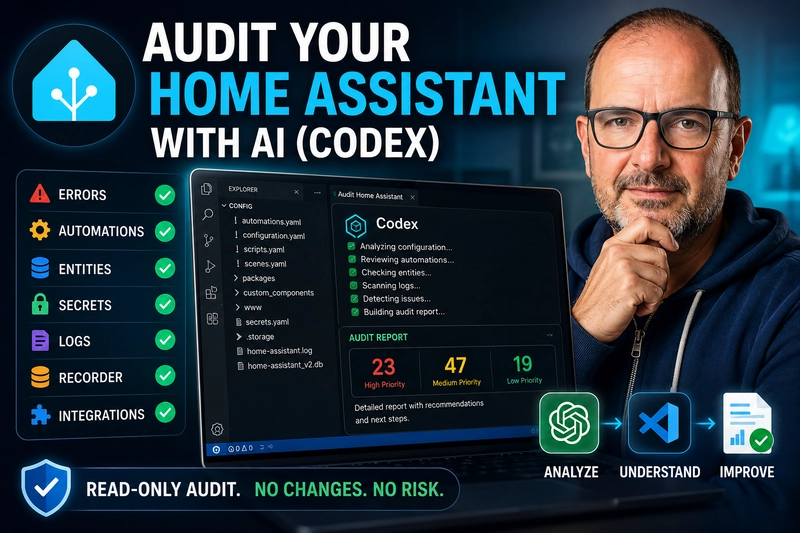
In this article, we are going to see how to audit Home Assistant using Codex and VS Code, without allowing AI to modify anything automatically. The idea is not to ask artificial intelligence to “fix your house” without control, but to use it as an analysis tool to understand what is happening inside your installation.
If you have been using Home Assistant for a while, your installation probably works… but that does not necessarily mean it is clean, organized, or well maintained.
Over the years, it is very common to accumulate old integrations, devices that no longer exist, duplicated entities, disabled automations, errors in the logs, inherited YAML configurations, broken references, poorly organized secrets.yaml files, or a database that is larger than necessary.
The goal is very simple: to know the real state of your Home Assistant before you start changing anything.
What we are going to review in this audit
This audit is designed for real Home Assistant installations. Not for a brand-new, perfect setup, but for a smart home that has been running for some time, with tests, changes, new integrations, removed devices, and automations that may no longer make sense.
With the prompt below, we are going to ask Codex to review, among other things:
- The general structure of the
/configfolder - The
configuration.yamlfile - YAML files split into folders
- Long, old, or disabled automations
- Scripts and scenes
- Duplicated or unavailable entities
- References to entities that no longer exist
- Obsolete or problematic integrations
- HACS custom components
- Logs that are too large
- Possible secrets or credentials in the wrong place
recorderconfiguration- The Home Assistant database
- General system organization
- Technical risks and maintenance priorities
Home Assistant uses configuration.yaml as the main configuration file, although many current integrations are already managed from the user interface. The official documentation explains that this file can be edited from File Editor, Studio Code Server, or an external editor such as Visual Studio Code.
Before you start: make a backup
Before launching any audit, even in read-only mode, I recommend making a Home Assistant backup.
Not because the prompt is going to modify anything, but because any serious work on a real installation should always start with a recent backup. Home Assistant allows you to create and restore backups from its backup system, and the official documentation also explains how to download or restore them depending on the type of installation.
My practical recommendation:
- Create a full backup.
- Download it outside Home Assistant.
- Make sure you can access it.
- Then open VS Code and launch the audit.
Requirements to follow this tutorial
To use this method, you need access to your Home Assistant configuration files from VS Code.
In my case, I do it from Visual Studio Code by opening the Home Assistant config folder. If you still do not know how to install VS Code or how to connect it to Home Assistant, here are the two related videos.
How to install Visual Studio Code:
https://youtu.be/srmoDlv_aj0
How to integrate Home Assistant into VS Code:
https://youtu.be/noQ6iY5OgmU
Once you have the configuration folder open, you can use Codex to analyze the project. The important thing is that the prompt makes it very clear that it must work in read-only mode.
Why use Codex to audit Home Assistant?
Codex can be useful because a Home Assistant installation is not just one file. Normally, there are many elements spread across different places:
configuration.yamlautomations.yamlscripts.yamlscenes.yaml- package folders
- dashboards
- custom integrations
- logs
- old configuration files
- secrets
- cross-references between entities
Reviewing all of this manually can be slow and tedious, especially if the installation has been running for years. An AI tool with access to the folder context can help you find patterns, inconsistencies, and possible improvement points.
But there is one important rule: first audit, then decide, and only then modify manually or under supervision.
Do not use this type of tool to change your Home Assistant without reviewing what it is proposing first.
Complete prompt to audit Home Assistant with Codex
Copy and paste this prompt into Codex while your Home Assistant configuration folder is open.
I want you to perform a complete technical audit of my Home Assistant installation.

IMPORTANT:
- Work in READ-ONLY mode.
- Do not modify any files.
- Do not delete anything.
- Do not run destructive commands.
- Do not restart services.
- Do not update Home Assistant, add-ons, integrations, or dependencies.
- Do not change permissions.
- Do not edit secrets.yaml.
- Do not show secrets, tokens, passwords, private URLs, API keys, or personal data.
- If you find sensitive information, redact it as [REDACTED].
- Before suggesting any real change, explain the reason, the risk, and how to verify it.
- Your goal is not to “fix everything,” but to detect problems, organize priorities, and prepare a safe plan.

CONTEXT:
This is a real Home Assistant installation used at home.
I want to know whether the installation is healthy, organized, safe, and maintainable.
I am especially interested in:
- repeated errors
- problematic integrations
- automations that could be improved
- duplicated or orphaned entities
- performance problems
- backups
- database / recorder
- Zigbee, ZHA, Zigbee2MQTT, ESPHome, MQTT if they appear
- basic security
- external exposure
- YAML configuration
- general system cleanup

MAIN TASK:
Perform a complete audit of everything you can review from this workspace.

REVIEW, IF THEY EXIST, THESE FILES AND FOLDERS:
- configuration.yaml
- automations.yaml
- scripts.yaml
- scenes.yaml
- customize.yaml
- secrets.yaml, but without showing sensitive content
- packages/
- blueprints/
- dashboards or Lovelace configuration
- esphome/
- zigbee2mqtt/
- mqtt/
- www/
- home-assistant.log
- home-assistant.log.1
- any README, notes, or internal documentation
- .storage/, ONLY if necessary and with great care not to show tokens, credentials, or sensitive data

IF YOU CAN RUN COMMANDS, USE READ-ONLY COMMANDS ONLY.
Before running system commands, tell me which commands you want to run and why.
Examples of acceptable commands if the environment allows it:
- list files
- search for errors in logs
- check file sizes
- review folder structure
- search for duplicated entities
- search for disabled automations
- search for duplicated configurations
- search for references to non-existing entities

DO NOT run commands such as:
- rm
- mv
- chmod
- chown
- docker restart
- ha core restart
- ha supervisor restart
- apt upgrade
- pip install
- any command that modifies the system

AUDIT OBJECTIVES:

1. GENERAL STATE
Analyze whether the installation structure looks clean and maintainable.
Detect files that are too large, mixed configurations, duplicates, or confusing areas.

2. LOGS AND ERRORS
Review the available logs.
Identify:
- repeated errors
- important warnings
- integrations that fail
- unavailable entities
- network problems
- authentication problems
- performance problems
- errors that seem serious
- errors that are probably just noise

Do not only list errors: classify them by importance.

3. YAML CONFIGURATION
Review Home Assistant YAML.
Detect:
- suspicious syntax
- obsolete configurations
- duplicates
- sensors or templates that could be improved
- poorly organized includes
- configurations that could be moved to packages
- code that is hard to maintain

4. AUTOMATIONS
Analyze automations and scripts.
Look for:
- duplicated automations
- disabled automations
- unsafe conditions
- entities that may not exist
- automations that are too long
- repeated logic
- fragile triggers
- automations that could fail after restarts
- automations that could benefit from helpers, choose, trigger IDs, or packages

Do not rewrite automations yet. Only suggest improvements.

5. ENTITIES AND DEVICES
Look for signs of:
- duplicated entities
- old entities
- inconsistent names
- devices that seem abandoned
- sensors that may be poorly named
- entities that appear in automations but not in registries or configuration
- unavailable or repeated entities in logs

6. INTEGRATIONS
Detect integrations that may be causing problems.
Classify:
- critical integrations
- integrations with recurring errors
- cloud-dependent integrations
- local integrations
- integrations worth reviewing
- integrations that may be obsolete or misconfigured

7. ZIGBEE / ZHA / ZIGBEE2MQTT / ESPHOME / MQTT
If you find information about these systems, review:
- offline devices
- availability errors
- connection problems
- router devices
- MQTT configuration
- device names
- sensors that fail
- possible stability problems
- signs of interference or a weak mesh, only if there is evidence in the logs/configuration

Do not invent conclusions if there is not enough data.

8. PERFORMANCE AND DATABASE
Check whether there are signs of:
- database too large
- poorly configured recorder
- too many entities recording history
- very noisy sensors
- logs that are too large
- frequent restarts
- storage problems

If you do not have enough data, say what information is missing.

9. BACKUPS
Look for backup information if available.
Evaluate:
- whether there seem to be backups
- whether the strategy seems sufficient
- what still needs to be checked
- whether an external copy would be advisable
- whether a restore test would be advisable

Do not open full backups unless I specifically ask you to.

10. SECURITY
Review carefully:
- external exposure
- public URLs if they appear, redact them
- tokens or secrets accidentally exposed
- passwords in YAML
- integrations with sensitive permissions
- webhooks
- remote access
- configuration that may be insecure

Do not show private data. Only indicate the risk.

11. DASHBOARDS
If there are dashboards or Lovelace configuration files, review:
- broken cards
- non-existing entities
- duplicates
- confusing structure
- overloaded views
- opportunities for simplification

12. DOCUMENTATION AND MAINTENANCE
Evaluate whether the installation would be easy to understand six months from now.
Suggest:
- recommended structure
- minimum documentation
- monthly checklist
- checklist before updating Home Assistant
- checklist before touching important automations

RESPONSE FORMAT:
Deliver a Markdown report with this structure:

# Technical Home Assistant Audit

## 1. Executive summary
Explain in a few lines the general state:
- healthy / acceptable / messy / concerning
- main risks
- what you would NOT touch for now
- what you would review first

## 2. Priorities
Create a table with:
- Priority: High / Medium / Low
- Area
- Detected problem
- Evidence found
- Real risk
- Recommendation
- Estimated difficulty
- Risk of touching it

## 3. Important findings
Group the findings by:
- System
- Logs
- Integrations
- Automations
- Entities
- Zigbee/ZHA/Zigbee2MQTT/ESPHome/MQTT
- Security
- Performance
- Backups
- Dashboards
- Organization

## 4. Things that seem to be working well
I do not want only problems. Also point out what seems reasonably well planned.

## 5. Things I would NOT touch yet
List changes that may be tempting but that you do not recommend touching yet due to lack of data or risk.

## 6. Safe improvement plan
Divide the plan into phases:

### Phase 1 — No risk
Changes or checks that should not break anything.

### Phase 2 — Low risk
Simple changes, but requiring a backup first.

### Phase 3 — Medium risk
Changes that should be done one by one and verified.

### Phase 4 — Only if necessary
Delicate changes that could break things.

## 7. Verification checklist
Give me a concrete checklist to review after applying future improvements.

## 8. Pending questions
List what information you are missing to complete the audit better.

QUALITY RULES:
- Do not invent data.
- If something cannot be known from the available files, say it clearly.
- Every finding must have evidence: file, log, approximate line, or pattern found.
- Clearly separate confirmed errors, reasonable suspicions, and preventive recommendations.
- Prioritize stability over aesthetic cleanup.
- Think as if this installation were running in a real home and could not be broken just for testing.
- Do not look for a perfect solution; look for a safe, realistic, and progressive improvement.

FINAL RESULT:
I do not want you to change anything.
I want a clear, useful, and actionable report to decide what to review first in my Home Assistant.
What result should you expect?
The result should not be a generic list. If Codex has access to your configuration folder, it should return a report with specific findings about your installation.
In a real installation, it may detect things such as:
- Logs that are too large.
- Old or disabled automations.
- Entities that no longer exist.
- Custom integrations that should be reviewed.
- Secrets written directly into YAML files.
- Organization problems.
- Configurations accumulated over the years.
- A database or
recordersetup that should be reviewed. - An improvable
configuration.yamlstructure.
Home Assistant recommends using secrets.yaml to keep passwords, tokens, and API keys outside configuration.yaml, because that file is plain text and may contain sensitive information if it is not organized properly.
Be careful with recorder and the database
One of the most commonly forgotten areas in Home Assistant is recorder.
The recorder stores states and events in the database. According to the official documentation, the default database is SQLite, it is stored in /config/ as home-assistant_v2.db, and automatic purging prevents it from growing indefinitely.
This does not mean you should touch it without knowing what you are doing. It means that if your audit detects a very large database, many noisy sensors, or too much historical data, that may be a good point to review carefully.
What to do after the audit
Once you have the report, do not try to fix everything at once.
My recommendation is to divide the work into phases:
Phase 1: security
Start by reviewing secrets.yaml, tokens, API keys, private URLs, and any credentials written directly in YAML.
Phase 2: real errors
Then review logs, integrations with errors, and entities that appear as unavailable.
Phase 3: automations
Continue with old, disabled, duplicated, or overly long automations.
Phase 4: cleanup and organization
When the urgent parts are under control, you can organize configuration.yaml, split files, clean old folders, and improve the general structure.
Phase 5: optimization
Finally, review recorder, the database, noisy sensors, and general performance.
Prompts to continue after the audit
When Codex gives you the report, you can continue with more specific prompts.
Review secrets.yaml
Based on the previous audit, I want you to review only the problems related to secrets.yaml and credentials. Do not modify anything. Do not show sensitive values. Give me a step-by-step plan to move secrets to secrets.yaml safely.Review automations
Based on the previous audit, I want you to analyze only the automations. Do not modify anything. Detect long, duplicated, disabled automations, or automations with entities that may not exist. Give me a prioritized list of which ones to review first.Review unavailable entities
Based on the previous audit, I want you to help me identify references to entities that may not exist or may be unavailable. Do not modify anything. Give me the file, context, and recommendation.Review recorder
Based on the previous audit, I want you to review only recorder and the database. Do not modify anything. Explain risks, possible causes of growth, and safe recommendations.Organize configuration.yaml
Based on the previous audit, I want you to suggest a strategy to organize configuration.yaml. Do not modify anything. Give me a phased proposal, explaining which blocks to separate, what to review, and what to leave as it is.Conclusion
Using Codex to audit Home Assistant can save a lot of time, but the key is to use it properly.
This is not about letting AI make uncontrolled changes. It is about using it to better understand your installation, detect technical debt, find hidden errors, and decide what to fix first with proper judgment.
If your Home Assistant has been running for years, you probably do not need to start from scratch. You need a good audit, a cleanup plan, and patience to improve it step by step.
Here are the related videos to prepare the environment before launching the audit:
How to install Visual Studio Code:
https://youtu.be/srmoDlv_aj0
How to integrate Home Assistant into VS Code:
https://youtu.be/noQ6iY5OgmU
And if you want to see the complete process on video, you can watch it here:
Frequently Asked Questions
Can I use this prompt even if I do not know how to code?
Yes, but carefully. The prompt is designed to work in read-only mode. Even so, before making any change in Home Assistant, it is always a good idea to understand the recommendation and have a recent backup.
Can Codex break my Home Assistant?
If you use it in read-only mode and do not accept automatic changes, it should not modify anything. The risk appears when you allow it to edit, delete, or run commands without reviewing what it is doing.
Can I use this prompt with another AI tool?
Yes. You can adapt it to other tools such as Claude Code, Gemini, Cursor, or Antigravity, as long as they have access to the configuration folder and respect the read-only instruction.
What files does this prompt review?
It is designed to review configuration.yaml, automations, scripts, scenes, configuration folders, logs, custom components, entity references, secrets.yaml, recorder, and the general Home Assistant structure.
Is it mandatory to use VS Code?
No, it is not mandatory, but it is a convenient way to open the configuration folder and work with AI tools. Home Assistant also allows you to edit configuration from File Editor or Studio Code Server, depending on your installation type.
Continue reading
Next related guide · 7 min read
How to Connect Home Assistant to Visual Studio Code Using Samba
If you use home automation and want more comfort managing your server, integrating Home Assistant Visual Studio Code is an essential leap in quality.…
Continue with this article