
As an Amazon Associate, I earn from qualifying purchases. En calidad de Afiliado de Amazon, obtengo ingresos por las compras adscritas que cumplen los requisitos aplicables. If you buy through these links, the price is the same for you and Amazon pays me a small commission that helps keep Tecnoyfoto running.

Updated August 26, 2026. This revision was checked against Amazon’s current support documentation and separates actual failures from normal device states and Alexa+ interface changes.
What to know before troubleshooting
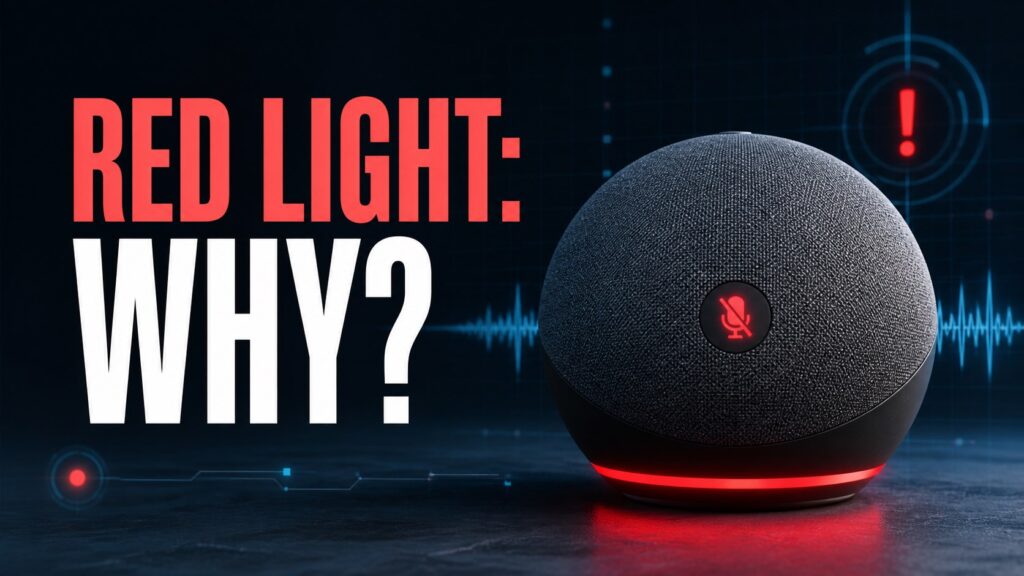
- On a speaker-only Echo, a solid red light normally means the microphone is muted.
- On an Echo with a camera, a red bar can mean the camera and microphone are disabled.
- If pressing the button does not clear it, restart the Echo and check for a stuck button before performing a reset.
Start with the least destructive check. Restarting is safe; a factory reset erases settings and should be the final step.
See the official support documentationAffiliate link as well. Menu labels can differ between original Alexa, Alexa+, and screen-based Echo devices.
You may also want the guides to the yellow light and green light.
Complete guide and step-by-step fixes
A solid red ring on an Echo speaker is normally a privacy indicator, not a mysterious hardware code: the microphone-off button has disconnected the microphones. On an Echo Show or another camera-equipped model, a red bar can also indicate that the camera and microphone are disabled.
Clear a normal red light
- Locate the microphone-off button, usually marked with a microphone and slash.
- Press it once and wait a few seconds.
- Confirm that the red indicator turns off, then use the wake word from normal speaking distance.
- On a screen-based Echo, also check the physical camera shutter and the privacy controls shown on screen.
If the button does not clear the red light
Disconnect the official power adapter for about 10 seconds, reconnect it, and allow the Echo to finish starting. Inspect the microphone button for debris or a case that holds it down. If the red indicator returns immediately without being pressed, test another outlet and adapter only when the replacement is approved for that model.
Red light with no internet response
Do not use color alone to diagnose the network. A muted microphone prevents Alexa from hearing you, while a connectivity problem may produce spoken errors or different light patterns. Unmute first, then test the router and another internet-connected device.
Privacy and microphone behavior
When the red microphone indicator is on, the microphone input is electronically disconnected on Echo hardware designed with that control. Turning it back on restores listening for the wake word. Review voice history separately if you want to inspect what Alexa heard before the microphone was muted.
Frequently asked questions
Does a red ring mean someone is listening?
No. A solid red microphone indicator means Alexa is not listening for requests. On a model with a camera, it also indicates video will not be shared.
Why is my Echo still red after a restart?
Check the privacy button and camera shutter. A stuck button or hardware fault is more likely than a software setting if the indicator returns immediately.
Should I factory-reset the Echo?
Only after unmuting, restarting, and checking the button. A factory reset is rarely needed for a normal red privacy indicator.
Sources and revision policy
This guide uses Amazon support documentation and is written to remain useful when app labels change. Verify model-specific steps in the current official documentationAffiliate link.
Continue reading
Next related guide · 5 min read
Alexa Green Light: What It Means and How to Turn It Off
Updated August 26, 2026. This revision was checked against Amazon’s current support documentation and separates actual failures from normal device states and Alexa+ interface…
Continue with this article