

Updated August 24, 2026 · Flow calculations, calibration, ESPHome Pulse Meter, and Home Assistant meters reviewed.
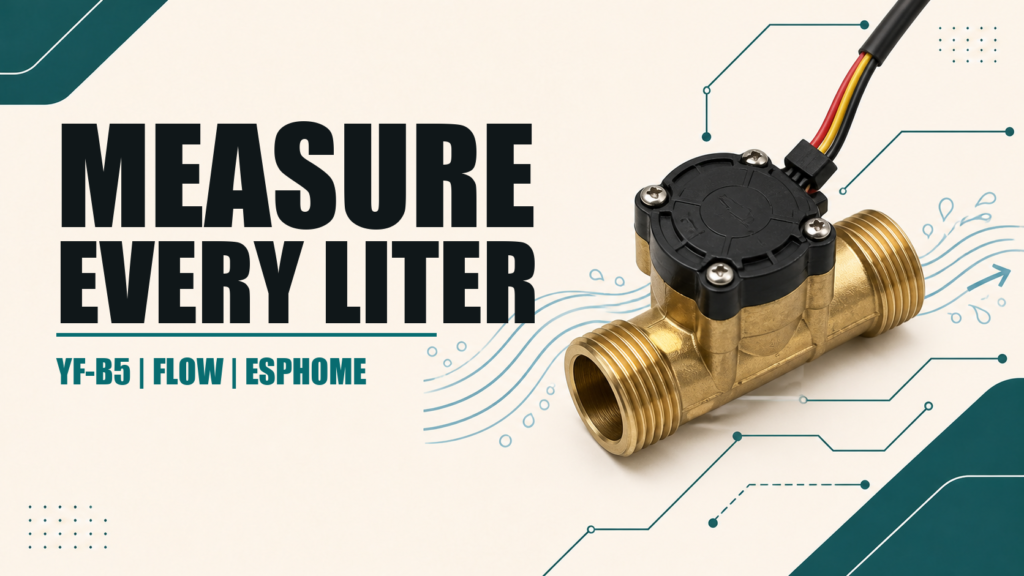
The YF-B5 is a turbine flow sensor with a Hall-effect pickup. Each rotation generates electrical pulses. Measuring their frequency provides an estimated flow rate, while accumulating them provides total volume. ESPHome and Home Assistant can use these readings to monitor consumption, fill a tank, or detect unexpected water flow.
YF-B5 is used for several brass and stainless-steel variants with different calibration constants. This guide therefore does not present one number found online as universal. Start with the documentation for your unit and verify it with a known volume.
Converting pulses into liters
Let K be the number of pulses generated per liter. If your actual K is 660 pulses/L, receiving 660 pulses means that approximately one liter has passed.
- Frequency in Hz: pulses per second.
- ESPHome Pulse Meter: reports pulses per minute by default.
- Flow (L/min): pulses per minute ÷ K.
- Total volume (L): accumulated pulses ÷ K.
With K = 660, the conversion factor is 1 / 660 = 0.00151515. A reading of 3300 pulses/min equals 5 L/min. If the datasheet gives a relationship such as f = k × Q + b, with f in Hz, solve Q = (f - b) / k. That coefficient is not automatically the same as pulses per liter.
Why calibration constants differ
Some YF-B5 documents specify about 660 pulses/L, while certain stainless versions specify about 897 pulses/L or a frequency equation. The body, bore, rotor, and electronics differ. Use the label or seller datasheet as a starting point, then calibrate the physical unit you own.
| Starting K | multiply factor | Use |
|---|---|---|
| 660 pulses/L | 0.00151515 | Common example; verify by calibration |
| 897 pulses/L | 0.00111483 | Documented for some stainless variants |
| Another value | 1 ÷ K | Use the datasheet and your test result |
Hydraulic and electrical installation
- Follow the flow arrow on the body.
- Do not strain the threads, and perform a leak test.
- Check pressure, temperature, diameter, and potable-water rating for your model.
- Provide straight pipe before and after the sensor when its documentation requires it.
- Do not let the pipe load pull on the cable or sensor cap.
Red, black, and yellow are often power, ground, and pulse, but color is not a standard. Some outputs are open collector and accept a pull-up to 3.3 V; others may produce a signal close to their supply voltage. Never connect a 5 V output directly to a 3.3 V GPIO. Check the datasheet or measure the signal and use a divider, transistor, or level shifter when required.
Modern ESPHome Pulse Meter configuration
pulse_meter measures the time between pulses and provides good resolution at low flow. This ESP32 example uses GPIO27 and an initial constant of 660 pulses/L:
sensor:
  - platform: pulse_meter
    name: "Water flow"
    id: water_flow
    pin:
      number: GPIO27
      mode:
        input: true
        pullup: true
    unit_of_measurement: "L/min"
    device_class: volume_flow_rate
    state_class: measurement
    accuracy_decimals: 2
    timeout: 10s
    internal_filter: 100us
    filters:
      - multiply: 0.00151515
    total:
      name: "Total water"
      unit_of_measurement: "L"
      device_class: water
      state_class: total_increasing
      accuracy_decimals: 1
      filters:
        - multiply: 0.00151515
The same factor applies to rate and total because both originate as pulses, even though the first is pulses per minute and the second accumulated pulses. timeout: 10s returns the flow to zero when no pulse arrives. Change internal_filter only after checking your sensor’s pulse width; an excessive filter discards valid pulses at high flow.
On ESP8266, use GPIO4 (D2) or GPIO5 (D1), avoiding GPIO0, GPIO2, and GPIO15. If the sensor electronics already provide a pull-up, check whether pullup: true should be removed.
Calibrating the YF-B5
- Install the sensor in its final orientation and purge air from the line.
- Reset an auxiliary pulse count or note the initial total.
- Run a known volume, preferably 10 liters or more.
- Calculate pulses received: final total minus initial total.
- Calculate
actual K = counted pulses ÷ actual liters. - Replace the YAML factor with
1 ÷ actual Kand repeat at another flow rate.
A one-liter jug creates significant relative error from splashing, air, and resolution. A larger test volume produces a better K. If the result changes substantially between low and high flow, the sensor may be outside its useful range or the installation may be creating turbulence.
Daily and monthly use in Home Assistant
The Total water entity is cumulative and uses state_class: total_increasing. It is the correct source for long-term statistics and period meters. Do not use instantaneous flow directly as if it were volume.
- Open Settings → Devices & services → Helpers.
- Select Create helper → Utility Meter.
- Choose Total water as the input sensor.
- Create daily and monthly meters as required.
- Enable periodic resetting only if the source entity actually resets.
Depending on the platform and configuration, a node reboot may affect its restored total. For billing or critical monitoring, compare readings with an approved meter. A hobby YF-B5 is not a legal metrology instrument.
Common errors
| Symptom | Likely cause |
|---|---|
| Reading is off by a factor of 60 | Confusing Hz (pulses/s) with pulses/min |
| Total drifts | Wrong K or no calibration |
| No pulses | Wiring, common ground, logic level, or reversed flow |
| Pulses while water is stopped | Electrical noise, long cable, or floating input |
| Pulses disappear at high flow | Excessive internal_filter or sensor limit |